
How to optimize Etsy listings for better engagement (2026)
.png)
Optimize your Etsy listings by using keywords that describe the materials, like fabric, wood, or metal, that make up your product, its sizing, and filling in all 13 Etsy tags.
Here’s my guide on how to optimize your Etsy listings in just 8 steps, which I’ve used to help over 50 sellers improve engagement.
Optimize your Etsy listings in 8 steps: At a glance
| Step | Focus |
|---|---|
| 1. Find keywords | Use Etsy autocomplete to discover real buyer searches; favor long-tail phrases |
| 2. Write the title | Lead with main keyword, add secondary keywords, keep it readable |
| 3. Use all 13 tags | Add variations, synonyms, and longer phrases not in the title |
| 4. Category & attributes | Pick the most specific category; fill every attribute field |
| 5. First photo | Clear thumbnail, clean background, good lighting, show scale |
| 6. Description | Structured list, use cases, selling points, shipping, natural keywords |
| 7. Pricing | Benchmark 5–10 competitors; cover fees and time while staying competitive |
| 8. Track & update | Monitor impressions, CTR, conversion, revenue; fix weak listings |
To get more views of your Etsy listings and increase your chances of making sales, you need to keep improving them over time. Listing optimization is not something you do once and ignore.
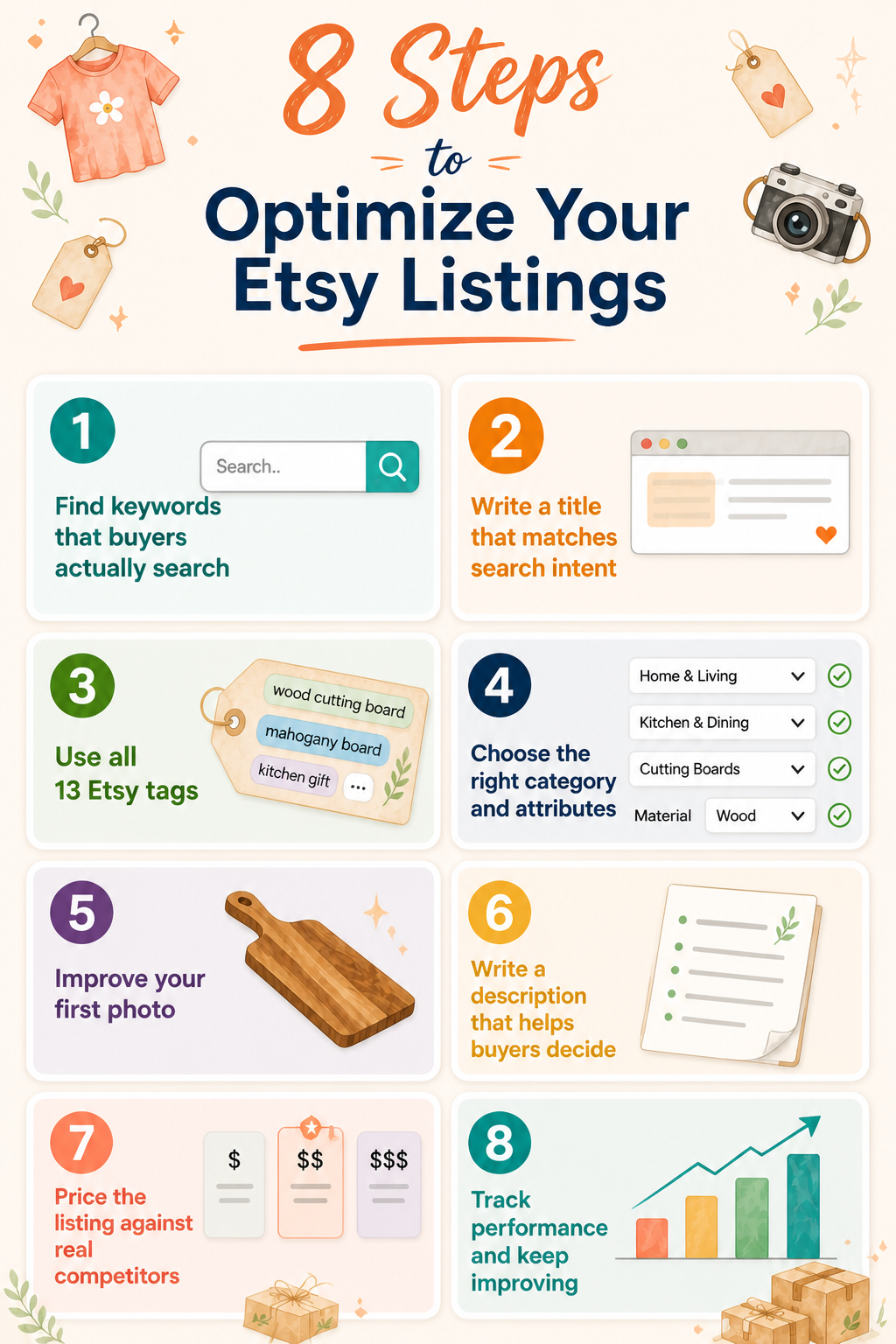
Here’s the 8-step process to optimize your listings for more impressions on Etsy and Google:
Step 1: Find keywords that buyers actually search
Before creating your Etsy listing, type keywords into the search bar. When you do this, real keywords that buyers actually search for will drop down via autocomplete. Select each keyword and click on the top listings, and read their titles closely.
Long-tail phrases like “minimalist gold ring for women” usually perform better than broad terms like “gold ring” because they more accurately reflect what buyers are actually looking for and face less competition.
Check out our deep dive on how to find the right Etsy keywords.
Step 2: Write a title that matches search intent
Use your title to match search intent, which is the product shoppers want to find, while keeping it readable.
Follow these pointers:
- Main keyword first: Place your main keyword at the beginning of the title for clarity and immediate relevance. For example, if you're selling cutting boards, “Cutting Boards” will appear near the beginning.
- Add secondary keywords: Include supporting keywords naturally to expand search coverage. Use words to describe your cutting boards, such as size, material, or color. “Mahogany Cutting Boards: 20”x15”.”
- Prioritize readability: Write the title so it sounds natural and easy to understand for human readers. Don’t stuff in too many words to try to master the algorithm.
- Avoid repetition: Skip duplicate words and fluff (i.e., Super Slick Mahogany Cutting Board) and use slight variations to target different search intents.
Pro tip: Etsy uses the full title for ranking. But buyers only see the first 15 words (~40–50 characters) in the search results. That means the front of your title does most of the work by telling buyers what they're getting, but you’ll need to include enough keywords at the back of the title to better communicate with the Etsy and Google algorithms and match buyer intent.
The final title for our mahogany cutting board could be: Mahogany Cutting Board, 20x15 Wood Board, Butcher Block, Chopping Board, Kitchen Gift. Buyers will see the board type and the size on the search page. The other words in the title help optimize it for other cutting board searches that don’t include mahogany.
Step 3: Use all 13 Etsy tags
Buyers don't see them, but Etsy allows up to 13 tags per listing. These tags help its algorithm understand what your product is and who should see it. Etsy uses tags internally to match your listing with buyer search queries.
Google can’t see Etsy tags, so they don’t affect Google ranking. But using tags is essential for ranking on Etsy.
Use your tags to include keyword variations, synonyms, and longer phrases that didn’t fit naturally in your title. Here are some tags that fit my cutting board example:
- Wooden cutting board
- Personalized cutting board
- Engraved cutting board
- Custom kitchen gift
- Housewarming gift
- Wedding gift idea
- Charcuterie board
- Wood serving board
- Rustic kitchen decor
- Custom-engraved gift
- Cutting board gift
- Kitchen gift for mom
- Handmade wood board
Avoid using the exact tag more than once. It’s okay to use similar phrases that target different search terms, as long as they aren’t identical.
Step 4: Choose the right category and attributes
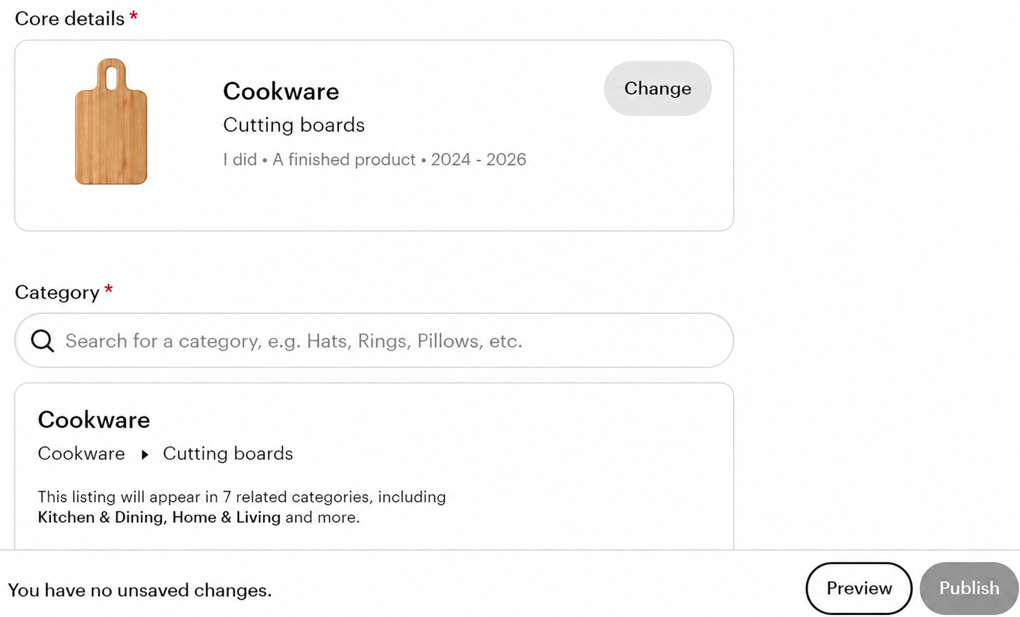
Pick the specific category that fits your listing. The category affects both search ranking and where your item appears. Fill out every attribute, including material, color, and occasion. These act like extra filters for buyers.
Double-check to make sure all attributes fit. Choosing a broad or wrong category brings in the wrong traffic.
Step 5: Improve your first photo
If your thumbnail, which is the first photo in your set, doesn’t stand out, buyers might not click on your listing. Make sure it doesn’t have a cluttered background, poor lighting, or unclear framing. Show the product clearly and add scale if needed.
Use a photo-editing tool with a background remover to spruce up your first image.
Step 6: Write a description that helps buyers decide
Your description should answer questions fast and remove doubt so buyers feel confident purchasing. Here are some key points to consider when writing your listing:
- Structure in a list: Just like this bullet point direction you’re reading now, structure your description in a clear list with titles and explanations. This structure helps shoppers better understand your product, point by point, and allows for skimming.
- Explain how it’s used: Describe the use case so buyers can picture the product in their life or as a gift.
- Highlight selling points: Write a couple of sentences that describe your product’s strengths. For our cutting board example, sell its durability and ease of cleaning.
- Add clear shipping details: State processing times, delivery expectations, and any customization timelines to set accurate expectations.
- Use keywords naturally: Work keywords into full sentences instead of stacking them at the bottom, which hurts readability and conversions.
Step 7: Price the listing against real competitors
Compare your listing with 5–10 similar products and note down the price, shipping, and quality of each. When determining the selling price, consider the amount of time you put into sourcing or creating your item, and also take Etsy fees into account.
Your price should compete with other sellers, but it should still allow for a profit margin. Pricing is one of the main factors that affect both sales and visibility on Etsy. If you sell more items, you’ll often rank better in the search results.
Step 8: Track performance and update weak listings
Etsy’s built-in listing stats help you track the right metrics so you can quickly spot whether your problem is visibility or conversion. These numbers can help give you an idea of what to fix:
- Impressions (show visibility reach): Monitor how often your listing appears in search to understand if your SEO is working.
- Click-through rate (shows interest): Compare clicks to impressions to see if your title and thumbnail actually attract buyers.
- Conversion rate (shows buying intent): Track how many clicks turn into sales to identify issues with pricing, photos, or description.
- Revenue and orders (show performance): Review total sales and order volume to confirm whether your listing changes improve results over time.
Why some Etsy listings never get traffic: At a glance
| Issue | Cause | Effect | Fix |
|---|---|---|---|
| Keywords miss buyer intent | Phrasing targets the wrong search audience | Listing shown to uninterested shoppers | Match keywords to buyer search intent |
| Titles overloaded | Keyword stuffing reduces clarity and readability | Shoppers ignore confusing search result titles | Write clear, readable, intent-focused titles |
| Thumbnails fail to capture attention | Poor lighting, clutter, unclear product focus | Shoppers scroll past without clicking the listing | Use clean, bright, focused product images |
| Descriptions lack critical details | Missing information creates buyer uncertainty | Buyers leave and choose competing listings | Provide clear, complete, helpful product details |
| Low engagement | Few clicks and conversions over time | The algorithm reduces visibility in search results | Improve clicks and conversions consistently |
Some Etsy listings never get traffic because of the following reasons, which are tied to search matching and buyer behavior:
- Keywords don’t match buyer intent: Search terms define who sees the listing, not what the product is. Mismatched phrasing attracts the wrong traffic, which ignores the product and kills visibility.
- Titles have too many keywords: Overloaded phrasing signals manipulation to the algorithm and becomes unreadable in search previews. Clean phrasing improves clarity, which earns clicks and stabilizes listing performance signals.
- Photos fail at the thumbnail level: Search browsing happens fast, and unclear visuals get skipped instantly. Strong thumbnails stop scrolling, which increases clicks and feeds listing momentum back into ranking.
- Descriptions miss details: Listings with missing details often push buyers to purchase from your competitors. Clear answers remove doubt, which raises conversion and prevents wasted traffic from dropping listing quality.
- Weak engagement hurts visibility: Low clicks and purchases signal poor relevance to Etsy’s system, which quietly buries listings deeper in search.
How long does Etsy listing optimization take?
Etsy listing optimization can take 2–4 weeks. Ranking can depend on niche competition, indexing speed, shop traffic volume, and how much shoppers engage with your listing.
New listings also need time to show up in search. If you update tags on a personalized gift listing, you may start to see changes in 2–5 days, though this depends on your category and shop traffic.
Ranking settles after your listing gets steady clicks and saves. In crowded categories, this can take longer. Listings in shops with steady sales and traffic often rank faster because Etsy also considers overall shop performance.
For Google SEO, focus on optimizing your visible listing title, description, and images, as these are the only elements Google crawls and uses to rank Etsy shops in external search results.
Convert more Etsy listings to sales with Nifty
Now that you know how to optimize your Etsy listings for more engagement, why not sell the same listings on other platforms? Instead of jumping between tabs manually, use Nifty, a crosslisting and automation tool that lets you upload all your listings to one command center where you can manage and edit them.
Here's why over 10,000 sellers trust Nifty:
- AI-built listings from a photo: Nifty generates SEO-optimized titles, descriptions, and tags aligned to what buyers search, not what sellers assume they search. You can adjust the tone to match your shop’s voice.
- Crosslist in clicks: Post to Etsy, eBay, Poshmark, Depop, Mercari, and Whatnot without copy-paste chaos across tabs. One workflow, every platform.
- Auto-delist on sale: When an item sells, Nifty pulls it from every other marketplace automatically. No overselling, no cleanup messages.
- Bulk sharing and scheduling: Relist, share, and activate drafts in batches. Set time-based discounts that deepen automatically without manual updates.
- Dashboard that shows what's actually working: Track sales, fees, top performers, and dead inventory in one place. Set seller goals and watch progress from your home screen.
Nifty pays for itself in just a few weeks. Start a 7-day free trial and see how it can help optimize all your Etsy listings and those on other platforms, in one place.
FAQs
1. What is the fastest way to improve Etsy listing visibility?
The fastest way to improve Etsy listing visibility is to update your title and first photo. Place your main keyword in the first few words on the left-hand side of the title. Replace any unclear thumbnail image with a clean, well-lit photo. This combination helps increase click-through rate and reduce wasted impressions.
2. Do Etsy tags still matter for SEO in 2026?
Yes, all 13 tags should be filled with keyword variations and synonyms that didn't fit your title. This is because Etsy's algorithm uses tags to match buyer searches internally and cuts your chances of ranking if left empty. Although buyers can’t see tags, they play a key role in where the algorithm ranks your listings.
3. Why are my Etsy listings getting views but not sales?
Your Etsy listings are getting views but not sales because your descriptions leave buyer questions unanswered, your prices are uncompetitive, or your photos don't build enough confidence to purchase. Fix this issue by rewriting your description, adjusting your price based on competitor listings, and using clear, high-quality photos.
4. Can Etsy listings rank on Google search results?
Yes, Etsy listings can rank on Google. But your title, photos, and descriptions will need to match broader search intent and generate engagement. Google only pulls high-performing Etsy pages, not new or weak listings. A listing titled “custom engraved cutting board gift” has a better chance of appearing in Google than “cutting board” because it matches how people search outside Etsy.


.png)

.png)