
The 8 best eBay inventory management software (2026)
.png)
The best eBay inventory management software includes Veeqo, Zoho Inventory, and 3Dsellers.
I get asked all the time which eBay inventory management software is best. The answer depends on your sales volume and whether you sell only on eBay or across multiple marketplaces. That's why I compared eight of the top tools, their pricing, real user reviews, and where each one stands out.
The 8 best eBay inventory management software: TL;DR
- Veeqo: Best for warehouse inventory management
- Zoho Inventory: Best for customized inventory control
- 3Dsellers: Best for dedicated eBay sellers
- Nifty: Best for crosslisting and inventory tracking
- SixBit: Best for desktop inventory management
- SellerChamp: Best for ecommerce inventory management
- Linnworks: Best for enterprise inventory management
- eBay Seller Hub: Best free inventory management
How I tested this eBay inventory management software
To test eBay inventory management software, I used sample data or connected the tools to my own eBay account. For enterprise tools, I looked at documentation and live demos. Here's what I looked for:
- Bulk editing speed: I uploaded CSV files and batch-edited prices, quantities, and titles across sample listings in each tool.
- Restocking before a bestseller sells out: I set low-stock thresholds on fast-moving sample items and watched how quickly each tool flagged them.
- Pricing transparency and scalability: I compared published pricing tiers against tools that required a custom quote before revealing any numbers. Some tools didn’t have public pricing tiers, but I needed to include a few of these given the number of large-scale sellers looking for eBay inventory management software.
- Profit and margin reporting: Sales volume alone doesn't tell you if you're actually making money on each listing. I compared how each tool handled cost of goods, fees, and margin tracking across sample sales.
The 8 best eBay inventory management software
| Software | Ideal users | Pros | Cons | Pricing |
|---|---|---|---|---|
| 1. Veeqo | Multi-warehouse, multichannel fulfillment teams | Free shipping tools | Pricing rises with order volume | Starts at $19/month |
| 2. Zoho Inventory | Inventory-focused small business sellers | Strong stock tracking and bundles | Advanced features cost more | Starts at $39/month |
| 3. 3Dsellers | Dedicated high-volume eBay sellers | Fast bulk listing management | Listing limits increase costs | Starts at $19/month |
| 4. Nifty | Crosslisting resellers using multiple marketplaces | Cloud automation with AI listings | No warehouse management features | $25/month; Crosslisting $39.99/month |
| 5. SixBit | Desktop-first Windows eBay sellers | Full local database ownership | Windows-only desktop software | Starts at $29.99/month |
| 6. SellerChamp | Enterprise multichannel inventory operations | Handles massive SKU catalogs | Custom quote required | Custom pricing |
| 7. Linnworks | Large enterprise retail operations | Advanced warehouse automation rules | Complex setup for beginners | Custom pricing |
| 8. eBay Seller Hub | Budget-conscious eBay-only sellers | Native eBay integration included | No multichannel inventory support | Free |
1. Veeqo: Best for warehouse inventory management

What it does: Veeqo keeps inventory synced across connected marketplaces, online stores, and warehouse locations.
Best for: Sellers managing orders across several sales channels or warehouses. It helps businesses with growing product catalogs keep inventory accurate, reduce overselling, and ship orders faster without hiring more warehouse staff.
During testing, I connected 4 sample sales channels and a fake warehouse. Inventory updated within seconds after each order, so I didn't have to double-check spreadsheets before restocking. The app also includes a barcode-scanning feature and guided pick routes so staff can find the right items faster.
Key features
- Multichannel order dashboard: Pulls orders from eBay, Amazon, Shopify, and other sales channels into one dashboard
- Digital picking workflows: Uses barcode scanning and guided pick routes so warehouse staff can find items faster than with paper pick lists
- Inventory control and stock alerts: Tracks inventory across warehouses and sales channels, sends low-stock alerts, and supports reordering before products sell out
Veeqo pros
- Free core tools: Includes shipping tools at no software cost, with inventory and warehouse tools on paid plans, making it easier to move away from spreadsheets
- Built for growing businesses: Supports unlimited users and large product catalogs without charging extra for each warehouse employee
- Quick setup: Connect sales channels and start managing inventory and shipping in less time than many traditional warehouse systems
Veeqo cons
- Pricing increases by order lots: Each pricing plan gets more expensive as your volume reaches specific thresholds
- Owned by Amazon: Some sellers may not want to rely on software owned by a company they also compete with
What real users say

“The time it takes to train our team to use Veeqo is minimal, and it allows us to focus more time and effort on increasing sales. While it is easy to use, it also provides enough customization to fit our unique needs. There is a perfect balance of customizable views, shipping options, branding, etc., without too much noise that would confuse our fulfillment team.” (Gray P., G2; October 8th, 2025)
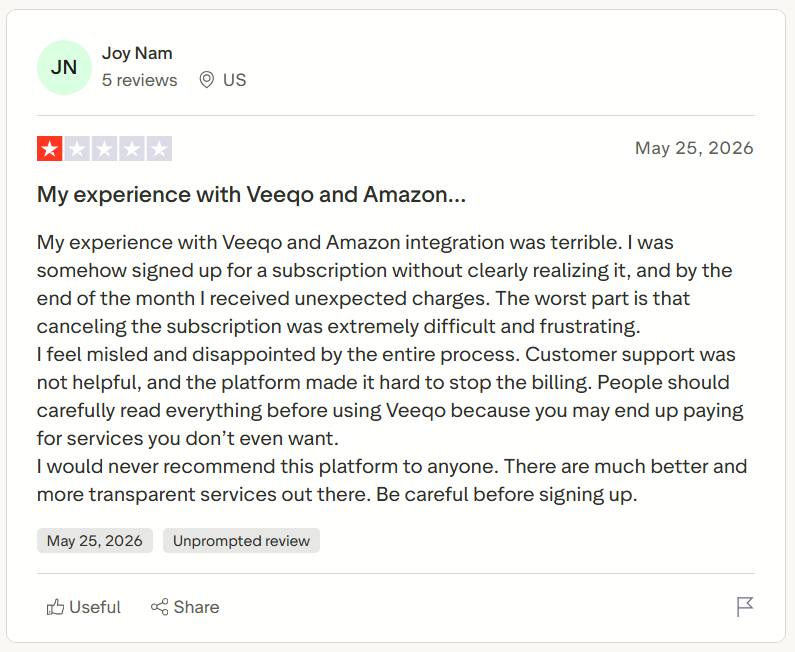
“My experience with Veeqo and Amazon integration was terrible. I was somehow signed up for a subscription without clearly realizing it, and by the end of the month I received unexpected charges. The worst part is that canceling the subscription was extremely difficult and frustrating.” (Joy N., Trustpilot; May 25th, 2026)
Pricing
Veeqo’s paid plans starts at $19/month.
Bottom line
Veeqo often helps if you’re shipping enough volume to justify usage-based pricing and want free shipping software bundled with inventory sync. If you need granular lot-code traceability, try Zoho Inventory instead.
2. Zoho Inventory: Best for customized inventory control

What it does: Zoho Inventory tracks products, orders, and stock across multiple sales channels and locations.
Best for: Small and mid-sized businesses that need better inventory control without the complexity of enterprise software. It's a good fit for sellers managing purchase orders, reorder points, bundled products, and inventory across multiple marketplaces.
During testing, I set sample reorder points for blue light glasses. The system warned me before inventory hit 25 units, making it easier to restock before items sold out. The built-in reports showed useful sales and inventory trends, but they didn't provide detailed profit reports for individual eBay listings.
Key features
- Composite items: Creates bundled products while automatically updating inventory for each item inside the bundle after a sale
- Batch and serial number tracking: Tracks products by batch or serial number, making it easier to manage warranties, expiration dates, and product history
- Multichannel inventory sync: Connects with marketplaces like eBay, Amazon, and Shopify to keep inventory and orders updated across every sales channel
Zoho Inventory pros
- Free plan available: Supports up to 50 orders each month and includes useful features like bundled products, dropshipping, and backorders
- Works well with Zoho apps: Integrates with Zoho Books, Zoho CRM, and other Zoho products to keep accounting, sales, and inventory connected
- Strong inventory tracking: Supports bundled products, batch tracking, and serial numbers for businesses that need more detailed inventory records
Zoho Inventory cons
- Advanced features require higher plans: Batch tracking, serial numbers, and some automation tools are only available on more expensive plans
- Limited profit reporting: Built-in reports cover inventory and sales but don't provide detailed profit analysis for individual products or listings
What real users say
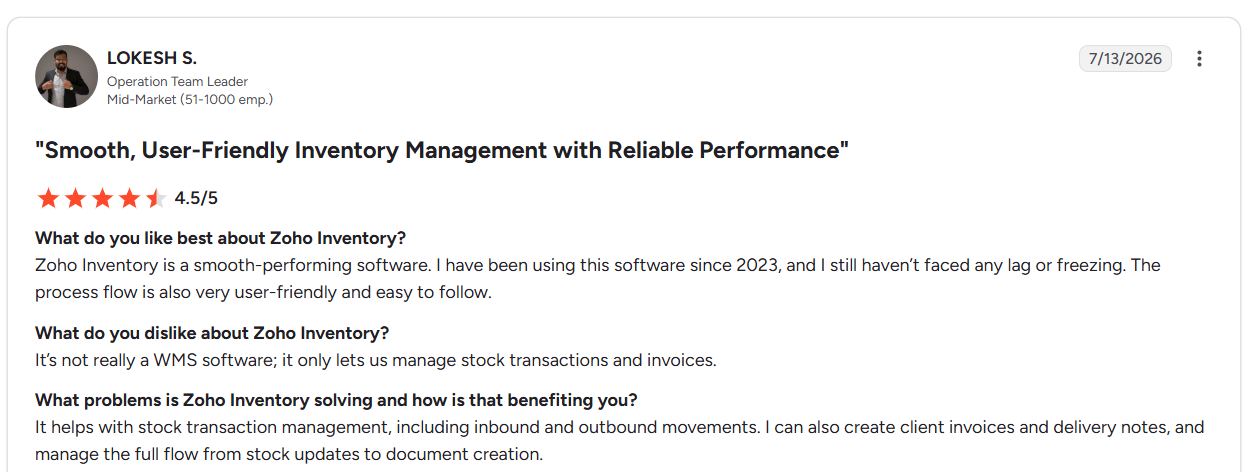
“Zoho Inventory is a smooth-performing software. I have been using this software since 2023, and I still haven’t faced any lag or freezing. The process flow is also very user-friendly and easy to follow.” (Lokesh S., G2; July 13th, 2026)
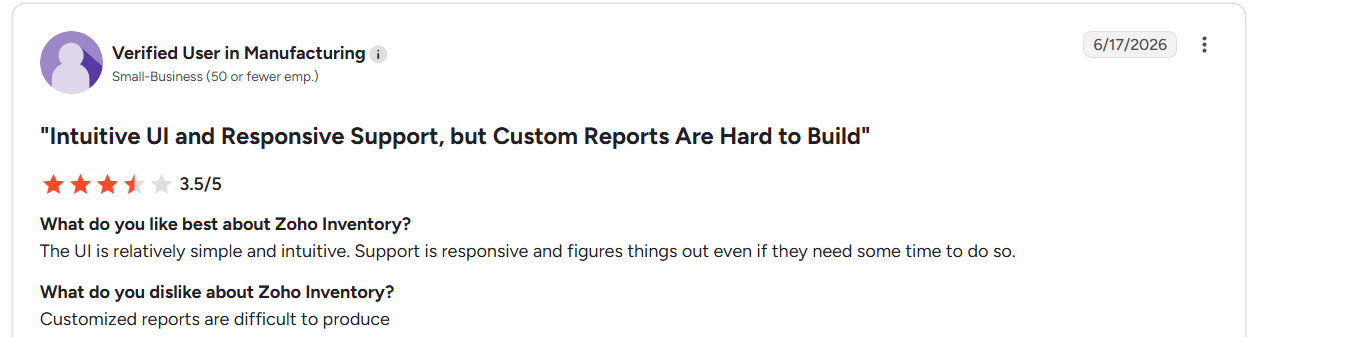
“Customized reports are difficult to produce.” (Manufacturing user, G2; June 17th, 2026)
Pricing
Zoho Inventory pricing starts at $39/month. Discounts available for annual plans.
Bottom line
Zoho Inventory is great for managing purchase orders, reorder points, and composite bundles across eBay and other channels. If you need dedicated eBay-only listing automation over general accounting integration, try 3Dsellers instead.
3. 3Dsellers: Best for dedicated eBay sellers
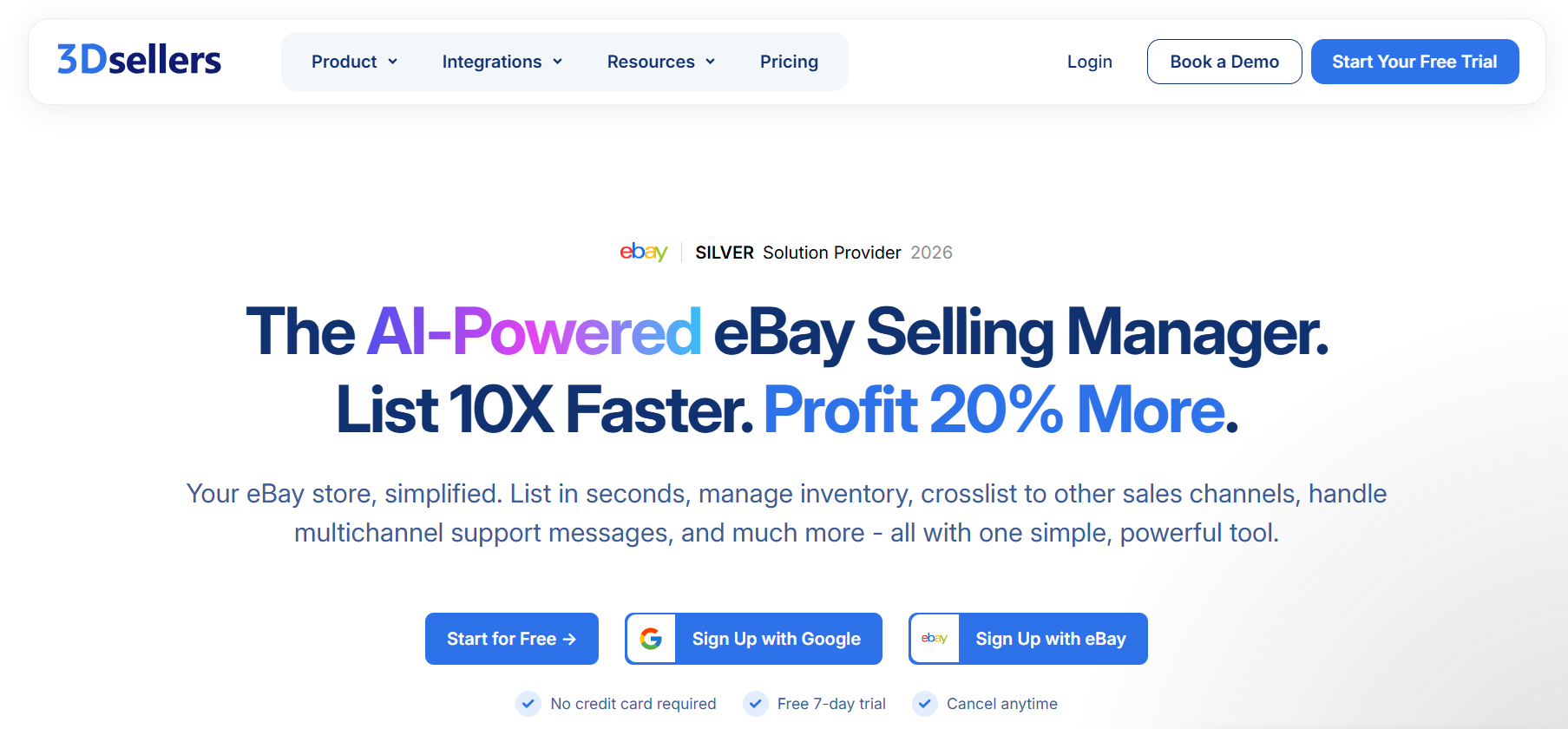
What it does: 3Dsellers lets you update listings, reply to buyers, and automate feedback without switching between different tools.
Best for: It's a good fit for people managing hundreds or thousands of listings who want faster editing tools and more automation. Small teams to mid-sized sellers get the most value.
During testing, I uploaded a CSV file to update prices and quantities across sample listings I already put in 3Dsellers. The changes finished much faster than editing each listing one by one. I also set up automatic feedback requests and buyer message templates, which reduced manual follow-up after each sale.
Key features
- Automatic buyer messages: Create message templates and automate common replies so sellers spend less time answering routine questions
- eBay listing templates: Get customizable templates designed specifically for eBay listings to create a consistent look across your store
- AI listing tools: Higher plans offer a paid AI add-on that helps create or improve listings using your product information
3Dsellers pros
- Built for eBay sellers: Every major feature focuses on eBay selling, making it more specialized than general inventory management software
- Fast bulk editing: Update large numbers of listings in minutes instead of making changes one listing at a time
- Affordable starting plans: Entry-level plans include useful listing and automation tools at a price that works well for many solo sellers
3Dsellers cons
- Pricing grows with your store: Plans are based on the number of active listings, so larger stores may need to upgrade as they grow.
- Limited warehouse management: 3Dsellers focuses on listings and seller tools. Businesses that need warehouse inventory management across multiple locations will need a separate inventory system.
What real users say

“I've been using 3Dsellers for the past 3 months, and it's made managing my eBay store much easier. The automation features save me time, the platform is easy to use, and the customer support is always responsive and helpful. I highly recommend 3Dsellers to any eCommerce seller.” (Business User, Trustpilot; July 10th, 2026)
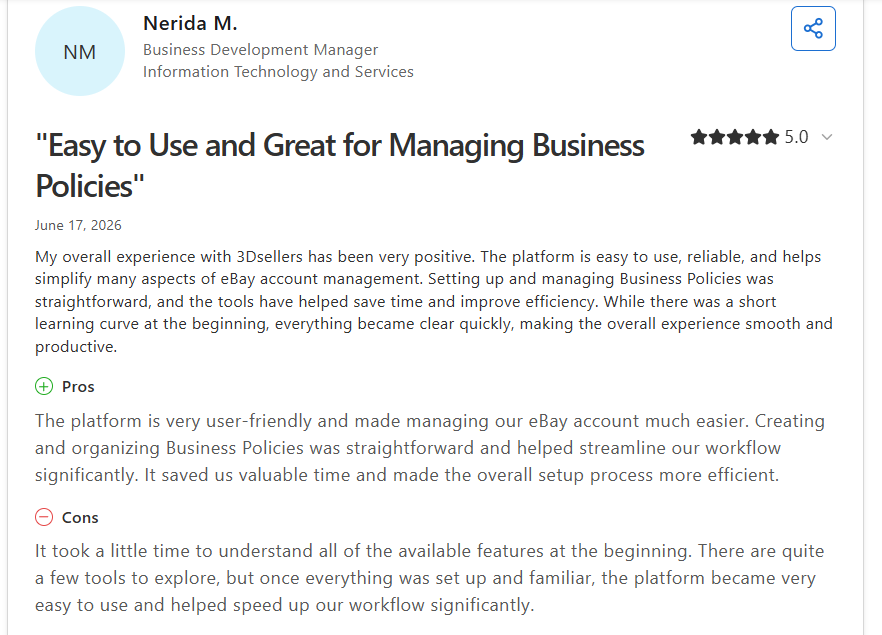
“It took a little time to understand all of the available features at the beginning. There are quite a few tools to explore, but once everything was set up and familiar, the platform became very easy to use and helped speed up our workflow significantly.” (Nerida M., Capterra; June 17th, 2026)
Pricing
3Dsellers’ pricing starts at $19/month.
Bottom line
3Dsellers makes the most sense once you're a solo or small eBay seller relisting listings in bulk and automating buyer feedback daily. If you’re running multichannel operations across Shopify and Amazon, try Linnworks instead.
4. Nifty: Best for crosslisting and inventory tracking
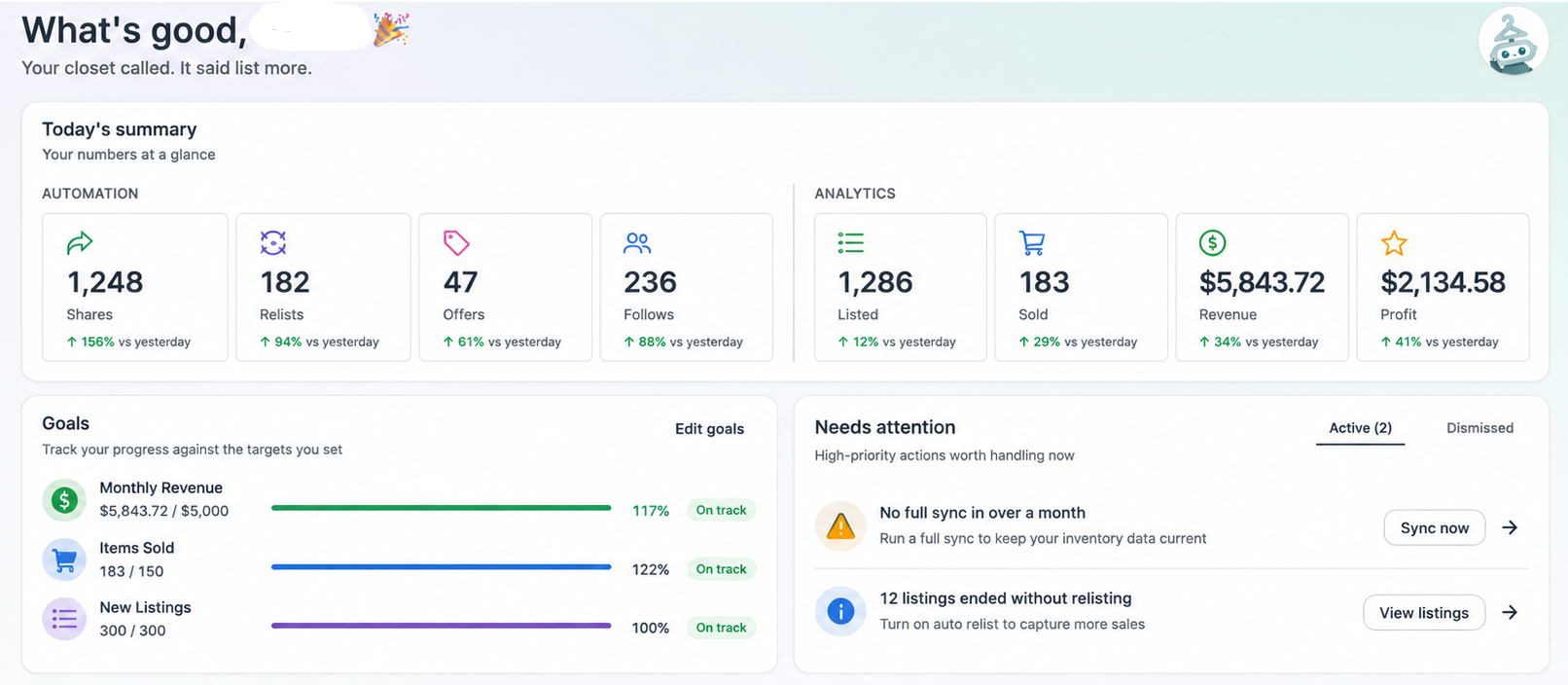
What it does: Nifty centralizes inventory, crosslisting, automation, and analytics for sellers managing multiple online marketplaces.
Best for: Resellers and e-commerce businesses that list across several marketplaces and want to automate daily listing management.
We built Nifty to eliminate the need for separate tools for crosslisting, sharing, inventory management, and bookkeeping.
Everything runs from one interface, so you don’t need to keep switching between apps. You can update inventory across marketplaces with just a few clicks. The tool also supports automatic recreates and offers on eBay.
Key features
- Unified inventory management: Maintain one master inventory that syncs across eBay, Poshmark, Etsy, Depop, Mercari, and additional supported marketplaces
- Auto-delisting: Once you turn it on, automatically removes sold listings from every connected marketplace to prevent duplicate sales
- Business analytics: Tracks revenue, marketplace fees, and profits with built-in sales and profit reporting
Nifty pros
- Cloud-based automation: Shares, relists, and other automations continue running even when your computer or phone is offline
- Marketplace-aware safeguards: Built-in limits follow marketplace rules, including Poshmark sharing thresholds and Depop automatic relisting limits
- AI listing generation: Create SEO-optimized listings from a few pictures complete with titles, tags, descriptions, and sizing
Nifty cons
- Feature-heavy: Nifty offers analytics, automation, crosslisting, and even photo tools, so you’ll need to take time to learn the tool
- No warehouse support: The tool doesn’t provide connections with warehouses to manage orders
What real users say
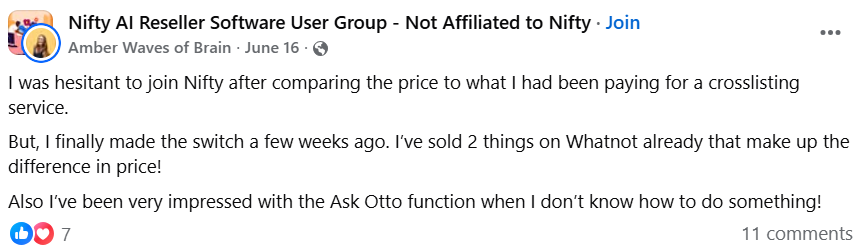
“I was hesitant to join Nifty after comparing the price to what I had been paying for a crosslisting service. But, I finally made the switch a few weeks ago. I’ve sold 2 things on Whatnot already that make up the difference in price! Also I’ve been very impressed with the Ask Otto function when I don’t know how to do something!” (Nifty user, Facebook; June 16th, 2026)
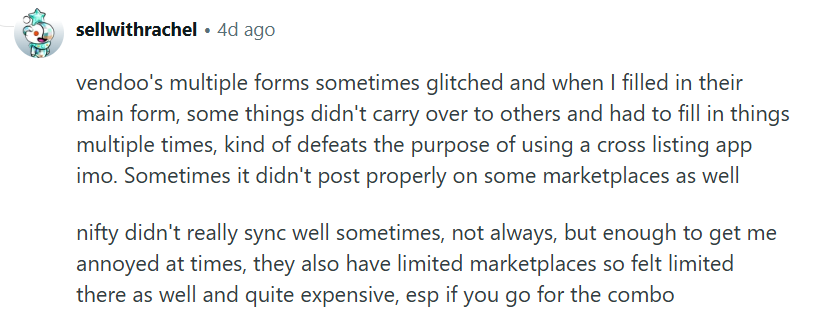
“Nifty didn't really sync well sometimes; not always, but enough to get me annoyed at times. They also have limited marketplaces, so I felt limited there as well and quite expensive, esp if you go for the combo.” (User, Reddit; July 13th, 2026)
Pricing
Start using Nifty for $25/month for eBay or Poshmark automation. Crosslisting starts at $39.99/month. If you go with the annual plan, you can save up to 12%.
Bottom line
Nifty is great for crosslisting and eBay automation. If you need a tool that offers warehouse management and third-party logistics features, try Veeqo.
5. SixBit: Best for desktop inventory management
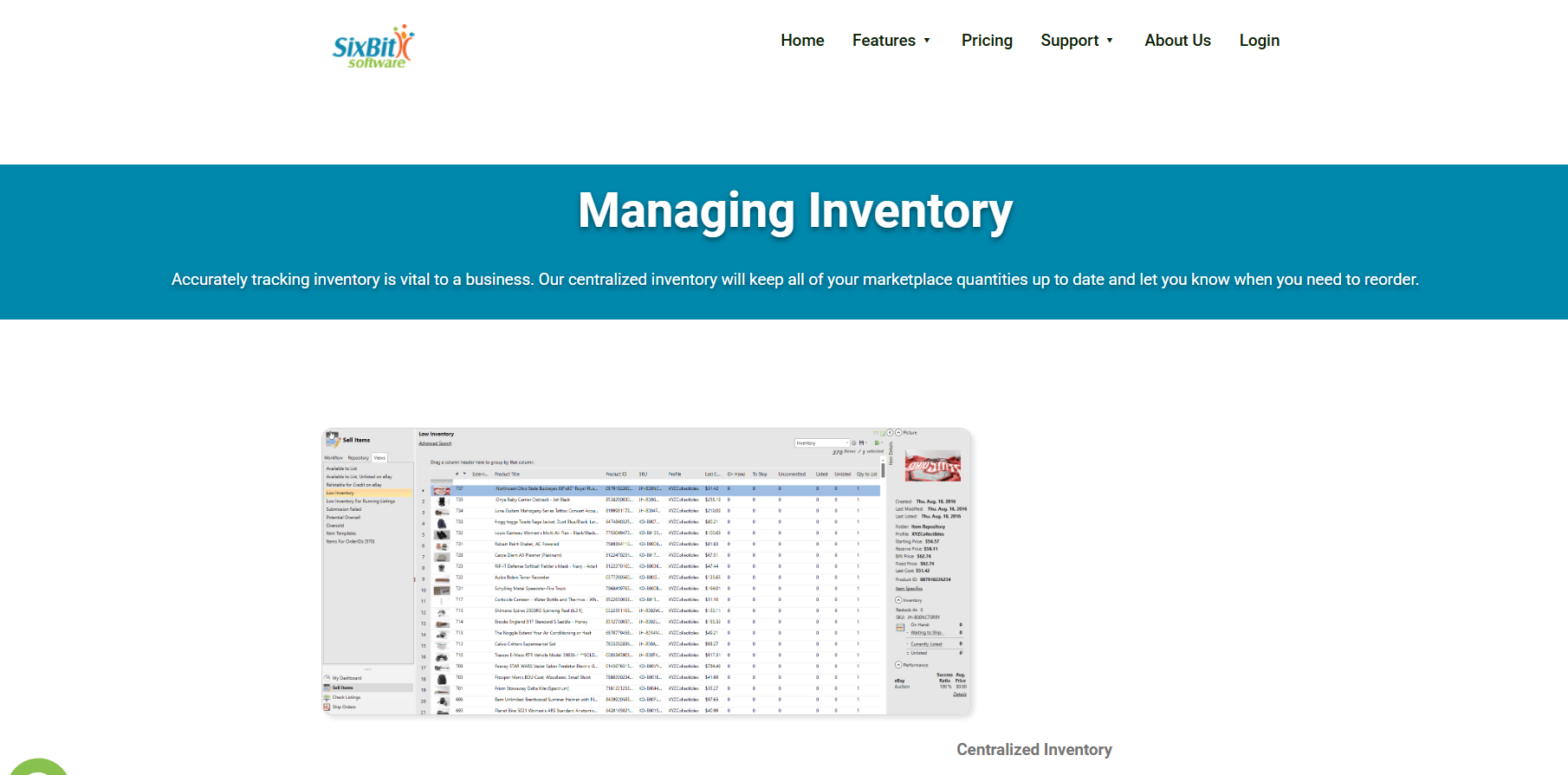
What it does: SixBit runs eBay listing, inventory, and order management entirely from one locally installed Windows desktop database.
Best for: Sellers who want full data ownership, running SixBit locally instead of relying on cloud servers.
After downloading the software, I tested SixBit by batch-editing hundreds of eBay listings using SixBit's local desktop database on my own machine. Changes saved instantly to the local database without waiting on any remote cloud server response.
Key features
- Local desktop database: Stores listings and orders directly on your own machine's hard drive
- Batch item editing: Updates prices, titles, and custom fields across many listings at once
- Purchase history tracking: Records supplier costs and inventory history for profit and loss reports
SixBit pros
- Full local data control: Keeps all listing and sales history on your own hardware
- No percentage sales fees: Flat monthly cost applies regardless of how much you sell
- Deep customization options: Configures fields, forms, and reports to match specific workflows exactly
SixBit cons
- Desktop-only architecture: Requires a Windows machine, blocking sellers who work from phones or Macs
- Dated interface feel: Older UI design slows onboarding for teams expecting modern cloud dashboards
What real users say

“It allows me to list items on multiple sites simultaneously and also lets me customize listings for each specific site.” (Deborah, Software Finder; September 2024)
“There is a learning curve, but if you mess with it long enough, you can set it up to where the layout is pretty much the same as TL (Turbo Lister).” (User, eBay Community; February 28th, 2024)
Pricing
Sixbit pricing starts at $29.99/month.
Bottom line
SixBit fits multi-account eBay sellers who want local control over listing, order, and inventory data. If you need mobile access or cloud-based dashboards from any device, try Nifty.
6. SellerChamp: Best for e-commerce inventory management

What it does: SellerChamp syncs listings, stock, and orders across eBay and several other connected marketplaces from one dashboard.
Best for: High-volume sellers who need to bulk-list a large volume of SKUs across eBay, Amazon, and Walmart simultaneously.
I reviewed SellerChamp’s documentation and discovered that sellers can bulk-list thousands of SKUs across eBay and Amazon using its bulk CSV upload tool. Listings appear across both channels within an hour, pulling titles directly from supplier product feeds.
Key features
- Bulk CSV listing: Uploads thousands of SKUs across eBay and other channels simultaneously
- Multi-warehouse inventory sync: Updates stock levels across FBA, third-party logistics, and owned warehouses in real time
- Automated order routing: Sends orders to FBA, third-party logistics, or your warehouse based on custom rules
SellerChamp pros
- True multi-channel scale: Manages up to a million SKUs across many marketplaces at once
- Included onboarding support: Handles catalog migration and channel setup at no extra cost
- Smart order routing: Sends each order to FBA, third-party logistics, or your warehouse without manual sorting
SellerChamp cons
- Opaque pricing structure: Requires a sales call before revealing any actual subscription cost
- Occasional sync failures: Inventory mismatches during peak traffic risk oversells on strict platforms
What real users say
“Seller Champ has been an incredible asset to my eCommerce business! The platform is easy to use, and the support team is always responsive, knowledgeable, and quick to resolve any questions.” (Business user, Trustpilot; June 27th, 2026)

“My business setup was very specific, and I wish I had been advised to clean up my inventory/data before onboarding. Doing so would have made the setup process smoother.” (Melissa B., Capterra; June 23rd, 2026)
Pricing
Contact the SellerChamp team to get a custom quote.
Bottom line
SellerChamp works for sellers who are bulk-listing thousands of SKUs and routing orders across eBay, Amazon, and Walmart at real scale. Sellers who want transparent, instant pricing without a sales call try 3Dsellers.
7. Linnworks: Best for enterprise inventory management
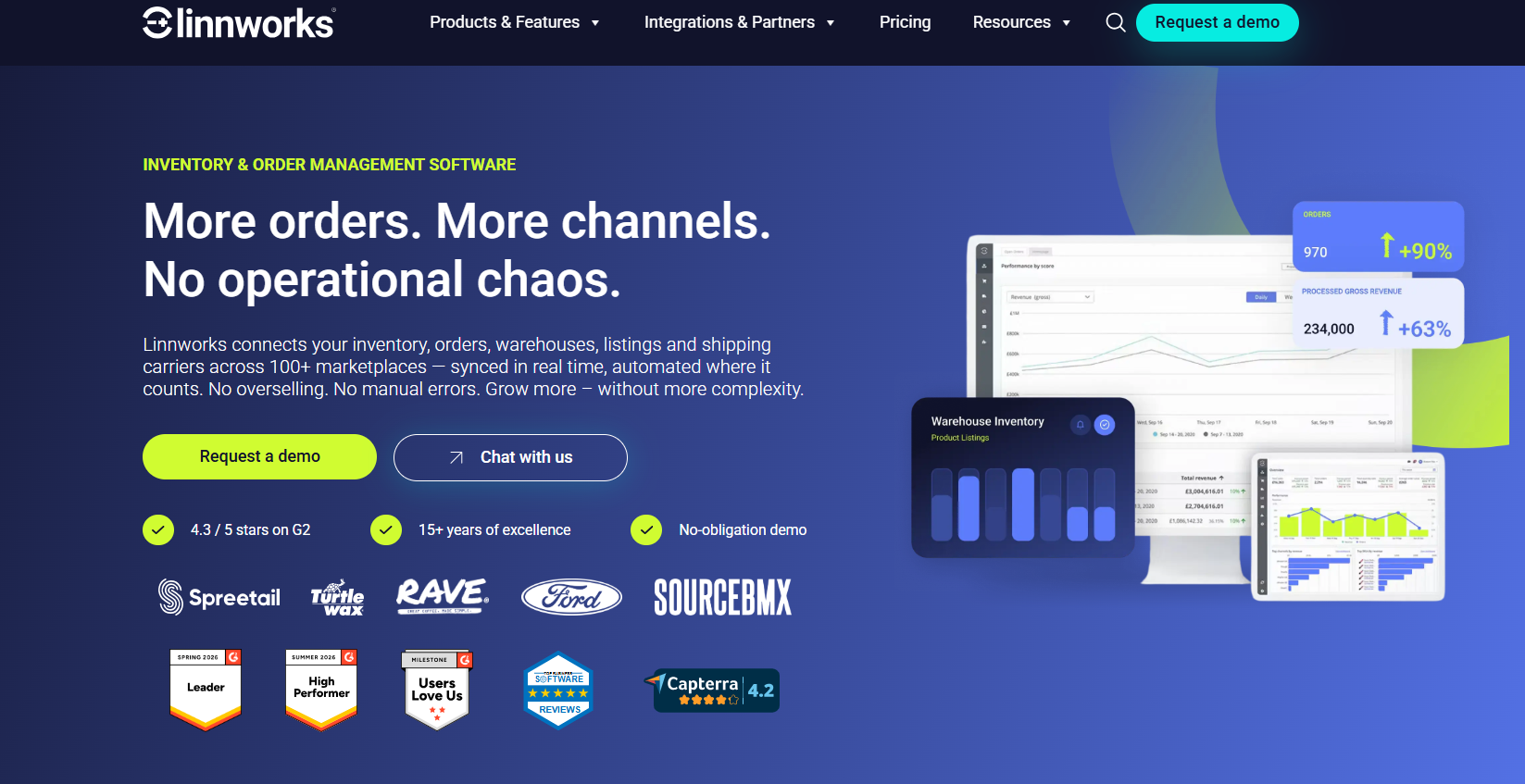
What it does: Linnworks centralizes inventory, orders, and fulfillment across eBay, Amazon, Walmart, Etsy, and dozens of other marketplaces.
Best for: Fast-growing retailers and enterprise operations that need to route thousands of daily orders across warehouses, third-party logistics, and many separate sales channels.
To assess Linnworks, I watched three demos and read documentation. I noticed that users can build automated routing rules and send high-priority eBay orders directly to select warehouses. The tool sorts and routes orders within seconds, correctly prioritizing express shipments over standard ground deliveries automatically.
Key features
- Automated rules engine: Routes and prioritizes orders across warehouses using unlimited custom logic
- Multi-channel bulk listing: Creates and updates listings across eBay and a hundred other marketplaces
- Warehouse management system: Digitizes picking, packing, and stock accuracy across multiple physical locations
Linnworks pros
- Built-in demand forecasting: Flags reorder timing before stockouts hit, based on real sales history
- Barcode-driven warehouse ops: Turns picking and packing into scannable steps instead of paper lists
- API access included: Lets technical teams build custom integrations beyond the standard app connections
Linnworks cons
- Steep learning curve: SKU mapping and warehouse setup overwhelm less technical solo sellers quickly
- Built for real complexity: Minimum order volume disqualifies small eBay-only sellers running lean operations
What real users say
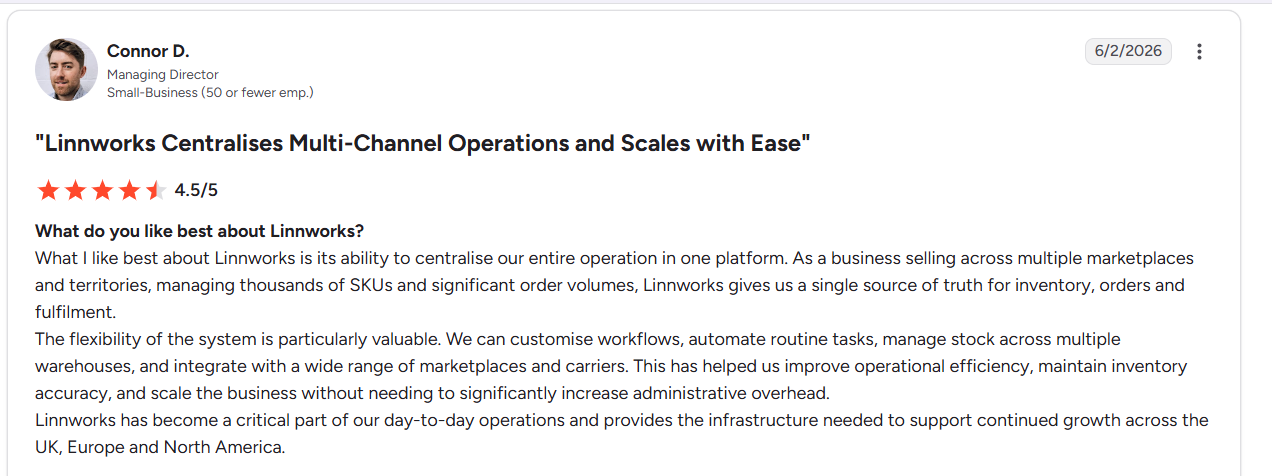
“What I like best about Linnworks is its ability to centralize our entire operation in one platform. As a business selling across multiple marketplaces and territories, managing thousands of SKUs and significant order volumes, Linnworks gives us a single source of truth for inventory, orders and fulfillment.” (Connor D., G2; June 2nd, 2026)
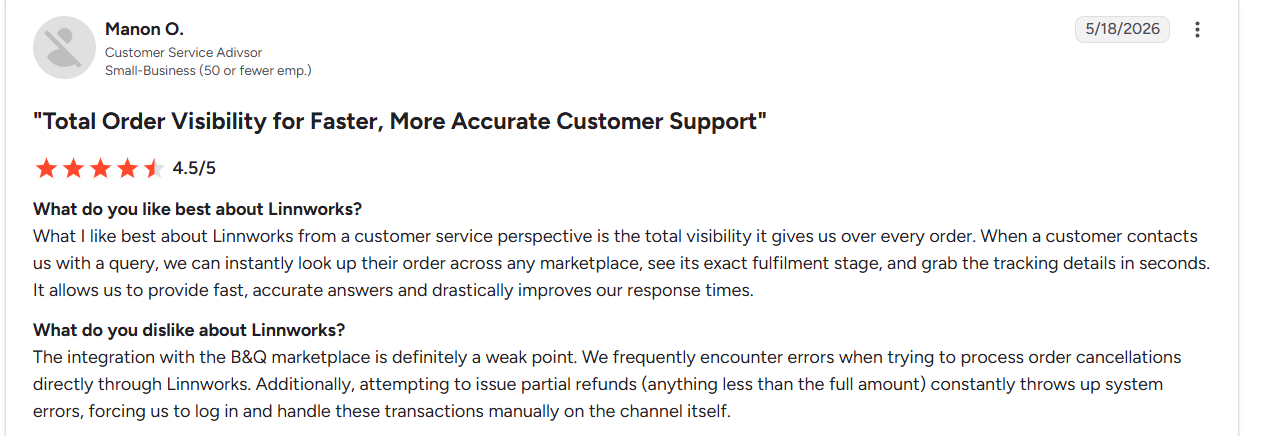
“The integration with the B&Q marketplace is definitely a weak point. We frequently encounter errors when trying to process order cancellations directly through Linnworks.” (Manon O., G2; May 18th, 2026)
Pricing
Contact the Linnworks sales team to get a custom quote.
Bottom line
Linnworks helps if you’re routing thousands of daily orders across multiple warehouses, third-party logistics, and sales channels at real enterprise scale. If you’re a small eBay-only seller, try a tool like 3Dsellers.
8. eBay Seller Hub: Best free inventory management
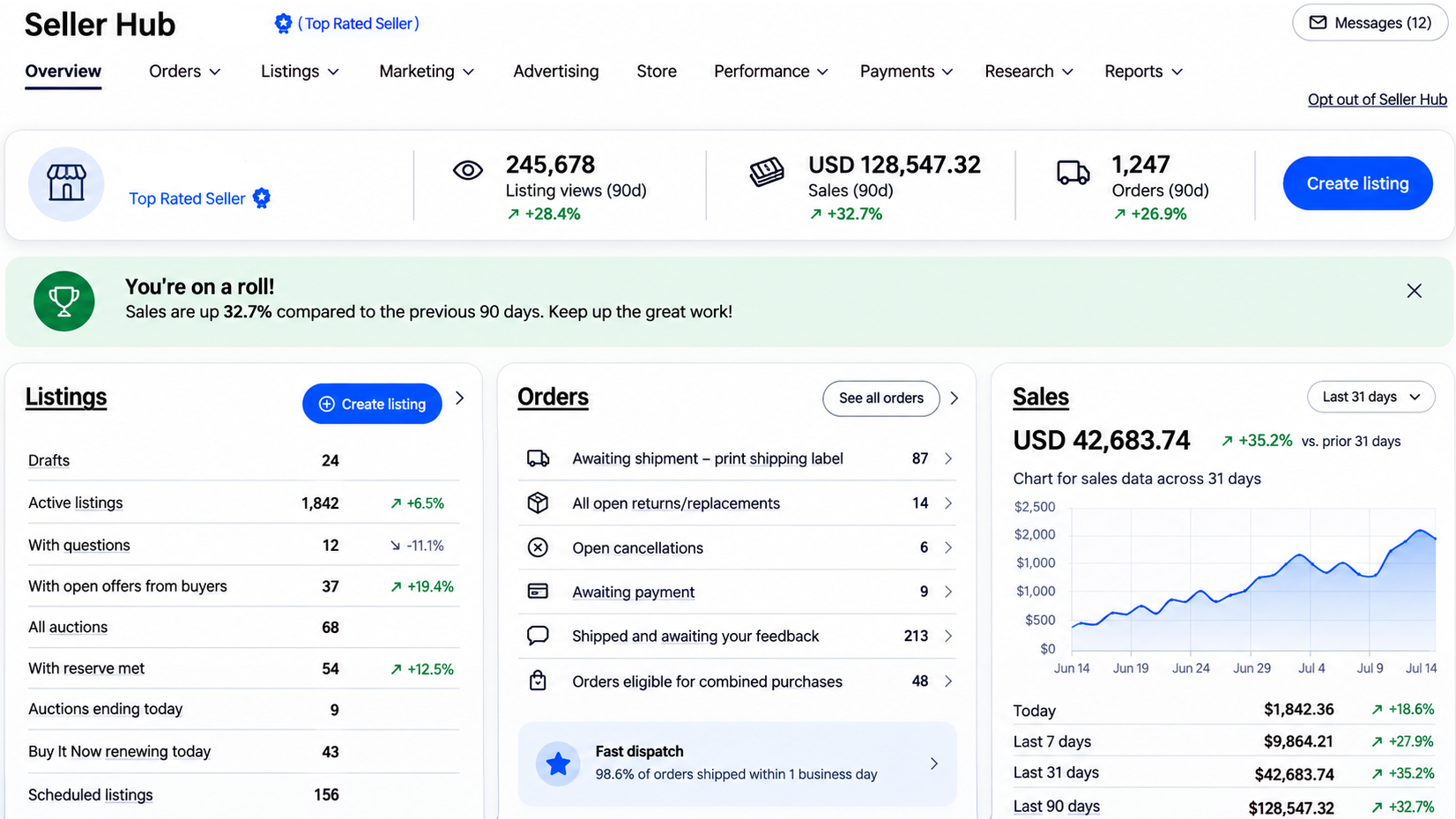
What it does: Seller Hub, eBay’s own listing software, helps sellers manage stock counts and listing tasks.
Best for: Sellers who primarily sell on eBay and want built-in inventory management without paying for third-party software.
I loaded two dozen active listings and watched Seller Hub sync stock across three categories. Quantities updated within minutes, but two older listings needed a manual refresh to match actual numbers.
Key features
- Bulk listing sync: Lets you revise prices, quantities, and other fields across multiple eBay listings at once from a single interface, instead of editing each listing individually
- Order management dashboard: Centralizes all of your eBay orders in one view, with filters, statuses, and bulk actions to help you process and ship faster
- Low stock alerts: Uses performance and restock guidance tools to highlight fast‑selling or low‑quantity items so you can replenish inventory before popular listings run out
eBay Seller Hub pros
- Zero cost entry: Seller Hub itself is free for eBay sellers to use; you only pay standard selling fees and, if you choose, an eBay Store subscription
- Native platform integration: Because it is built into eBay, all listing, order, marketing, and performance tools work directly with your eBay account without relying on external connectors
- Fast label printing: Integrated label purchase and printing from the orders view speeds up packing and shipping, especially when handling multiple orders in a batch
eBay Seller Hub cons
- No multi-channel support: Only manages eBay listings and orders, so if you also sell on platforms like Etsy or Shopify, you must handle those channels with separate tools
- Shallow profit analytics: Reports sales and selling costs, but doesn't track your cost of goods, so accurate profit and margin analysis still requires spreadsheets or additional software
What real users say
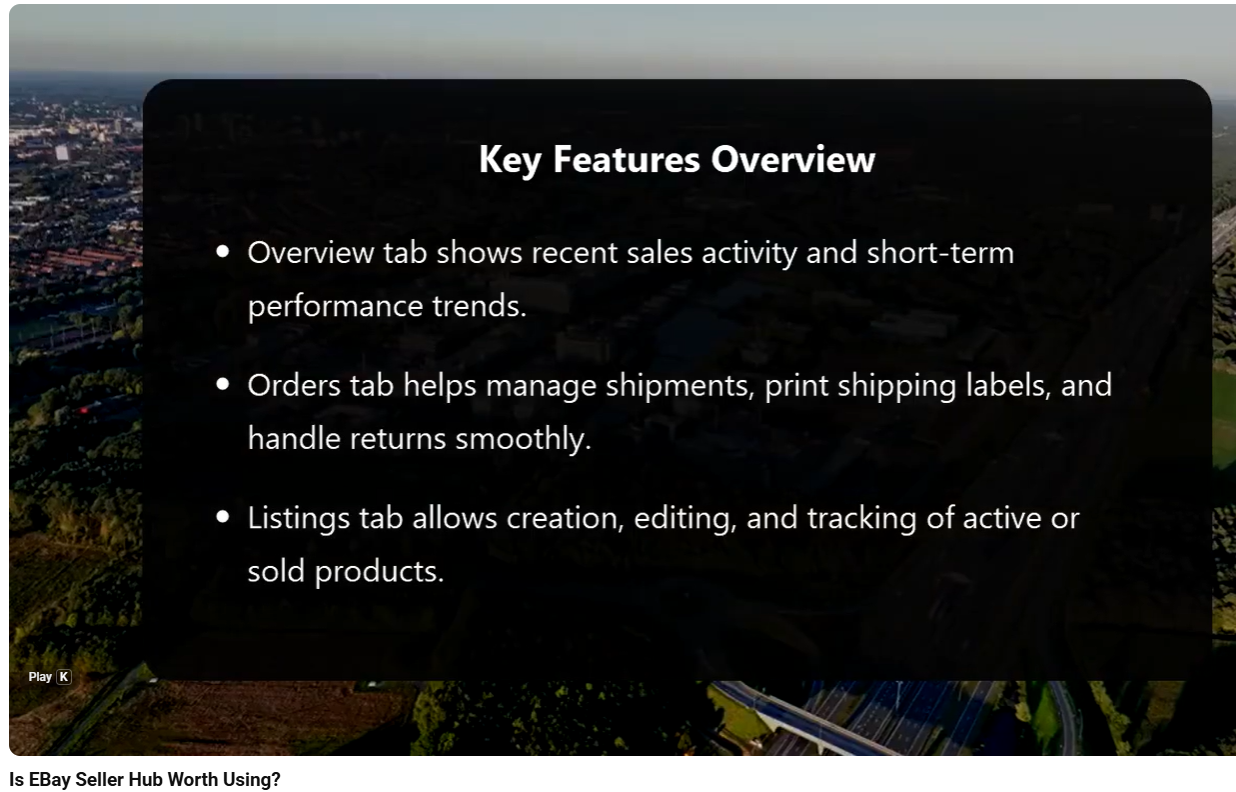
A YouTuber noted that Seller Hub simplifies selling by placing all eBay tools onto a single dashboard. (Global Insights 24, YouTube; February 3rd, 2026)

“My wife was about to give up on eBay after losing the convenience of the simple listing tool. All because I went to the seller hub to change the quantity of an item. I had no idea using it would make things harder, lol.” (Seller Hub user, Reddit; May 14th, 2026)
Pricing
eBay Seller Hub is free for eBay sellers.
Bottom line
eBay Seller Hub is ideal for small or new sellers managing everything from inside eBay's own free dashboard. Sellers running inventory across eBay, Amazon, and Shopify at the same time will find real multichannel depth in Zoho Inventory instead.
My final verdict: Which eBay inventory management software should you choose?
Different eBay inventory management software excels for a different type of seller. Let’s see how you can find the right one for your selling workflows:
Choose Veeqo if you ...
Need warehouse management, barcode scanning, shipping tools, and inventory synchronization across several marketplaces and fulfillment locations.
Choose Zoho Inventory if you ...
Need purchase orders, bundled products, reorder points, and detailed inventory tracking across multiple connected sales channels.
Choose 3Dsellers if you ...
Primarily sell on eBay and want faster bulk listing edits, automated buyer messaging, and dedicated seller management tools.
Choose Nifty if you ...
Crosslist inventory across multiple marketplaces and want AI listings, cloud automation, inventory tracking, and reseller analytics in one dashboard.
Choose SixBit if you ...
Prefer desktop software and need advanced customization without relying on cloud-based inventory management.
Choose SellerChamp if you ...
Manage thousands of SKUs and need enterprise-scale inventory synchronization, warehouse routing, and bulk marketplace listing capabilities.
Choose Linnworks if you ...
Operate multiple warehouses, process thousands of daily orders, and need advanced automation across global sales channels and fulfillment.
Choose eBay Seller Hub if you ...
Sell exclusively on eBay and want a free, built-in tool for managing listings, orders, shipping, and inventory.
Manage your eBay inventory with Nifty
The best eBay inventory management software keeps listings synced across marketplaces, prevents overselling, automates repetitive work, and helps you understand what's actually making you money. If you want one tool that handles all of that, Nifty is worth a look.
Here's why Nifty's so helpful:
- Customized AI listings: Snap a photo and let Nifty generate SEO-friendly titles, descriptions, hashtags, and item details. You can even customize how the AI writes to match your brand.
- Bulk crosslisting: Crosslist up to 25 items at once with your pricing and shipping rules applied automatically.
- Crosslist in minutes: Publish your inventory to eBay, Poshmark, Depop, Mercari, Etsy, and Whatnot (more platforms coming soon!) from one interface instead of recreating every listing by hand.
- Automatic sold-item removal: Sell an item on one marketplace, and with auto-delisting turned on, Nifty delists it everywhere else to help prevent overselling and inventory mistakes.
- Bulk tools for everyday selling: Share, relist, schedule drafts, and automate price drops with just a few clicks instead of repeating the same tasks every day.
- Analytics that improve decisions: Track sales, marketplace fees, profits, top-selling brands and categories, and sell-through rate from one dashboard so you know what deserves your attention.
Nifty pays for itself in just a few weeks. Start your 7-day free trial and see how Nifty helps you replace spreadsheets, eliminate duplicate inventory updates, and manage your online selling business from one place.
FAQs
1. Can eBay inventory management software prevent overselling?
Yes, eBay inventory management tools prevent overselling by syncing stock levels in real time. They also connect channels and automatically remove sold items the moment they sell. This helps reduce overselling risk and keeps buyers happy with accurate, trustworthy availability.
2. Can I manage inventory across eBay and other marketplaces?
Yes, tools like Nifty, Zoho Inventory, and SellerChamp centralize stock across eBay, Amazon, Etsy, and other marketplaces from one dashboard. This action helps cut manual updates significantly and avoids duplicate listing work and costly mismatches.
3. What features should I look for in eBay inventory management software?
Look for syncing with just a few clicks, low-stock alerts, bulk editing, and detailed profit reporting. Combining these features reduces overselling risk, cuts manual updates, and gives you clearer, more accurate margin visibility overall.


.png)
.png)
.png)