
eBay inventory management: 2026 guide + 5 tools
.png)
After managing thousands of eBay listings over 7 years, I've found that the right inventory management tools reduce manual work significantly.
The right tools, like Nifty, Jazva, Flipwise, Zoho Inventory, and Finaloop, can help sellers track stock levels, automate listing updates, prevent overselling, and update inventory across multiple marketplaces like Poshmark, Etsy, and Mercari.
How sellers manage inventory on eBay: The 30-second answer
Most eBay sellers manage inventory using a mix of custom SKUs, spreadsheets, physical storage systems, and eBay’s built-in quantity and listing controls.
Smaller sellers usually track stock manually, updating spreadsheets and listings themselves. However, as sellers grow, they increasingly adopt inventory software to update stock levels, reduce overselling risk, and coordinate crosslisted items across multiple marketplaces.
Methods for eBay inventory management
| Method | Core tool | Key benefits |
|---|---|---|
| 1. Custom SKUs | Alphanumeric codes | Fast item identification and location |
| 2. Spreadsheet system | MS Excel/Google Sheets | Low cost, flexible tracking |
| 3. Physical organization | Bins and shelf labels | Fewer pick errors, faster fulfillment |
| 4. Manual eBay updates | eBay built-in tools | Prevents overselling, no extra software |
For many small- to medium-scale eBay sellers, simple tools are practical for inventory management. The following 4 practical methods can help you manage inventory and reduce the administrative time required:
Method 1: Using custom SKUs to track inventory
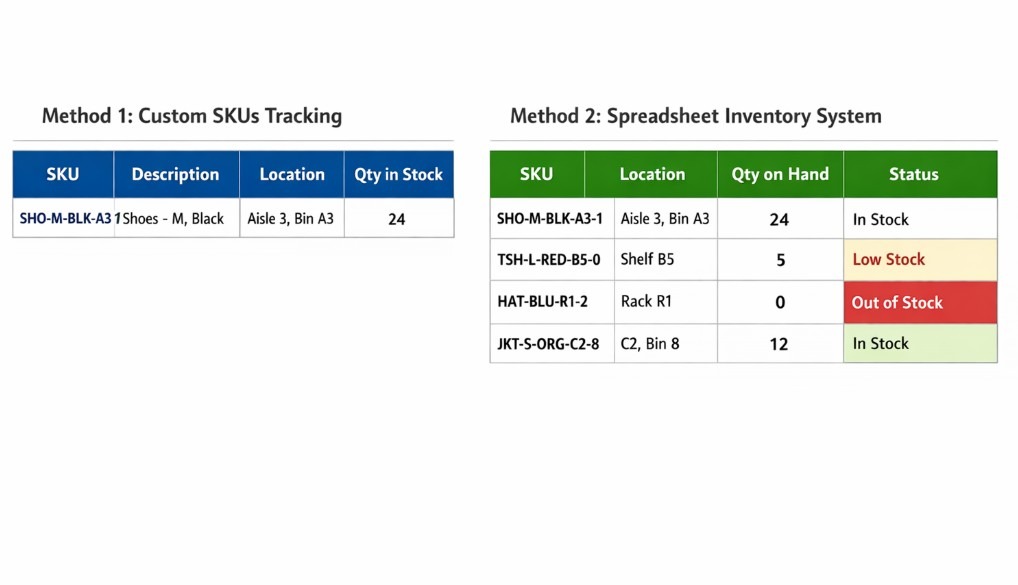
Custom SKUs let you encode item details directly into a short alphanumeric string. This method simplifies identifying and locating products. It also makes it easier to keep quantities up to date.
For instance, a SKU like "SHO-M-BLK-A3-1" could represent shoes, size medium, black, stored in aisle 3.
Location codes tell you exactly where to find each item, and you track the actual quantity as a separate numeric value in your inventory records. When an order comes in, your search-and-pick workflow becomes faster because the SKU or location code lets you quickly locate the correct shelf or bin.
Method 2: Spreadsheet-based inventory systems
Spreadsheets offer flexibility without additional monthly software fees. Because of their low cost, they’re an excellent choice for small, simple operations. Mid-sized sellers can also use spreadsheets, provided they have a refined, disciplined labeling process.
Use your SKU as the primary key in column A, then add columns for location, quantity on hand, and listing status. This setup lets you filter sold-out items, flag low stock, and update quantities in bulk.
Export your eBay sales data regularly and cross-reference it against your spreadsheet to catch most discrepancies early. This action helps reduce the risk of customer complaints.
Method 3: Physical storage and organization
Clear bin and shelf labeling reduces mix-ups and accelerates order fulfillment, especially when managing hundreds of items. Store similar-looking but different-branded items, like black Nike and Under Armour hoodies, in separate bins. This separation helps you avoid grabbing the wrong variant.
Always run periodic pick accuracy checks by randomly selecting SKUs and confirming that their physical bin or shelf location matches your records. This simple habit catches many errors before they reach buyers and helps improve long-term inventory accuracy.
Method 4: Manual updates inside eBay
eBay's built-in tools let you adjust quantities, revise descriptions, and end listings without third-party software. When an item sells out, manually set the quantity to 0 or end the listing to reduce the risk of overselling.
You can also enable eBay’s Out of Stock option to update sold listings. This action keeps zero-quantity listings active but hidden, letting you reactivate them by adding stock.
If a return arrives, inspect its condition, then increase the quantity on the existing listing or relist the item if that listing has already ended.
Inventory tasks eBay doesn’t manage for you
eBay provides tools to list and sell, but it doesn’t serve as a full inventory management hub for maintaining accurate stock levels. Here are eBay’s limitations when it comes to inventory management:
- Central inventory dashboard: eBay shows you quantities for your active listings, but it doesn’t provide a unified stock view across all channels and locations. You typically need a separate dashboard to see total stock levels across your whole operation.
- Shared stock across listings: If you list the same product in multiple formats, such as separate auction, Buy It Now, and bundle listings, eBay won’t automatically share a single quantity pool between them. Without your own process or third-party sync, you must update each related listing yourself to avoid double-selling.
- Bundles and kits: Selling bundles means a single sale affects multiple SKUs, and eBay doesn’t automatically deduct stock for each component. You or your inventory software must reduce every SKU when a bundle sells.
- Crosslisting: eBay does not have a built-in way to upload inventory with Poshmark, Mercari, Depop, or other marketplaces. If you crosslist an item and it sells elsewhere, eBay won’t update that listing automatically.
When you need an eBay inventory management tool
You’ll need an eBay inventory management tool when your listings, inventory, storage, and crosslisting increase. Manual tracking can work reasonably well when you're selling at a small scale, but growth eventually makes manual tracking difficult.
Let’s look at the signs that indicate you should adopt inventory tracking software in depth:
Your listing volumes are growing
Once you’re managing hundreds of active listings or thousands of SKUs, manual updates can consume large blocks of your day. And, as sales volumes increase, so too does the risk of errors.
Replenishing your inventory becomes more complex when you're restocking dozens of products at different intervals. At this scale, even small mistakes, such as forgetting to update a listing, can quickly escalate into buyer complaints and performance issues that put your seller rating at risk.
Your storage multiplies
Multiple storage locations make it harder to track where each item lives. This aspect is especially difficult when you have multiple SKUs split across several bins.
Bundles or kits introduce an additional layer of complexity because selling one bundle affects inventory for multiple components. Frequent relisting to refresh search visibility means you’re constantly juggling active and inactive listings.
Unfortunately, manual tools are much more likely to fall out of sync and introduce errors as your volume grows.
You’re selling on other platforms, too
Crosslisting your eBay items on other marketplaces such as Poshmark, Mercari, or Depop expands your buyer pool and increases your chances of making a sale. But crosslisting creates inventory management challenges across several platforms that need real-time updates.
Managing sales across multiple platforms and delisting items once they sell is challenging with manual tools. You’ll need crosslisting software like Nifty to avoid double-selling with opt-in auto-delisting, which removes sold items, such as that vintage shirt you sold on Etsy, from other platforms.
How to know that you’re wasting time on admin work
Follow these steps to determine if you’re wasting too much time on manual eBay inventory management:
Step 1: Calculate time spent on inventory updates
Write down how many hours per week you spend manually updating inventory.
Step 2: Fixing mistakes
Add the hours you spend resolving inventory errors, such as double-selling, incorrect quantities, or canceled orders.
Step 3: Customer issues
Add the hours spent handling customer complaints related to inventory issues.
Step 4: Total wasted time
Add the hours from Steps 1 to 3 to get your weekly manual inventory hours.
Step 5: Lost sales
Multiply that total by how much money you make per hour when sourcing, listing, or marketing. This number is a rough estimate of how much money you could be making.
If your lost time is worth more than the monthly cost of inventory software, the tool can effectively pay for itself and free you to focus more on growth activities.
Top 5 eBay inventory management tools
| Tool | Best for | Ideal users | Starting price |
|---|---|---|---|
| 1. Nifty | Centralized crosslisting inventory tracking automation tool | Resellers of all sizes managing multiple marketplaces | $39.99 |
| 2. Jazva | Large multichannel inventory synchronization operations teams | High-volume sellers scaling operations globally | $199 |
| 3. Flipwise | eBay relisting, repricing, and profit tracking automation | Thrift arbitrage resellers needing speed daily | Free for 0–24 listings |
| 4. Zoho Inventory | Inventory management connected to accounting systems | Small businesses using Zoho ecosystem tools | Free plan; paid from $39/month |
| 5. Finaloop | Automated bookkeeping with inventory cost tracking | High-volume e-commerce brands requiring accuracy | $245 |
eBay inventory management tools help you track what sells, when it sells, and how much you earn. Some of them also delist your inventory from other platforms. Here are the 5 top eBay inventory management tools:
1. Nifty: The best eBay inventory management tool
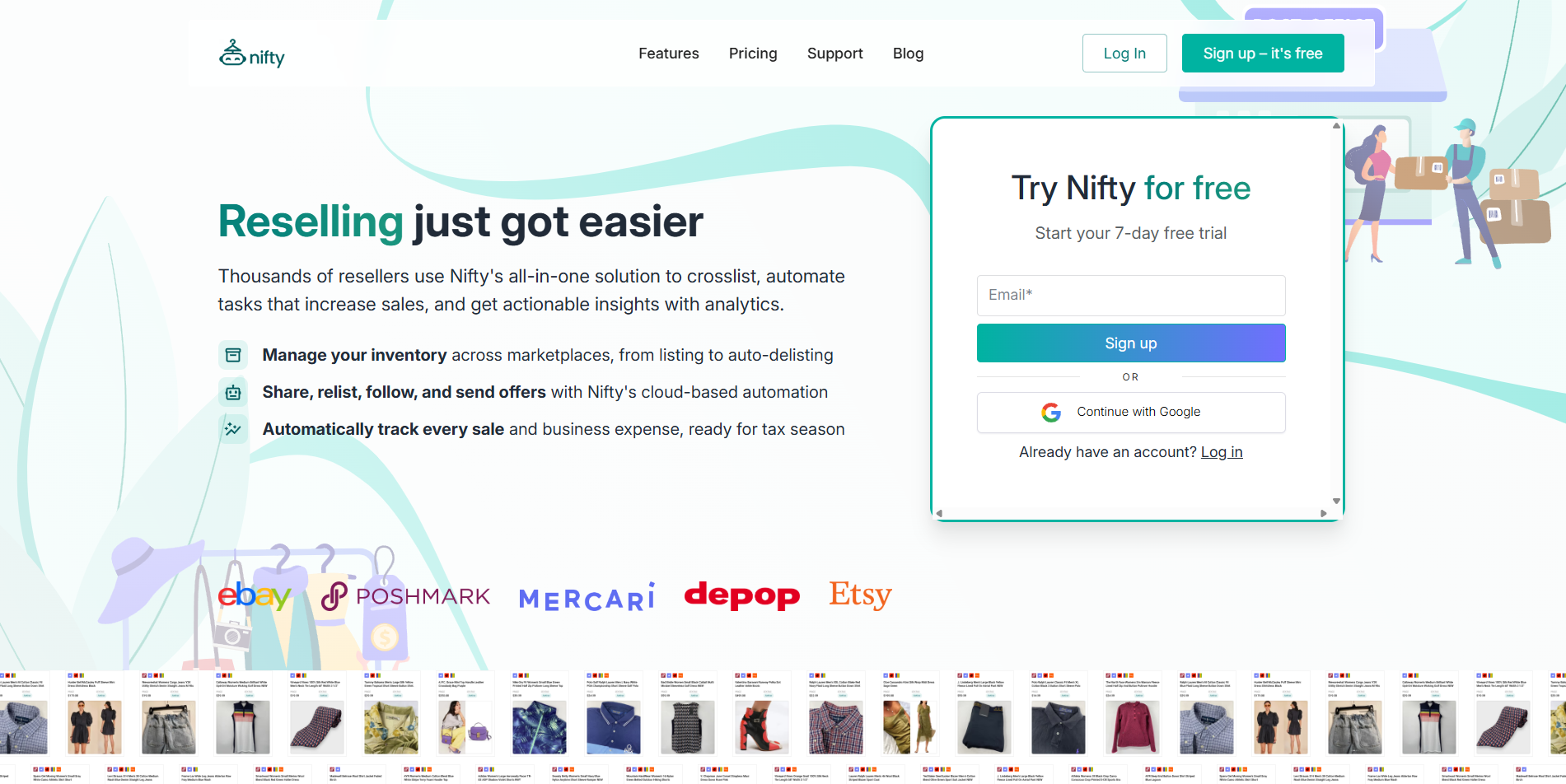
What it does: Nifty provides inventory management, analytics, AI-listing generation, and crosslisting across Poshmark, eBay, Mercari, Depop, Etsy, and Whatnot (more reselling marketplaces are coming soon!).
Best for: eBay sellers of all sizes who want to reduce manual tasks.
Features
- Analytics: Nifty tracks what’s selling on your eBay store, as well as other stores, so you can learn profit margins, time in inventory, and other statistics.
- Inventory updates across marketplaces: With auto-delisting turned on, Nifty automatically removes sold items from your other marketplaces to prevent double-selling. The tool’s inventory manager lets you crosslist new listings to multiple marketplaces in just a few clicks.
- AI listing creation: Nifty’s AI analyzes up to 8 product photos to generate listings complete with SEO-optimized titles, in-depth descriptions, and trending hashtags.
Pros
- Mobile compatible: Nifty runs in the cloud, making it available on devices such as desktops, tablets, and phones.
- Quality photo-editing: Post only professional product photos with Nifty’s photo editing suite and Photoroom integration.
Cons
- Loads of features: Nifty provides a simple user experience, but it has more features than typical eBay inventory management tools. You’ll need some time to explore its analytics, photo editor, and sales tracker.
Pricing
Nifty's Crosslisting plans, which include the Inventory Manager and auto-delisting, start at $39.99/month. You can save up to 12% with the annual plan.
2. Jazva: Best for multichannel inventory management
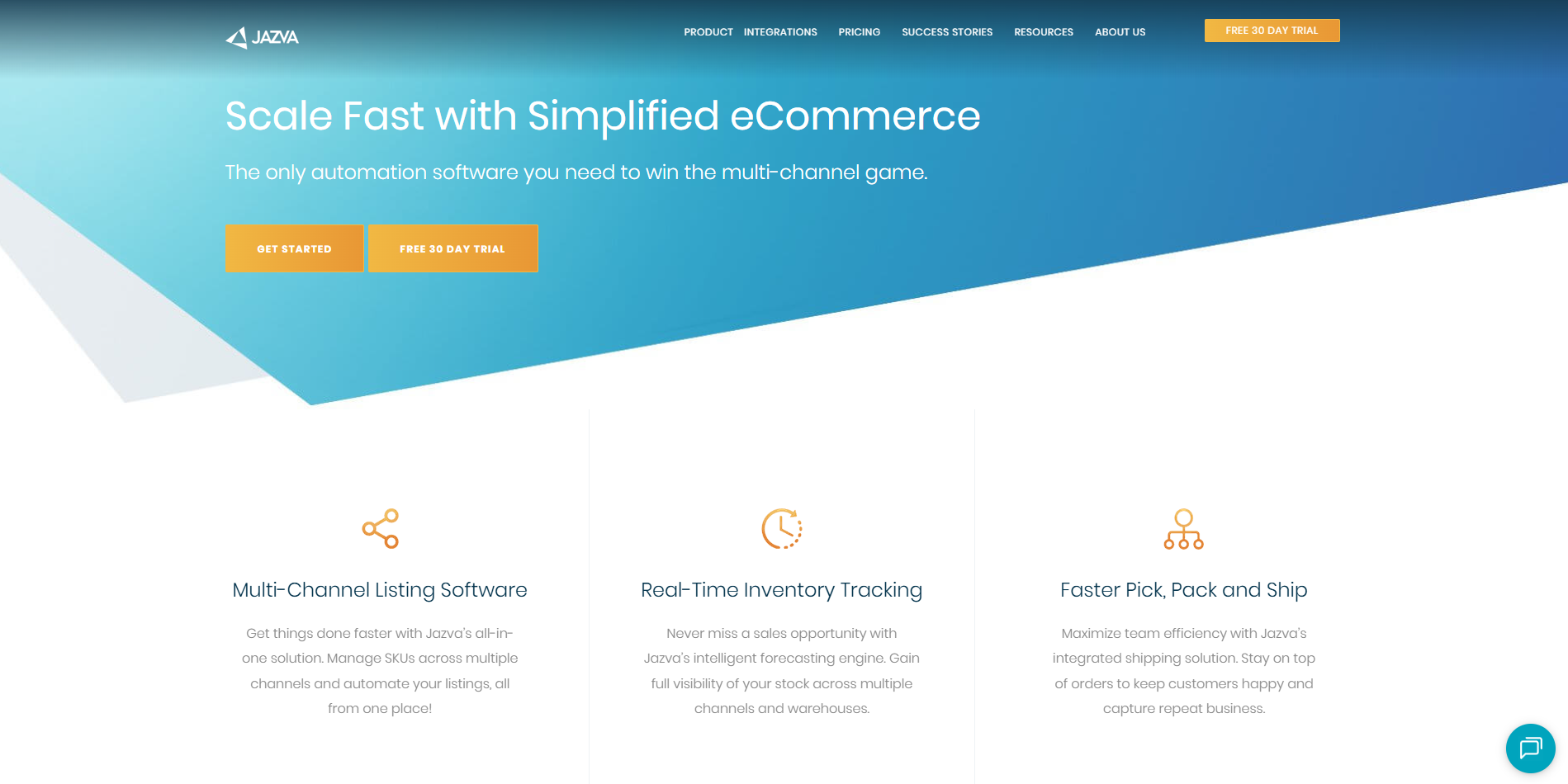
What it is: Jazva is a multichannel platform that manages inventory quantities across marketplaces such as eBay, Amazon, Shopify, and Walmart.
Best for: Medium to larger resellers that manage hundreds or thousands of SKUs across multiple sales channels and want centralized control over inventory, orders, and shipping workflows.
Features
- Inventory synchronization: Updates stock levels across connected channels based on orders and adjustments.
- Centralized order dashboard: Pulls orders from supported marketplaces into one interface where you can process shipments, print labels, and monitor fulfillment status.
- Multi‑warehouse support: On the Enterprise plan, sellers can maintain separate stock by warehouse, apply location‑based shipping rules, and view combined availability across facilities.
Pros
- Reduces channel conflicts: By keeping inventory updated across channels, Jazva helps lower the chance of double-selling.
- Supports growth: Jazva is built to handle larger catalogs and higher order volumes for sellers expanding across multiple marketplaces.
Cons
- Higher-cost tier: The platform costs significantly more than basic tools, which can be a significant expense for smaller sellers.
Pricing
Jazva pricing starts at $199/month.
3. Flipwise: Best for reseller workflow automation
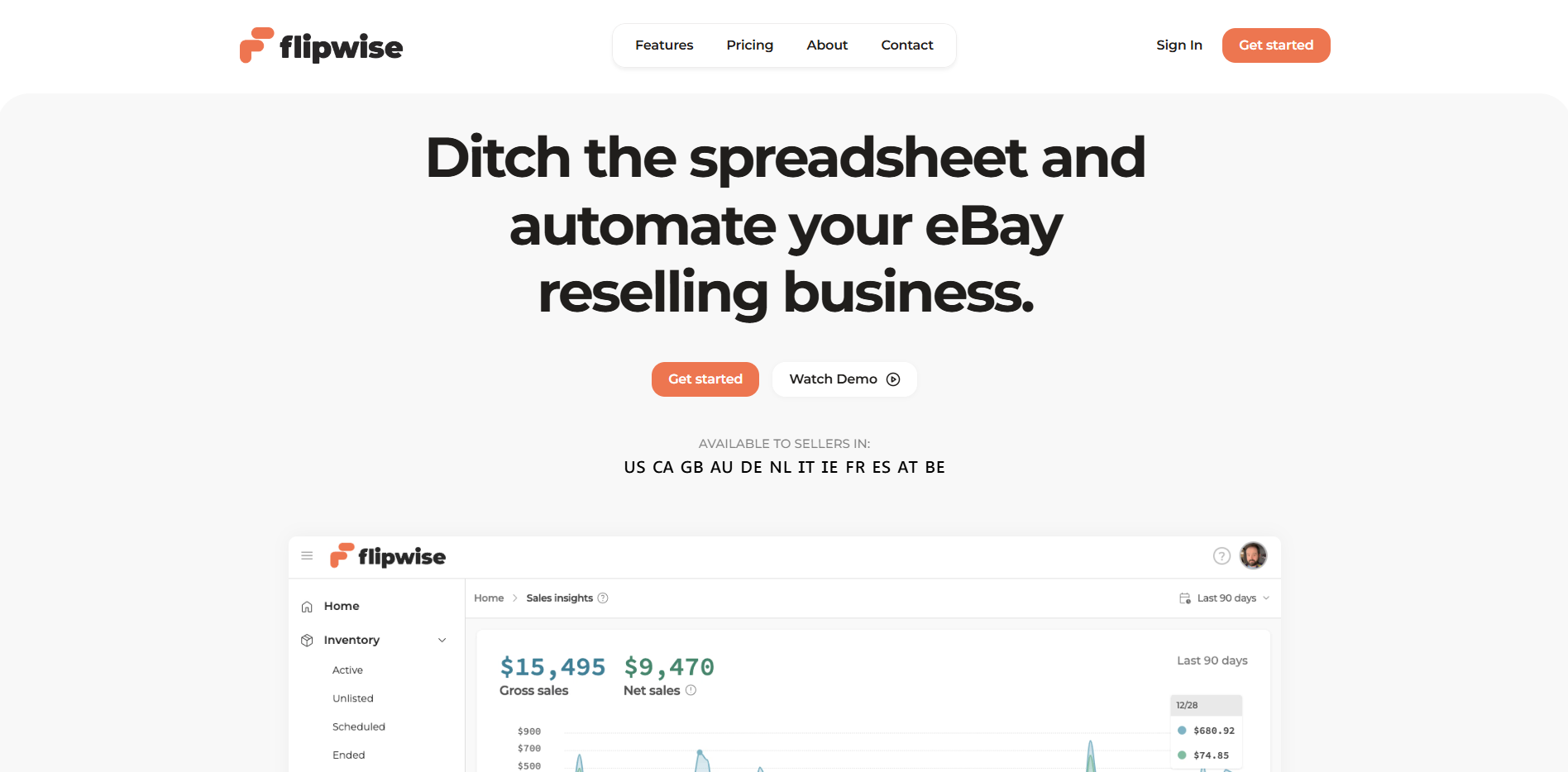
What it is: Flipwise is a tool that automates relisting, basic inventory tracking, and repricing for eBay.
Best for: Resellers and retailers who source inventory from clearance racks, thrift stores, or liquidation sales and want automatic relisting combined with rule-based pricing.
Features
- Automatic ending and relisting: Flipwise ends and relists fixed-price items just before eBay’s auto-renew, giving each one a new listing ID and a fresh start date.
- Rule-based repricing engine: The software lowers a user’s price by a percentage they choose on each relist, with a maximum reduction and timing they control.
- Profit and fee tracking: The tool imports selling fees, shipping label costs, and refunds from eBay to calculate real profit, margins, and ROI.
Pros
- Faster sourcing decisions: Profit, margin, and ROI reports show which items and sources are worth buying again.
- Less manual price management: Automated repricing rules reduce the need to review prices daily by hand and can steadily lower prices on aging inventory until it sells.
Cons
- Marketplace scope: A tool focused only on eBay doesn’t cover crosslisting to other popular resale platforms such as Poshmark, Mercari, or Depop.
Pricing
Flipwise has various plans depending on the number of listings. Starting at free for 0–24 listings (new members only), $9.99 for 25–99, $19.99 for 100–499 listings. Higher tiers are available.
4. Zoho Inventory: Best for inventory + accounting

What it is: Zoho Inventory, part of the Zoho suite, manages stock levels and orders across eBay and other online stores.
Best for: Small businesses and higher-volume resellers who want inventory control and order management closely linked to their accounting, and folks who already use the Zoho ecosystem.
Features
- Accounting integration: Zoho Inventory can be connected to Zoho Books so that invoices, bills, and certain inventory cost data sync into the accounting module.
- Multi-channel order management: Orders from connected channels such as eBay, Amazon, Shopify, and other supported platforms can be consolidated into a single interface.
- Purchase order and replenishment tools: Users can define reorder points for items and generate purchase orders when stock falls below chosen thresholds.
Pros
- Broader ecosystem: Because Zoho Inventory is part of a larger suite, it can integrate with other Zoho applications and a variety of external services.
- Combined inventory and accounting view: Linking inventory with Zoho Books can narrow the gap between recorded sales and reported earnings, making it easier to see margins after inventory costs.
Cons
- Setup complexity: Users have noted that configuring features, such as Zoho Reports, is difficult.
Pricing
Zoho Inventory has a free plan for up to 50 orders a month, and paid plans start at $39/month.
5. Finaloop: Best for automated bookkeeping

What it is: Finaloop is an e-commerce-focused accounting platform that connects directly to sales channels like eBay, banks, and payment processors.
Best for: Full-time e-commerce brands and higher-volume resellers who sell on multiple channels and need accurate financials and COGS without managing traditional bookkeeping and inventory accounting
Features
- Automated data integration: Finaloop connects to eBay and other marketplaces, payment gateways, banks, and credit card providers, and integrates transactions.
- Real-time e-commerce bookkeeping: A combination of software and accounting tools categorizes and reconciles e-commerce transactions continuously.
- Inventory and COGS tracking: The platform includes inventory sync and FIFO-based COGS tracking.
Pros
- Always-ready books: Continuous integration and reconciliation enable e-commerce brands to access up-to-date financials and inventory-linked COGS at any time.
- E-commerce-specific design: The chart of accounts, dashboards, and KPIs are built for e-commerce and retail.
Cons
- Not a full inventory ops system: Although it tracks inventory for accounting and COGS, Finaloop is focused on financial reporting rather than operational inventory tasks.
Pricing
Finaloop pricing starts at $245/month for brands with up to $1 million in annual gross revenue, and larger brands get a custom quote.
Final verdict: Which eBay inventory management tool should you choose?
Each of these eBay inventory management tools excels in different areas, so the right choice depends on your selling style and business needs. Here's how to pick the one that fits your operation:
Choose Nifty if you …
Sell across multiple marketplaces and want AI-assisted listing creation, automatic delisting, and profit analytics in one cloud-based platform.
Choose Jazva if you …
Manage hundreds or thousands of SKUs and need multichannel inventory updating, multi-warehouse support, and centralized order processing.
Choose Flipwise if you …
Primarily source from thrift stores, clearance racks, or liquidation sales, and want automatic eBay relisting and profit tracking.
Choose Zoho Inventory if you …
Already use Zoho Books or want inventory management integrated with accounting, serial or batch tracking, and financial reports.
Choose Finaloop if you …
Are a full-time e-commerce seller with high monthly transaction volume across multiple channels and need automated bookkeeping with COGS tracking and tax-ready reports.
Manage your eBay listings with Nifty
Now that you know how eBay inventory management works, it’s time to start thinking about onboarding an inventory management tool to help you scale. Nifty makes it easy to track, update, and manage your inventory across eBay and other marketplaces from one simple dashboard.
Here’s why Nifty works so well for managing eBay listings:
- AI listing: Snap a photo and let Nifty’s AI generate optimized listings with keyword-focused titles, item specifics, and ready-to-publish descriptions.
- Crosslist now: List your inventory on eBay, Poshmark, Mercari, Depop, Etsy, and Whatnot (more platforms coming soon!) in just a few clicks. Manage all active listings in one command center without switching tabs or copying details across platforms.
- Automatic delisting? Handled: When an item sells on eBay and you've turned on auto-delisting, Nifty automatically removes it from your other marketplaces. That keeps your inventory accurate and eliminates overselling issues.
- Bulk tools = no busywork: Update prices, quantities, and listing details in bulk. Relist stale inventory, apply discounts, or schedule listings to go live without manual edits.
- Analytics and profits are real: Monitor eBay sales, fees, inventory performance, and slow-moving items in one clean dashboard so you know exactly what to restock, reprice, or retire.
See why more than 10,000 sellers trust Nifty and start your 7-day free trial today.
FAQs
1. What is eBay inventory management?
eBay inventory management is the process of tracking stock levels and updating quantities across eBay listings. It helps prevent overselling on eBay and any other marketplaces connected to your workflow. You can use SKUs, location codes, spreadsheets, or dedicated inventory software so you always know what you have in stock and where it’s stored.
2. How do I track inventory on eBay without software?
You can track inventory on eBay without software by combining custom SKUs, spreadsheets, and clearly labeled storage bins to manually manage your stock. Create a spreadsheet with columns for SKU, storage location, quantity on hand, and listing status. Update it whenever items sell and match storage info to your SKUs so you can locate products quickly.
3. Can eBay inventory management tools work with other marketplaces?
Yes, many eBay inventory management tools can work with other marketplaces. These tools synchronize stock levels across platforms such as Poshmark, Shopify, and Etsy, as well as eBay. When you use these systems, they typically reduce the risk of double-selling by updating quantities when an item sells, so you don’t have to adjust each marketplace manually.




.png)