
Etsy inventory spreadsheet: Example + how to track inventory (2026)
.png)
An Etsy inventory spreadsheet helps you track SKUs, material costs, fees, and stock levels in one place. However, many Etsy sellers struggle to build a spreadsheet that accurately tracks inventory and profitability.
This guide walks you through the four steps I’ve developed for creating an Etsy inventory spreadsheet, including a downloadable template based on my own workflow that you can customize for your shop.
What an Etsy inventory spreadsheet does: At a glance
| Inventory category | What it tracks | Why it matters |
|---|---|---|
| Cost tracking | Material costs, packaging costs, labor costs | Protects margins from rising costs |
| SKU tracking | Unique SKUs for sizes and variations | Simplifies inventory across product variations |
| Product information | Listing IDs, product names, categories | Improves organization and inventory accuracy |
| Inventory quantities | Available stock, reserved stock, sold inventory | Prevents overselling and fulfillment issues |
| Pricing & profit data | Product price, Etsy fees, profit margin | Reveals true product profitability |
| Reorder management | Reorder points, lead times, purchase history | Prevents stockouts through timely replenishment |
An Etsy inventory spreadsheet keeps you organized by tracking your product details, such as material costs, product information, and profit details for all your Etsy inventory listings. Here’s a look at costs and metrics that you can track:
Cost tracking: Material, packaging, and labor
Material, packaging, and labor costs often change over time. If you don’t record and monitor these costs, rising expenses can quietly eat into your profit margins.
Recording all three at the product or SKU level allows pricing decisions to reflect the actual costs that you’re paying, not assumptions. By tracking your costs, you can prevent unnoticed losses and control your margin in a way that would spark a bidding war between the Shark Tank crew.
SKU tracking
You should give every product a SKU (stock keeping unit) to account for variations such as size and color. SKUs provide a consistent reference point even if listing names, suppliers, or product details change.
Without SKU organization, managing the inventory of even a mid-sized Etsy shop can become difficult, especially as your variations increase.
Product information
Keeping listing IDs, categories, and standardized product names in one spreadsheet acts as a reliable reference.
Organizing this information becomes more crucial as your shop grows because managing larger inventories requires better oversight and accuracy. More products present an opportunity for more profit, but they also present a risk for mistakes that lead to delayed shipments and lost sales opportunities.
Inventory quantities
Spreadsheets help you manage your Etsy inventory. Splitting your total stock into categories such as available, reserved, and sold helps prevent overselling. Accurate inventory tracking helps listed quantities reflect what you can actually fulfill.
Overselling can result in order cancellations or delays, which may negatively affect customer satisfaction and overall shop performance.
Pricing and profit data
Etsy fees include listing fees, transaction fees, payment processing fees, and offsite ad fees. These fees stay the same whether or not you subscribe to Etsy Plus.
Profit calculations should include these costs and fees to show your true margins. A spreadsheet with automatic calculations can also help you quickly identify your most profitable products.
Reorder management
When your inventory reaches a certain level, you need to start producing more products to avoid running out of stock. This level is called the reorder point, which indicates when it's time to replenish inventory so you can continue meeting customer demand without interruptions.
When combined with supplier lead times and past purchasing data, reorder management helps make restocking more predictable. Its effectiveness depends on accurate estimates of demand and delivery timing.
How to use an Etsy inventory spreadsheet
Use an Etsy inventory spreadsheet by first setting up your fields, tracking, and recording. Then set your reorder thresholds and use your spreadsheet to track and review your shop’s performance.
Follow these 4 steps:
Step 1: Create your spreadsheet blueprint
Spreadsheets consist of rows (which move downwards) and columns (which move from left to right). The primary item the spreadsheet tracks should appear in the leftmost column, with entries listed under it.
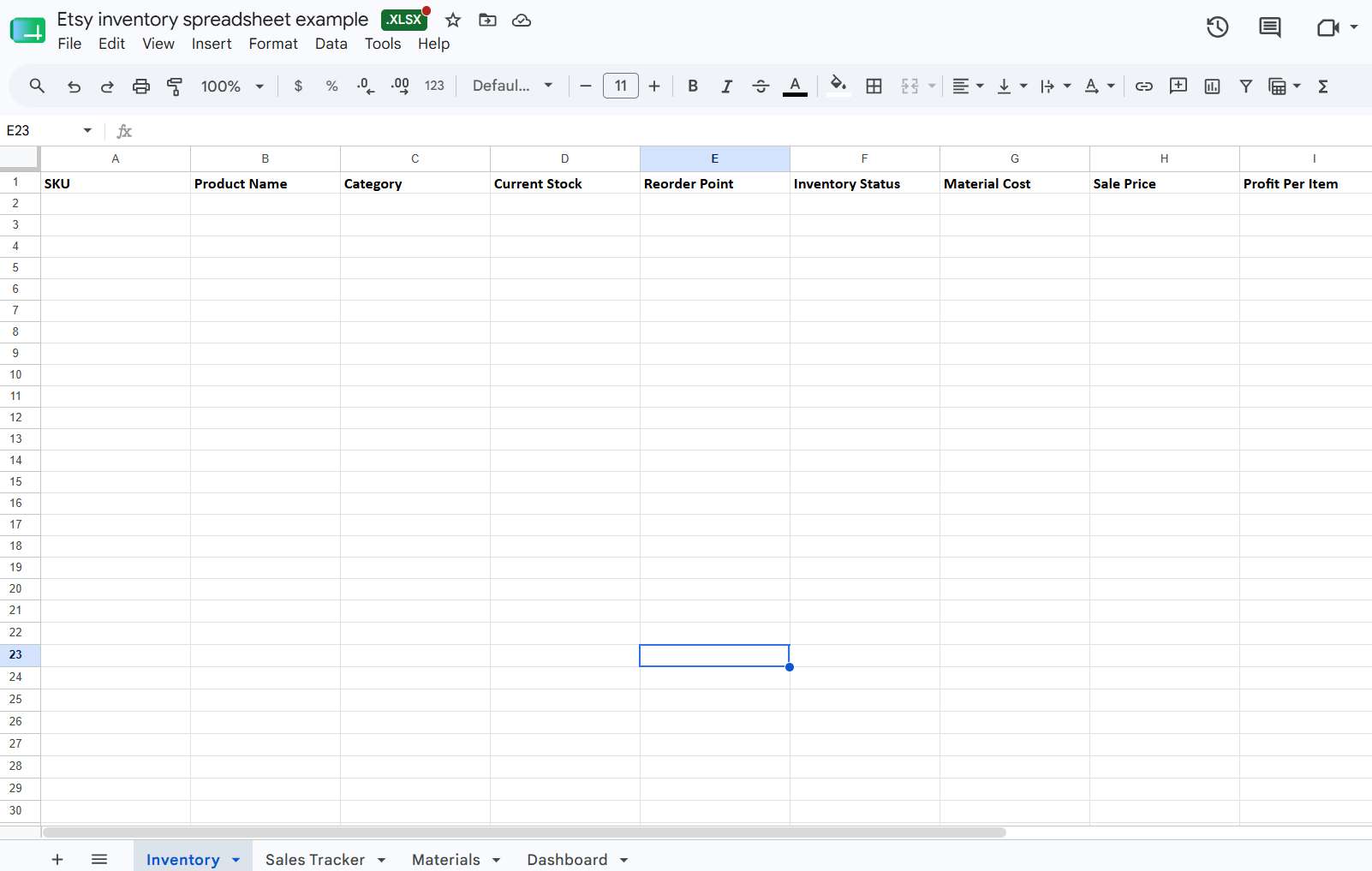
Some common columns you’ll find in a sheet are: SKU, category, starting quantity, total cost, etc.
Step 2: Track inventory and record costs
Update all your sheets as soon as you make a sale, receive an order of materials, or create a new product. Be strict with this one, because delayed updates create a gap between what the spreadsheet shows and what’s actually on the shelf.
You should also track material costs, Etsy fees, and shipping expenses as soon as they occur. Practice good bookkeeping with a profit-tracking sheet. This sheet should place expenses next to the selling price so you can see your profit margin at a glance and quickly identify which products generate the most profit.
Step 3: Set reorder thresholds
A reorder threshold is the lowest quantity of a product or raw material that signals you need to replenish it. If you stall on this one, you’ll risk a stockout, which can slow your production and push buyers to purchase competitors.
Your reorder threshold should account for both supplier lead times and customer demand. By setting reorder points based on both factors, you can replenish materials on time, maintain steady production, and avoid stockouts that disrupt sales.
Step 4: Review performance monthly
Set aside a few hours each month for a review to help you make improved sourcing and production decisions. You’ll be able to spot revenue trends by product exposure, which listings carry the shop, and which drain restock budget without return.
Inventory turnover rate, checked against the same period prior, helps show whether demand is truly increasing, especially when you compare it alongside margin and profit trends.
Free Etsy inventory spreadsheet template
Here is an Etsy inventory spreadsheet that I’ve used to help manage my cutting board sales on Etsy. Click this link to download the example.
Should you use a spreadsheet or inventory software?
Third-party inventory software often plugs right into your Etsy account and calculates fees and shipping costs automatically. However, you’ll still need to manually enter sourcing costs and production metrics. Here’s how to decide whether to use an Etsy spreadsheet or software:
An Etsy inventory spreadsheet makes sense if you’re …
A new seller with under 50 listings and predictable sales volume, so a spreadsheet covers the full job without introducing a monthly software cost before the shop has proven it can carry one.
Inventory software becomes necessary if you’re …
Managing an Etsy shop that’s grown to 100s of SKUs that you’re also selling (or considering selling) across multiple marketplaces. Automated reporting across channels also removes the reconciliation work that compounds weekly when a shop is operating at volume.
Track your Etsy and other marketplace inventory with Nifty
An Etsy inventory spreadsheet can help you organize products and monitor profits. But once your shop grows, spreadsheets become harder to maintain, especially if you sell across multiple marketplaces. Nifty gives you a simpler way to manage inventory, listings, sales, and profits from one interface, without the manual updates.
Here’s why Nifty is so helpful:
- Customized AI listing: Snap a pic and let Nifty’s AI build a complete listing, complete with SEO-friendly titles, descriptions, and trending hashtags. You can even customize how the AI writes so every listing matches your brand voice.
- Crosslist now: With a couple of clicks, post your items across Whatnot, Poshmark, eBay, Mercari, Depop, and Etsy. No copy-paste work and no juggling multiple tabs. (More marketplaces coming soon!)
- Automatic delisting? Handled: When an item sells, Nifty auto-delists the sale and removes the listing from your other marketplaces. That means fewer inventory mistakes and no accidental double sales.
- Bulk tools = no busywork: Relist, share, and manage inventory in just a few clicks. Schedule drafts to publish automatically and create discount campaigns that get more aggressive over time.
- Analytics and profits are real: Instead of building complicated Etsy inventory spreadsheets, track inventory, sales, fees, profits, top-performing products, and slow-moving items from one dashboard. You can even set seller goals and monitor your progress from the home screen.
Nifty helps you do everything an Etsy inventory spreadsheet can do, plus automate the work that spreadsheets can't. Start with a 7-day free trial and see how Nifty can help you track inventory, prevent overselling, and grow your Etsy business with less manual work.
FAQs
1. Does Etsy have an inventory spreadsheet?
No, Etsy doesn’t have an official inventory spreadsheet. Sellers typically build their own in Google Sheets or Excel to track SKUs, costs, and quantities, which helps to improve profit visibility.
2. Can I track Etsy inventory in Google Sheets?
Yes, you can track your Etsy inventory in Google Sheets. The tools work well for tracking SKUs, quantities, costs, and Etsy fees in a single shareable file. Setting up automated formulas for reorder thresholds and profit margins cuts manual recalculation and keeps stock levels accurate as sales roll in.
3. How do Etsy sellers track inventory across multiple marketplaces?
Etsy sellers track inventory across multiple marketplaces by either using spreadsheets or a third-party crosslisting tool like Nifty or Vendoo. Spreadsheets work well for sellers offering under 50 listings, but as listings grow, spreadsheets become harder to manage. Third-party tools sync listings in a few clicks and often provide revenue and cost features that help calculate profit.



.jpg)
.jpg)