
eBay keywords: How to find & use them to sell more (2026)
.png)
You list a pair of Adidas Sambas on eBay, and they sit for weeks while a near-identical pair sells in just a couple of days. What’s the matter? The first thing I check is the title.
You’re probably not using eBay keywords, the words and phrases shoppers type into eBay search, correctly. I’ve found that many eBay sellers have this issue. My guide will walk you through eBay’s free research tools, real-world listing and description examples, and introduce you to some third-party keyword tools.
How to find and use eBay keywords: TL;DR
- Check eBay autocomplete, sold listings, and Product Research for buyer phrasing
- Scan competitor listings for terms you’re missing
- Lead the 80-character title with brand, model, and size; skip filler
- Fill in item specifics so buyers’ filters catch your listing
- Use the description for measurements, flaws, contents, and item history
What are eBay keywords?
eBay keywords are the words and phrases that shoppers type into eBay search. You can add relevant keywords to titles and item specifics to help shoppers find your items.
When a shopper searches for items, eBay finds listings that match their search. eBay Best Match then ranks those listings. It looks at the search words, price, listing details, sales history, and the seller’s track record.
Keywords help eBay match a listing with a buyer’s search. Repeating the same keywords doesn't help a listing rank higher.
Item specifics give eBay more details about what you are selling. Your listing may only appear under a search filter if you include the matching detail.
For instance, someone searching for “sneakers” is using a broad term. “Adidas Samba” makes the search more specific. “Adidas Samba OG B75807 size 10” narrows it even further. If those details match your item, include them in the title and item specifics.
Where should you put keywords on eBay?
On eBay, you should put keywords in the listing title, item specifics, and description. Each of these fields helps eBay understand your item differently.
Listing title and item specifics
Your eBay title can have up to 80 characters, and eBay uses the title to match your listing with a shopper’s search. Shoppers also see your title in search results before they click.
Item specifics tell eBay details such as the brand, size, color, model, material, and condition. Buyers can use these details to filter their search results.
Skip words like “L@@K” that don’t describe the item. Use that space for accurate details about the item, such as the brand, model, size, and product code. Only include details that match the item you are selling.
For example, your title might read: “Adidas Samba OG B75807 Sneakers Men’s Size 10.”
Description
The description gives buyers details that can’t fit in the 80-character title. You can include measurements, fit, flaws, and what comes with the item.
For vintage items or collectibles, use the description to explain the item’s age, history, previous owners, and other details buyers may want to know.
eBay also looks at the description when judging the quality of a listing, so keep the description accurate and easy to read.
For our Adidas Samba example, you could mention light wear on the soles and whether you’re including the original box.
How to find eBay keywords for free
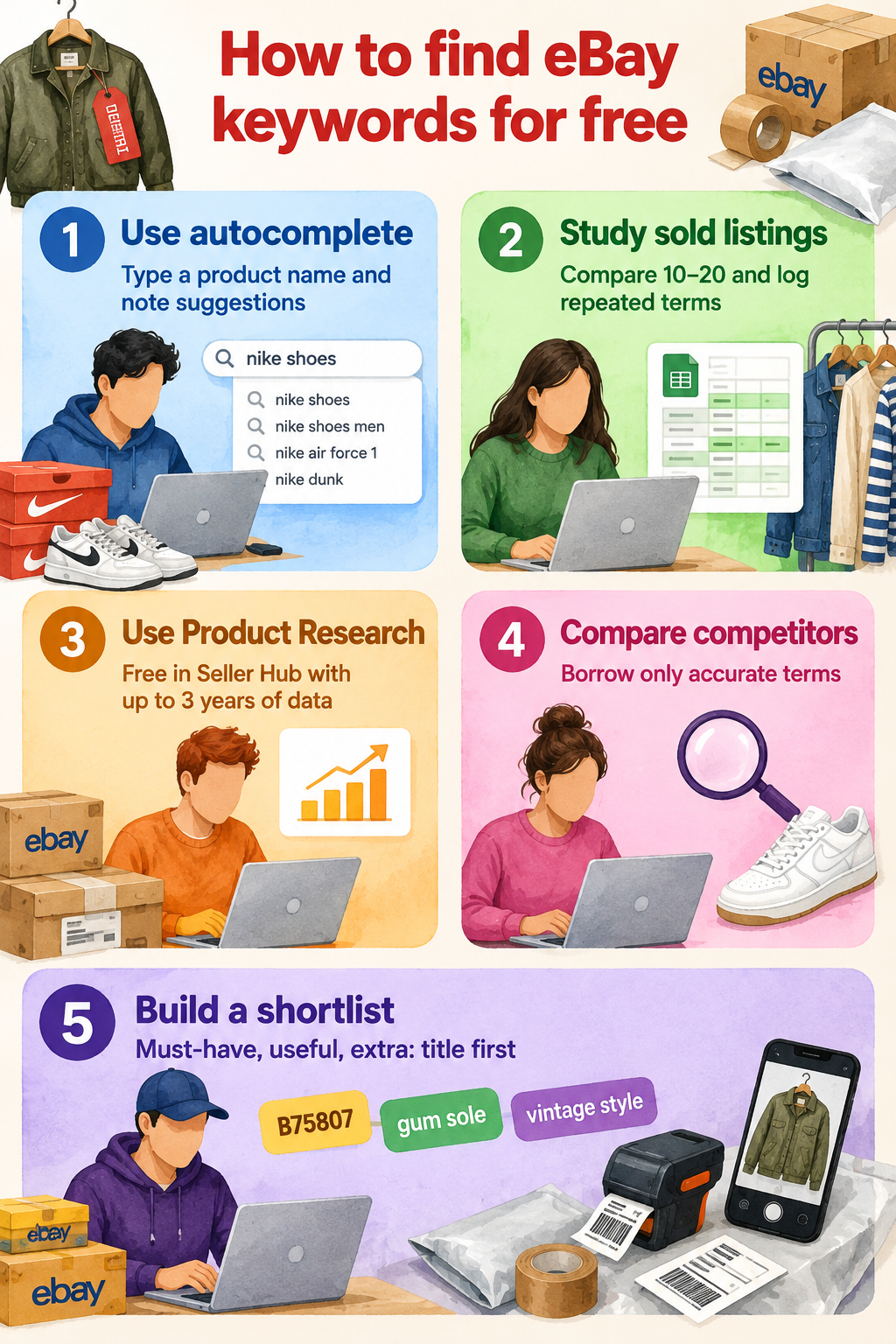
Four free eBay sources show you how buyers actually search: autocomplete, sold listings, Product Research, and competitor listings. A fifth step turns what you collect into a usable shortlist. Here’s what you need to do:
1. Start with eBay search autocomplete
These are the search phrases eBay shows under the search box as a shopper types. They can help you find words and phrases shoppers may use.
However, eBay’s suggestions don’t show how many people search for each phrase. You can type in a basic product name, note useful suggestions, and add relevant ones to your keyword list.
2. Study sold and completed listings
Sold listings are listings for items that recently sold on eBay. Find them by using the Sold items filter. Look for details that appear often, such as brand, model, size, color, product type, and style.
A sale shows that someone bought the item, but the keywords may not be the reason it sold. I suggest that you compare 10 or 20 similar sold listings. Then, record useful terms that appear often in a spreadsheet.
3. Use eBay Product Research
Product Research, formerly called Terapeak, is eBay’s free research tool in Seller Hub. It provides up to three years of sales data.
First, choose a date range that fits the item you are researching.
Then, check metrics such as average sale prices and the phrasing used in listings that sold well. Sell-through rate only appears for items sold in the last 90 days, so run a shorter range when you want that number.
For example, a 12-month Samba search can show which colors sell and what buyers pay for them.
4. Compare active competitors
Active competitors' listings are current listings that appear for the same search you want to target. Reading them can help you find useful words that your listing doesn’t have. They can also give you clues about why some listings get more views.
Don’t copy other listings word for word because they may have mistakes. Only use terms that accurately describe your item.
For example, if several Samba listings mention suede and yours is also suede, you may want to include that detail.
5. Build your keyword shortlist
Build a keyword shortlist by sorting your keywords into 3 groups: Must-have details, useful details, and extra terms. Your research may find dozens of keywords, but an 80-character title can’t fit them all.
Put must-have details in the title first, such as size or model number.
Then complete your item specifics and use any space left for other useful terms.
For a Samba listing, “B75807” may be a must-have detail, “gum sole” may be useful, and “vintage style” may be an extra term.
How to write eBay titles with keywords
I’ve provided 7 examples of eBay titles and descriptions with proper keyword usage across 3 categories. Use these as models for where you put keywords in your own eBay listings:
General products
General products are everyday items that don’t need many specific details in the listing. Focus your keywords on the product’s brand, model, type, key features, and condition.
1. Sony WH-1000XM5 Wireless Noise Canceling Headphones Black Used
Pre-owned Sony WH-1000XM5 over-ear headphones in black, fully tested and working. Noise canceling, Bluetooth pairing, touch controls, and the microphone all perform as they should.
Sony rates this model for up to 30 hours of playback with noise canceling on and up to 3 hours of playback from a 3-minute charge with a compatible USB-PD AC adapter. Light scuffs on the right earcup band; ear pads are clean with no cracking or peeling.
Supplied with the original carry case, USB-C cable, and 3.5mm audio cable. No box. Reset to factory settings and ready to pair. Ships the next working day, tracked, in padded packaging.
2. KitchenAid Artisan 5KSM175PS Stand Mixer 4.7L Empire Red New Boxed
Brand new, boxed KitchenAid Artisan 5KSM175PS tilt-head stand mixer in Empire Red. The 4.7-liter stainless steel bowl handles bread dough, cake batter, and meringue, while the planetary mixing action and 10 speed settings cover tasks from stirring to whipping.
The mixer comes with these unused parts:
- 4.7-liter bowl
- Additional 3-liter bowl
- Flat beater
- Flex-edge beater
- Dough hook
- Wire whisk
- Pouring shield
The power hub on the front accepts compatible KitchenAid attachments, sold separately. The outer box shows a small crease on one corner from storage; the mixer itself is untouched. Ships by courier with signature on delivery.
Clothing
Clothing keywords should help buyers identify the exact item and determine whether it suits them. Focus on the brand, garment type, size, color, material, style, and condition.
3. Levi's 501 Men's Jeans W34 L32 Blue Straight Leg Denim
Men's Levi's 501 Original Fit jeans in blue, size W34 L32. The classic straight leg sits at the waist with a button fly, five pockets, and the red tab on the back right pocket.
Made from 100% cotton non-stretch denim. Worn fewer than 5 times with no fading at the knees, no fraying at the hems, and all buttons and rivets intact.
Flat measurements:
- Waist 17 inches across
- Inside leg 32 inches
- Leg opening 8.5 inches
From a smoke-free home. Washed, folded, and sent in a recyclable mailer.
4. Barbour Classic Bedale Men's Jacket Olive 6oz Sylkoil Waxed Cotton
Men's Barbour Classic Bedale waxed jacket in Olive. Made from 6oz Sylkoil waxed cotton with a regular, relaxed fit and shorter length originally designed for riding.
Corduroy collar, Barbour Original Classic Tartan lining, two-way zipper with stud-fastened storm front, two bellows pockets, and handwarmer pockets. Wax coverage is even with no dry patches, tears, or repairs.
Lining and cuffs are clean.
Pit-to-pit measures 24 inches; back length 30 inches. Barbour recommends rewaxing about once a year, depending on wear, to maintain the wax finish and extend the jacket's life.
5. Ralph Lauren Women's Sweater M Cream Cable Knit Crew Neck Cashmere
Women's Ralph Lauren cable-knit sweater in cream, size Medium. Knitted from 100% cashmere with a crew neck, ribbed cuffs, and ribbed hem.
The cable pattern runs across the front and sleeves. Worn twice with no pilling, holes, stretched seams, or marks.
Measurements laid flat:
- Pit to pit 20 inches
- Length 25 inches
- Sleeve 24 inches from shoulder seam
Please compare the measurements with a sweater that fits you well. Folded in tissue and sent in a padded mailer.
Auto parts
Auto parts keywords should help buyers find the correct component for their vehicle. Focus on the part name, brand, part number, compatible make and model, year, and condition.
6. Ford Focus MK3 Front Brake Discs & Pads 278mm Vented
Front brake discs and pads for compatible Ford Focus MK3 models, sold as a complete front axle set. The two vented discs measure 278mm in diameter and 25mm thick.
Supplied with a four-pad front set.
Other engines, trim levels, and brake packages may use different disc sizes, so check your existing discs and confirm compatibility using the manufacturer's fitment data, registration, VIN, or OE part number before ordering.
Brand new and unused. Replace front brake discs and pads as an axle set and have them installed by a suitably qualified person.
7. VW Golf MK7 MK7.5 Left-Side Wing Mirror Glass Heated
Replacement heated wing mirror glass for compatible Volkswagen Golf MK7 and MK7.5 models. Left-side fitment for UK vehicles. The backing plate comes attached and clips onto the mounting plate inside the mirror housing. Two terminals on the back of the glass connect the heating element.
Not suitable for versions with blind spot assist or auto-dimming mirrors. Check the OE or replacement part number and your vehicle's mirror specification before ordering. Brand new in protective film.
Follow the appropriate fitting instructions when removing the existing glass and connecting the replacement.
3 eBay keyword tools worth using
Nifty, ZIK Analytics, and Keyword Tool Dominator are third-party tools that help at different points: two tools research the keywords, and the other builds them into the listing. Here’s a look at each tool:
1. Nifty: Best for creating optimized eBay listings
Nifty is a crosslisting and automation tool with an AI Listing Generator that creates a complete eBay listing with a title, description, category, item specifics, and tags from up to eight photos. It doesn’t show keyword search volume. It helps turn product details into words you can use in your eBay listing.
You can add custom instructions in its AI settings to control your title structure and description style. Nifty also lets you set a default condition when photos leave it unclear. Set them once, then check each title against the model number and size before publishing.
Pricing
Start using Nifty to create optimized listings for $39.99/month.
2. ZIK Analytics: Best for eBay-focused research
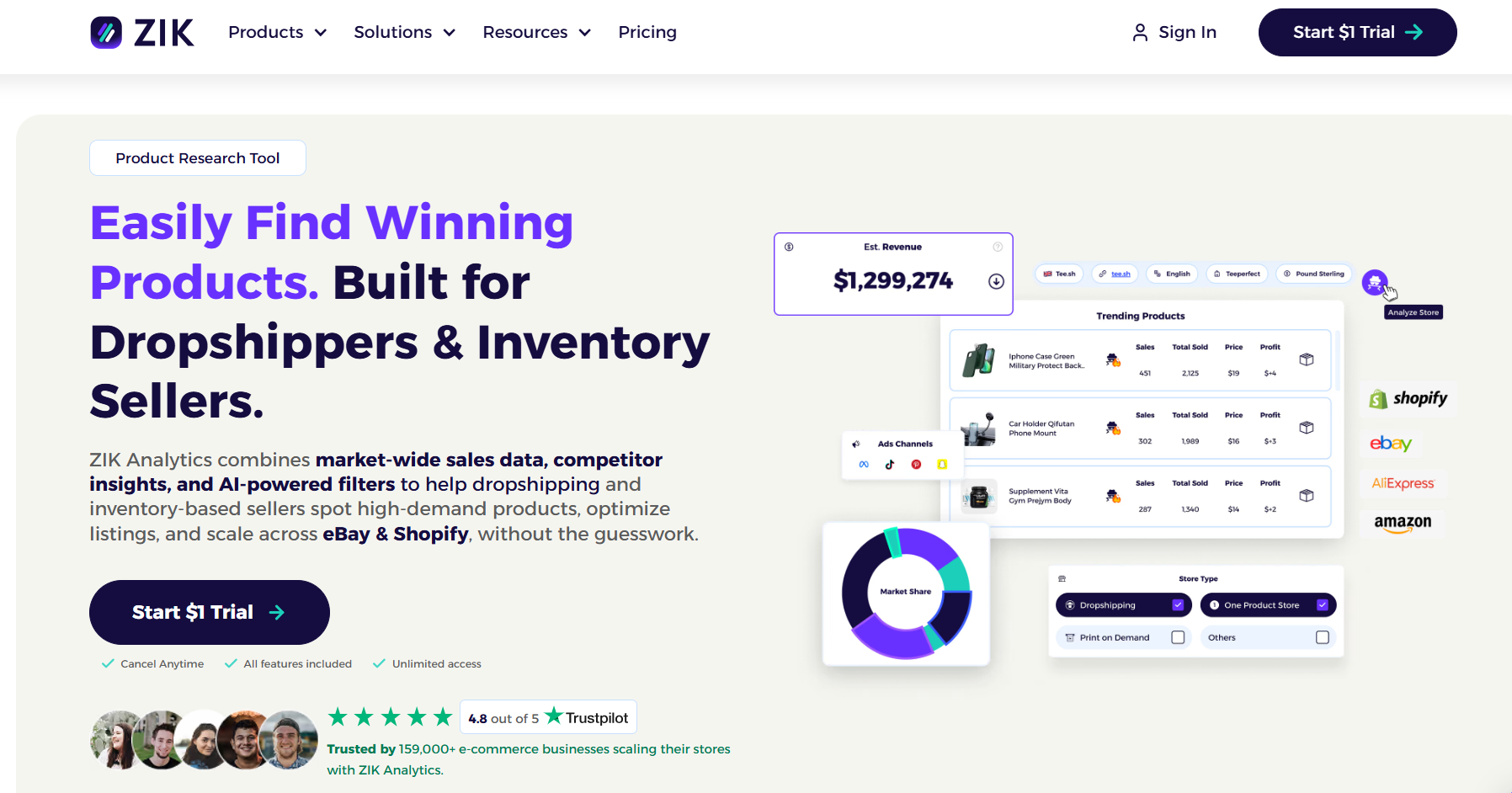
ZIK Analytics has a Keyword Tool that suggests broad and specific keywords. It also shows average searches, competition, and sales data. Compare the sales and competition for each keyword, then choose terms that match your item.
Competitor Research shows another seller’s best-selling items and titles, and lets you check the top competitors and identify keywords they use most often. You can also add useful terms that describe your item.
Pricing
ZIK Analytics pricing starts at $39.99/month.
3. Keyword Tool Dominator: Best for autocomplete keywords
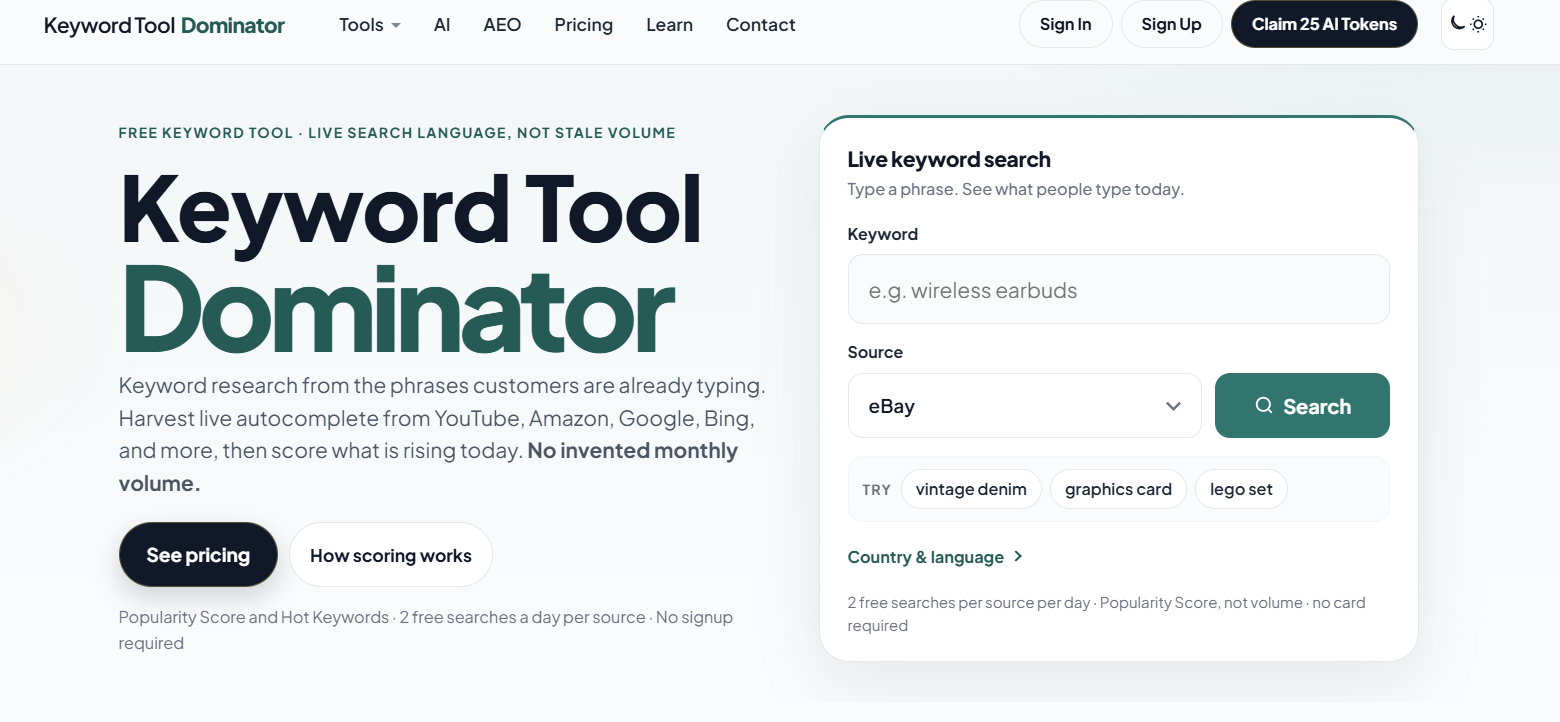
Keyword Tool Dominator pulls live eBay autocomplete suggestions to find long-tail phrases buyers use. It doesn’t provide conventional search-volume figures, because eBay’s autocomplete doesn’t reveal them. Instead, you get Keyword Score, autocomplete position, Hot Keywords, and difficulty filters to rank the suggestions against each other.
You can also run the same keyword through its Amazon and Walmart tools to see how shoppers on other marketplaces phrase the same product.
The free tier covers two searches a day per source, so you can cross-check a product without upgrading. Paid plans unlock one tool on Plus, five on Pro, and all eight on Max.
Pricing
Keyword Tool Dominator starts at $9 for 30 days’ access.
Sell more on eBay with Nifty
Finding the right eBay keywords is only half the job. The other half is getting them into every title, item specifics, and description accurately, listing after listing. Nifty handles that work for you: It reads your product photos, identifies the brand, model, size, and color, and builds them into a full eBay listing you can review and publish.
But Nifty does way more than create listings:
- Customized AI listings: Upload photos and let Nifty generate search-optimized titles, descriptions, and item specifics built around the terms buyers use to find your item. Review the draft, then use custom instructions to shape its writing style.
- Crosslist now: Take your keyword-rich listings across eBay, Etsy, Poshmark, Whatnot, Mercari, and Depop (more coming soon) from one interface, without re-entering the details on each marketplace. Marketplace access and features depend on your connected accounts and plan.
- Bulk crosslisting: Select multiple existing listings in Nifty, choose your target marketplaces, pricing, and shipping, then save the AI-generated results as drafts or publish them.
- Marketplace-specific Pricing Rules: Set a primary marketplace and rules for how prices should change on other marketplaces, so you don't have to calculate every crosslisted price from scratch.
- Built-in auto-delisting: Enable auto-delisting, and Nifty can remove an eligible sold item from your other connected marketplaces, so you don’t risk selling the same item twice.
- Bulk tools = less busywork: Relist selected items in batches, schedule ready-to-publish drafts, and use supported automations to handle recurring selling tasks, so your time goes into research and sourcing.
- Analytics and profits, made clear: Track sales, fees, profit, and your top-selling brands and categories to see which brands, products, and search terms are earning their place in your titles. You can also set seller goals and check your progress from Nifty's home screen.
Nifty pays for itself in just a few weeks. Start with a 7-day free trial and see how Nifty can help you turn product photos into keyword-rich eBay titles and complete item specifics in minutes. And if you’re selling on eBay, Whatnot, Etsy, or Depop from the UK or Australia, Nifty’s now available for you, too.
FAQs
1. What are the best keywords to use on eBay?
The best eBay keywords accurately identify what you're selling and match the terms buyers are likely to search. Prioritize attributes such as brand, product type, model, size, color, material, and style. There isn't one universal list of eBay keywords that works across every product.
2. Is there a free eBay keyword tool?
Yes, there are free eBay keyword tools. You can use eBay's search autocomplete for free to find keyword ideas based on product searches. You can also study sold listings and use eBay Product Research to investigate demand, pricing, and how comparable products are described.
3. What keywords should I use for clothing on eBay?
Start with the brand, clothing type, size, color, style, and material when they apply. For example, Levi's 501 Men's Jeans W34 L32 Blue Straight Leg Denim gives shoppers substantially more useful information than a title filled with generic terms such as vintage, rare, or must-have.
4. How do I find the most searched keywords on eBay?
Start typing your product into eBay search and review its autocomplete suggestions, then compare those terms with relevant sold listings and Product Research data. Autocomplete can reveal popular search phrasing, but eBay doesn't provide a simple public list of its most-searched keywords with exact search volumes.


.png)
.png)