
Facebook Marketplace keywords: How to find & use them | 2026
.png)
You listed your item an hour ago with good photos, a fair price, and an honest description. Yet it’s already buried under dozens of other listings.
One reason some listings are easier to find than yours is their use of Facebook Marketplace keywords, the words and phrases buyers use when searching.
I reviewed keywords across many categories and found which terms help listings stand out. You’ll learn how to build a keyword list for your item and how to avoid vague language that can make your listing harder to find.
What are Facebook Marketplace keywords?
Facebook Marketplace keywords are relevant words and phrases buyers may use when searching for products. For instance, someone looking for a used queen bed frame might search for terms such as “used queen bed frame.”
This means listing language should reflect how buyers describe the product, including relevant brand names, sizes, colors, and condition details.
Buyers can also narrow Marketplace results by factors such as location and price. However, relevant keywords can help sellers describe listings using terms buyers may search for.
How to build Facebook Marketplace keywords that help buyers find your listing
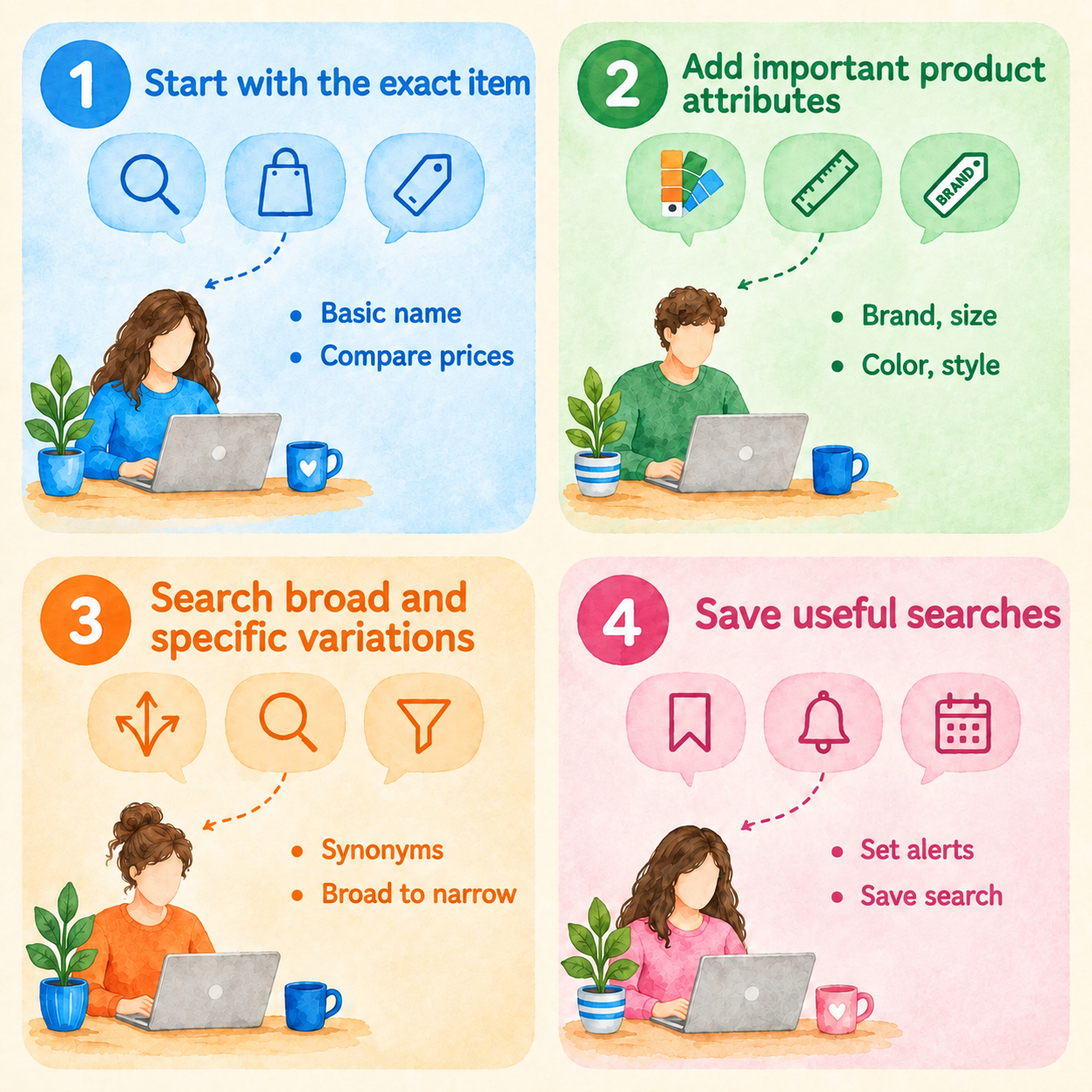
You can build Facebook Marketplace keywords that help buyers find your listing by starting with the exact item you’re selling and adding important details. Follow these 4 steps:
Step 1: Start with the exact item
The exact item is the basic product name that describes what you’re aiming to sell. Look at similar listings to see how other sellers describe the product. Type a recognizable term, such as “surfboard,” into the search bar.
A basic product term can return a broader range of listings. This range gives you a useful starting point for comparing similar products and prices.
Step 2: Add important product attributes
Product attributes are details such as brand, material, size, color, model, and style. Adding them helps buyers quickly find listings that match what they want.
For our surfboard example, drill down into what makes the product unique: “6’ Santa Cruz epoxy surfboard minor dings.”
Step 3: Search broad and specific variations
Buyers may use different words to search for the same or similar products. Try synonyms and more specific search terms to find comparable listings you might otherwise miss.
Start with the common product name, then test broader alternative names and specific details. For example, search “surfboard,” “shortboard,” “Santa Cruz shortboard,” and “epoxy shortboard.” Then add terms such as the brand, material, color, or size when you need narrower results.
Step 4: Save useful searches
Facebook Marketplace provides notification settings that can alert users about Marketplace activity, and available search features can vary by interface and account. When your version of Marketplace lets you save or follow a search, use the feature for products you look for repeatedly.
Where to use Facebook Marketplace keywords
Use Facebook Marketplace keywords in your listing title, product details, and listing description. Here’s how to approach each one:
Listing title
The listing title helps buyers identify your product while browsing Marketplace. Use a clear product name and add relevant identifying details, such as the brand, model, material, size, or style, when they help distinguish the item. Avoid relying on vague descriptions that don’t tell buyers what the product is.
For example, “vintage walnut 6-drawer dresser” provides more useful product information than a vague “beautiful vintage piece.”
Product details
Product details are the structured fields like category, brand, condition, size, and color, that Facebook uses to organize and match listings beyond the title text. Buyers can filter Marketplace results by category, condition, and price (and, in categories like Home Goods, by brand). So, those fields directly shape which filtered results your listing lands in.
Color and size usually aren't buyer-facing filters, but Facebook still uses these details to match your listing to relevant searches. Empty or inconsistent category or condition fields can drop a listing from the filtered results entirely.
Filling in your product details accurately helps buyers find your listing when they use more specific searches. A dresser listed in the furniture category with its condition set to "Used - Good" shows up when a shopper narrows to that category, filters by condition, and sets a price range.
Details like "IKEA" and "white" belong in your title and description: they help buyers recognize the item and help Facebook match it to searches such as "white IKEA dresser."
Facebook's furniture filters also cover brand, style, finish, and material, and those keywords further help buyers find the piece through search and through Marketplace's curated pages like "IKEA Dressers" and “White Dressers.”
Listing description
The listing description is the space for details that don't fit the title or structured fields. These details can include condition, compatibility, and included accessories. Buyers read this section to confirm a match before messaging, so missing specifics could result in missed sales even when the title and fields are strong.
Include real product information in your description so buyers have the details they need to decide if the item is right for them.
For instance, a description for my surfboard example could go something like, “6’ shortboard purchased used with minor dings and compressions. 3 FCS Mayhem Driver fins included, plus 9’ leash and sock.”
Facebook Marketplace keyword examples by product
| Product | Main keyword | Useful attributes | Example title |
|---|---|---|---|
| Surfboard | Shortboard | Santa Cruz, 6’, epoxy, minor dings | 6’ Santa Cruz epoxy shortboard, dings |
| Dresser | Dresser | Walnut, vintage, 6-drawer, wood | Vintage walnut 6-drawer wood dresser |
| Drill | Cordless drill | DeWalt, 20V, brushless, battery included | DeWalt 20V brushless cordless drill kit |
| iPhone | iPhone | Apple, 15 Pro, 256GB, unlocked | Unlocked iPhone 15 Pro 256GB |
| Bicycle | Mountain bike | Trek, 29-inch, hardtail, aluminum | Trek 29-inch aluminum hardtail mountain bike |
| Sofa | Sectional sofa | IKEA, gray, fabric, L-shaped | IKEA gray fabric L-shaped sectional sofa |
Sell more with Nifty
If you have the right Facebook Marketplace keywords for your products, how about crosslisting them on other marketplaces to increase your buyer base? Nifty is the perfect tool for managing your listings from a single command center. Plus, it has features that help you list quickly on Poshmark, eBay, Mercari, and more.
Here’s why Nifty’s so helpful:
- Customized AI listing: Snap a pic and let Nifty’s AI build a complete listing, with SEO-optimized titles and descriptions, and item specifics already filled out for you. You can even customize how AI writes your listings to follow your unique style.
- Crosslist now: With a couple of clicks, post your items across Whatnot, Poshmark, eBay, Mercari, Depop, and Etsy. No copy-paste clutter and no multi-tab hopscotch. (More marketplaces coming soon!)
- Bulk crosslisting: Publish up to 25 listings at once with marketplace-specific pricing rules, shipping presets, and AI-enhanced titles and descriptions. Start in Nifty or import from eBay, then crosslist to your other supported marketplaces in one action.
- Marketplace-specific Pricing Rules: Save pricing templates for each marketplace and apply them automatically during bulk crosslisting to keep listings consistent without manual edits.
- Automatic delisting? Handled: When you make a sale, Nifty’s sales detection auto-delists that item from your other marketplaces once you turn on auto-delisting. Say goodbye to double-selling disasters and “sorry, it’s already gone” apology messages.
- Bulk tools = no busywork: Share and relist daily in just a few clicks. You can even schedule drafts to go live while you sleep and set automatic discounts that run deeper over time.
- Analytics and profits are real: Track sales, fees, top performers, and slow movers in one clean dashboard, so you can actually see what’s working and what’s just dead space. You can also set and track seller goals directly from your home screen.
Nifty pays for itself in just a few weeks. Start with a 7-day free trial and see how Nifty can help turn keyword research into listings that go live with minimal manual work.
FAQs
1. What keywords should I use on Facebook Marketplace?
On Facebook Marketplace, use keywords that buyers actually search. These include product type plus brand, size, material, or color (e.g., "DeWalt 20V cordless drill"). Specific, accurate keywords reduce mismatched inquiries and help genuinely interested buyers find your listing faster.
2. Is there a Facebook Marketplace keyword tool?
No, Facebook doesn't offer a dedicated Marketplace keyword research tool. Third-party generators can suggest terminology, but treat their data cautiously since it's unverified. Comparing similar listings is a reliable way to find buyer language and avoids wasted listing effort.
3. How many keywords should I use on Facebook Marketplace?
There's no fixed number of keywords that you should use on Facebook Marketplace. Just include enough terms to cover the product and its meaningful attributes, like brand, size, or style. Focus on useful product information rather than unnecessarily repeating keywords.
4. Do keywords help you get more views on Facebook Marketplace?
Although relevant keywords can help Facebook match listings to buyer searches, they don't guarantee more views on their own. Price, photos, location, and listing quality matter too. So if your competition uses the same keywords and offers better pricing, buyers might view their listings instead of yours.


.png)
.png)
.png)