How to sell on Facebook Marketplace in 7 steps (2026)

Once you know how to sell on Facebook Marketplace, you can quickly turn old, bulky stuff into cash. But you’ll need to take a few steps to keep yourself safe.
My guide walks you through 7 steps for selling on Facebook Marketplace, from creating your listing to pricing it against similar sold items. By the end, you’ll have a live listing and a plan for handling buyers once the “Is this still available?” messages start coming in.
How to sell on Facebook Marketplace in 7 steps
- Step 1: Open Facebook Marketplace
- Step 2: Choose what you want to sell
- Step 3: Upload photos and write a listing title
- Step 4: Set your price and describe the item
- Step 5: Set your location and delivery options
- Step 6: Review and publish your listing
- Step 7: Respond to buyers and complete the sale
Step 1: Open Facebook Marketplace
Start selling on Facebook Marketplace by accessing your listing tools.
- Sign in to your Facebook account: Use your personal Facebook profile and enter your account details to access the platform. Buyers can check your seller profile and available ratings before contacting you. Keep your profile information accurate so buyers know who they're dealing with.
- Open Marketplace from the app menu or icon: Find the storefront icon in Facebook's navigation bar and tap or click it to access Marketplace. If you don't see it, check the Menu section or visit facebook.com/marketplace in your browser.
Note: If Marketplace won't open, check your account status for restrictions. Facebook limits access based on age, location, and compliance with its policies. Make sure your app is updated, and you're using an eligible account. If Facebook has restricted your access, follow the instructions to request a review.
Step 2: Choose what you want to sell
Start by selecting the item you want to sell on Facebook Marketplace and choosing the appropriate listing category.
- Pick the right option: Select “Sell” or “Create New Listing” inside Marketplace. Choose Item for sale to list a product, then enter its title, price, category, and description. You'll also need photos that show the item's condition. Depending on your location, you might see options for selling vehicles or listing property rentals.
- Choose “Item for sale” for physical products: Everyday goods such as furniture, electronics, and kitchen appliances belong in this listing category. The form lets you upload photos and enter a title, price, condition, and product details.
- Use separate categories for vehicles and property: Cars and rental properties have their own listing types when available. Vehicle listings include details such as model year and mileage, while property listings include bedroom counts and rental information.
- Confirm the item meets Commerce Policies: Facebook prohibits animals, weapons, alcohol, prescription products, recalled products, certain medical and healthcare products, and ingestible supplements. Listings that break these rules risk removal. Repeated violations could limit your selling access.
Step 3: Upload clear photos and write a listing title
Clear photos help buyers check an item's condition. Descriptive titles make listings easier to find in Marketplace searches.
Take clear photos of your item
Aim for at least 5 sharp pictures showing the front, back, sides, product labels, and visible damage. Include close-ups of model numbers and size labels so buyers can check the details before contacting you. Use natural daylight and a plain background, but check that the lighting shows the item's true color.
To improve your picture-taking skills, read our guide to taking good photos for Poshmark. The same photography tips apply to Facebook Marketplace and other selling platforms.
Write a searchable listing title
Write a searchable title by including the brand, item type, model, and details buyers search for. Specific information helps shoppers identify your product and reduces questions about its size or compatibility. For example, “Samsung 55-inch QN90B 4K Smart TV” tells buyers more than “Nice TV for sale.”
You can also read our article that covers tips for selling on Facebook Marketplace for more advice on improving your listings.
Step 4: Set your price and describe the item
Set your price by researching comparable sold items and writing an accurate description:
Research comparable prices
On Marketplace, you can check prices for similar items sold within a reasonable pickup distance. Sold prices give you a better idea of what buyers will pay. Use the built-in search filters and select “Sold under Availability” if the option appears. This filter lets you review previously sold listings in your selected area.
Compare their brand, size, condition, and asking price to decide how much to charge. You can also check sold listings on eBay to see what buyers have paid for similar items. Keep in mind that shipping costs may affect the final price.
Describe your item's condition
Give buyers details about the product's age, size, working condition, accessories, and visible damage. Choose an accurate condition rating and explain any wear so buyers know what to expect. Include measurements and details about missing parts to answer common questions.
Enter your asking price in the “Price” field, leaving room for negotiation if you're open to offers. Add “OBO” or “Price firm” to the description so buyers know your preference.
Step 5: Set your location and delivery options
Enter your general pickup area in the “Location” field so nearby buyers can find your listing. Use an accurate neighborhood or ZIP code, but keep your home address private.
Choose local pickup when selling bulky items to nearby buyers. Local pickup doesn’t cost any platform fees, and buyers will pay in cash or by transfer.
If you offer shipping, include postage and packaging costs in your pricing. You can arrange shipping and payment directly with buyers, but those sales aren't covered by Facebook's Purchase Protection for buyers or its Seller Protection Policy for sellers. Both only apply to orders processed through Facebook's checkout.
Facebook's Purchase Protection won't cover you. Orders processed through Facebook Marketplace checkout also carry a 10% selling fee, with a minimum charge of $0.80 per order. Facebook calculates the fee on the total, including shipping and taxes.
Step 6: Review and publish your listing
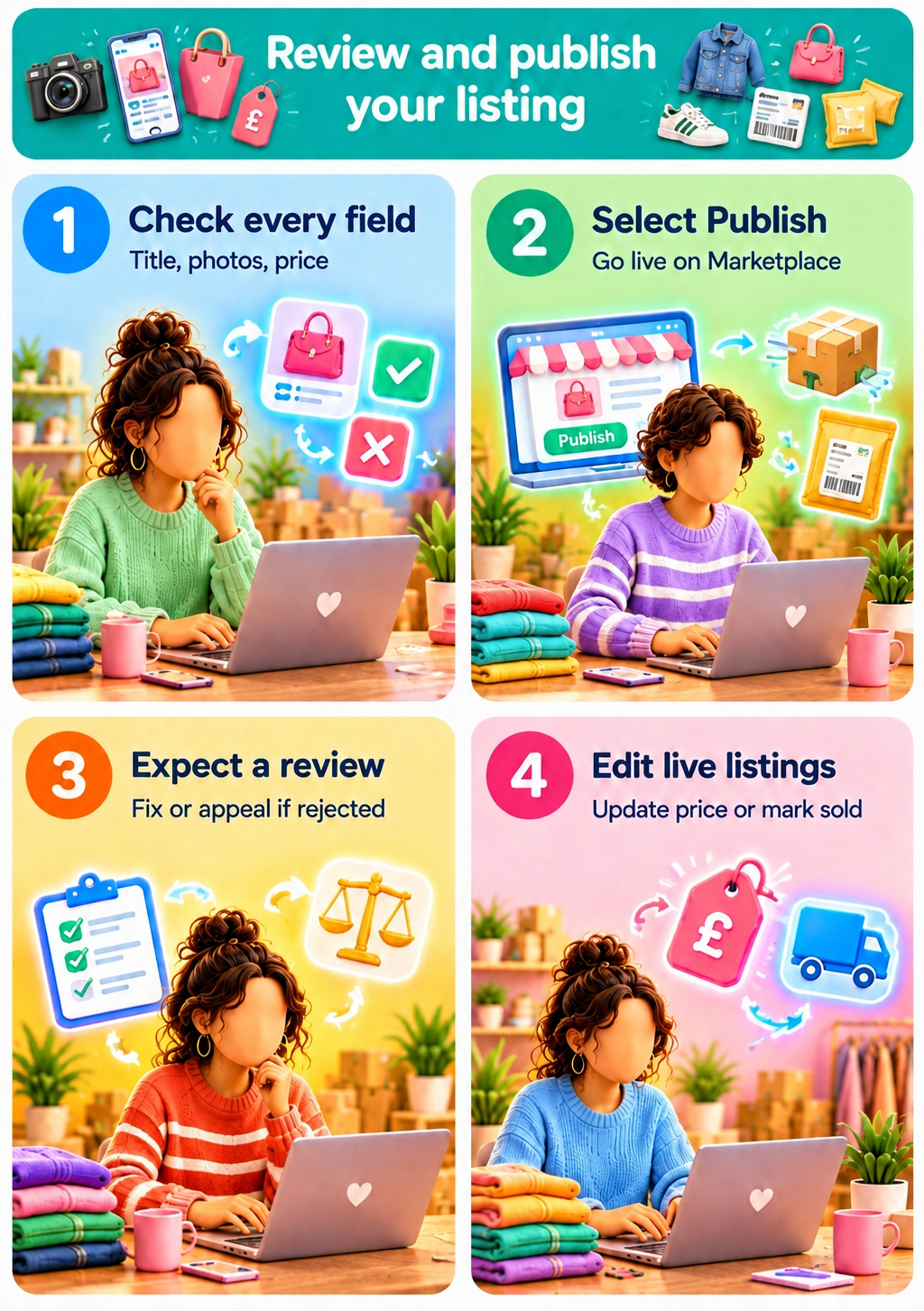
Before publishing your Marketplace listing, check for mistakes that could confuse buyers or delay a sale. Review these details to make sure your listing is accurate and ready for buyers.
- Check every field before publishing: Use the listing preview, if available, to see how buyers will view your item. Check the title, photos, price, category, condition, and location for mistakes and fix any errors.
- Select Publish to go live: Click or tap the Publish button to post your listing to Facebook Marketplace. Facebook may also let you share the listing with local buy-and-sell groups.
- Expect a policy review: Facebook reviews listings when its systems detect a potential violation or when someone reports them, and listings that use shipping and checkout go through a standard review that can take up to a day. If Facebook rejects your listing, read the notice to find out why. Fix any problems or request a review if you believe Facebook made a mistake.
- Find and edit live listings: Your active listings appear under Your listings or Selling in Marketplace, depending on your device. Find the item and open its options menu to change the description, adjust the price, or mark it as sold. You might also see an option to renew eligible listings.
Step 7: Respond to buyers and complete the sale
Once your Marketplace listing is live, buyers can message you with questions, offers, and pickup requests. Here’s what to do:
Respond to buyer inquiries
Check Messenger for buyer messages, including questions such as “Is this still available?” Reply promptly and answer questions about the item's condition, price, or pickup options.
If someone offers less than your asking price, suggest an amount you're willing to accept. Check out our guide to making money on Facebook Marketplace for tips on setting prices that attract buyers and help you earn more from each sale.
Arrange payment, pickup, and complete the sale
Agree on the price, payment method, and pickup time through Messenger. Follow these tips for meeting up and getting paid:
- Choose a safe public meeting place, preferably during daylight hours. I prefer a parking lot with plenty of foot traffic. Never meet up at your home address.
- If the buyer pays cash, count it before handing over the item.
- For electronic payments, check your bank or payment app directly to confirm you've received the money. Screenshots and payment notifications can be fake, and some transfers can be reversed.
Is selling on Facebook Marketplace worth it?
Yes, selling on Facebook Marketplace is worth it, especially if you’re selling large, bulky items for in-person purchases. But unreliable buyers and lowball offers are some drawbacks.
Advantages of selling on Facebook Marketplace
Facebook Marketplace’s main advantages are no in-person fees and a large audience:
- No local selling fees: Facebook doesn't charge selling fees for local pickup transactions, so you keep the agreed price before any outside payment fees.
- Built-in local audience: Reach nearby buyers on Facebook’s enormous social network without setting up a separate online store.
- Easy communication: Use Messenger to answer questions, negotiate prices, and arrange pickups.
- No shipping required: Sell large furniture and household items in person, without paying for packaging or postage.
Disadvantages of selling on Facebook Marketplace
Unreliable buyers and lowball offers make it difficult to sell on Marketplace:
- Unreliable buyers: Some buyers cancel pickups, arrive late, or stop responding after agreeing to purchase.
- Lowball offers: Buyers might offer much less than your asking price, leading to repeated negotiations.
- Scam risks: Fraudsters might send fake payment screenshots, claim they've overpaid, or ask for verification codes.
- Limited payment protection: Cash payments and transfers arranged outside Facebook's checkout aren't covered by Facebook's Purchase Protection or Facebook’s Seller Protection Policy.
Sell more with Nifty
If you’re still figuring out how to sell on Facebook Marketplace, and you want to reach more buyers beyond your pickup radius, try crosslisting your items on different platforms. Nifty, a crosslisting and automation tool, helps you manage items on eBay, Etsy, Poshmark, and other marketplaces from one place.
Here’s why more than 30,000 sellers use Nifty:
- Customized AI listings: Upload your photos and let Nifty generate search-optimized titles, descriptions, and item details. Review the draft, then use custom instructions to match the way you write.
- Crosslist now: Send eligible items to eBay, Etsy, Poshmark, Whatnot, Mercari, and Depop from one interface, with the details entered once. Marketplace access and features depend on your connected accounts and plan.
- Bulk crosslisting: Select several existing listings in Nifty, choose your target marketplaces, pricing, and shipping, then save the AI-generated results as drafts or publish them.
- Marketplace-specific Pricing Rules: Set a primary marketplace and rules for how prices change elsewhere, so a $60 lamp automatically lists higher on platforms with steeper fees, and you skip recalculating every price.
- Built-in auto-delisting: Enable auto-delisting and Nifty removes an eligible sold item from your other connected marketplaces, cutting the risk of selling that jacket twice.
- Bulk tools = less busywork: Relist selected items in batches, schedule ready-to-publish drafts, and use supported automations for the recurring tasks that eat your evenings.
- Analytics and profits, made clear: Track sales, fees, profit, and your top-selling brands and categories. Set seller goals and check your progress from Nifty’s home screen.
Nifty pays for itself in just a few weeks. Start with a 7-day free trial and see how Nifty can help you turn the items local buyers pass on into sales across six more marketplaces.
FAQs
1. Can you sell on Facebook Marketplace without a business account?
Yes, you can sell on Facebook Marketplace without a business account. Eligible users can create listings through their personal Facebook profiles. However, age, location, and Commerce Policy requirements still apply. Following Meta's rules helps reduce the risk of listing removals and account restrictions.
2. Why can't I sell on Facebook Marketplace?
You may be unable to sell on Facebook Marketplace because your account is ineligible, the feature isn't supported in your region, or Meta has restricted your access for policy violations. Technical issues can also affect availability. Check your account status and Marketplace notices, then follow any available review instructions if your access is restricted.
3. How do you mark an item as sold on Facebook Marketplace?
To mark an item as sold on Facebook Marketplace, open Your listings or Selling, find the item, and select Mark as sold from its available options. Do this after completing the transaction to update the item's availability, reduce unnecessary inquiries, and avoid accidentally selling the same item twice.
4. Does it cost you to sell on Facebook Marketplace?
Selling on Facebook Marketplace costs nothing in Facebook fees when buyers pick up locally. Orders processed through Facebook Marketplace checkout carry a 10% selling fee, with a minimum charge of $0.80 per order, calculated on the total including shipping and taxes.