How to optimize eBay listings: 10 steps to more sales (2026)

To optimize your eBay listings, write keyword-rich titles and write clear descriptions. Properly optimized listings help eBay’s Best Match system show your items to more buyers. You’ll also give buyers reasons to purchase from you.
Best Match ranks listings by relevance, selling terms, and seller performance. I broke those factors into 10 steps, from keyword research to fixing listings that get views but no sales, so you know exactly what to change first.
How does eBay's search algorithm work?
eBay’s algorithm works by using Best Match to decide which listings appear first in search results. Best Match uses titles, categories, and item specifics to help eBay match your products to buyer searches.
Keep in mind that shipping costs, return policy, and sales history can also affect your rankings.
For example, adding item specifics to a used camera lens listing can help it appear in filtered searches. But whether buyers purchase your item depends on factors such as condition and price.
How to optimize eBay listings in 10 steps: TL;DR
Step 1: Research relevant eBay keywords
Step 2: Write keyword-rich listing titles
Step 3: Choose the most accurate product category
Step 4: Complete item specifics and product identifiers
Step 5: Upload high-quality product photos and videos
Step 6: Write clear, mobile-friendly descriptions
Step 7: Choose the right listing format and price
Step 8: Set clear shipping and return terms
Step 9: Improve your seller performance and sales history
Step 10: Monitor listing performance and update weak listings
Step 1: Research relevant eBay keywords
Keyword research helps you identify the phrases buyers use to find products on eBay. These terms guide your listing title and item specifics so your products match relevant searches.
Here are three ways to research eBay keywords:
- Find buyer search terms: Type your product name into eBay's search bar and review autocomplete suggestions for related phrases. A search for “DeWalt drill” may suggest terms such as “20V” and “brushless.”
- Analyze competing listings: Check sold listings for similar products and identify recurring terms in their titles. If you’re selling Levi's 501 jeans, look for similar details such as waist size, inseam, color, and condition.
- Select primary and supporting keywords: Choose a primary phrase that identifies your product, then add relevant attributes to your title and item specifics. For a Trek Domane SL 5 bicycle, use the model name in the title and enter “56 cm” in the frame size field.
Step 2: Write keyword-rich listing titles
An eBay title allows up to 80 characters that let you tell buyers and Best Match exactly what you're selling. Start with the brand, model, and product type. Then add relevant details such as material or condition. Prioritize searchable product details over promotional words.
Bad title: “!!! AMAZING Vintage Jacket L@@K Like North Face.” This snazzy mish-mash wastes characters and includes a misleading brand reference.
Good title: “Patagonia Retro-X Fleece Jacket Mens Large Natural Zip Used.” This precise title clearly identifies the product.
Put important details near the beginning so buyers can recognize the item quickly. The optional 55-character subtitle costs extra, so use it for useful details such as “Includes Original Box and Receipt.”
Step 3: Choose the most accurate product category
An eBay product category determines where your listing appears when buyers browse. The category also affects which item specifics eBay requires or recommends.
Follow these pointers:
- Check competing listings and choose the most specific category: Review categories used by similar sold listings to find the right placement. Then, select the most relevant category for your product. To illustrate, a Nikon 50mm camera lens belongs in an appropriate camera lens category. Don’t list it under general camera accessories.
- Consider a secondary category: A second category can help more buyers find your listing, but eBay may charge extra listing and upgrade fees. Vintage Pyrex may fit both kitchenware and collectibles categories, depending on the item.
Step 4: Complete item specifics and product identifiers
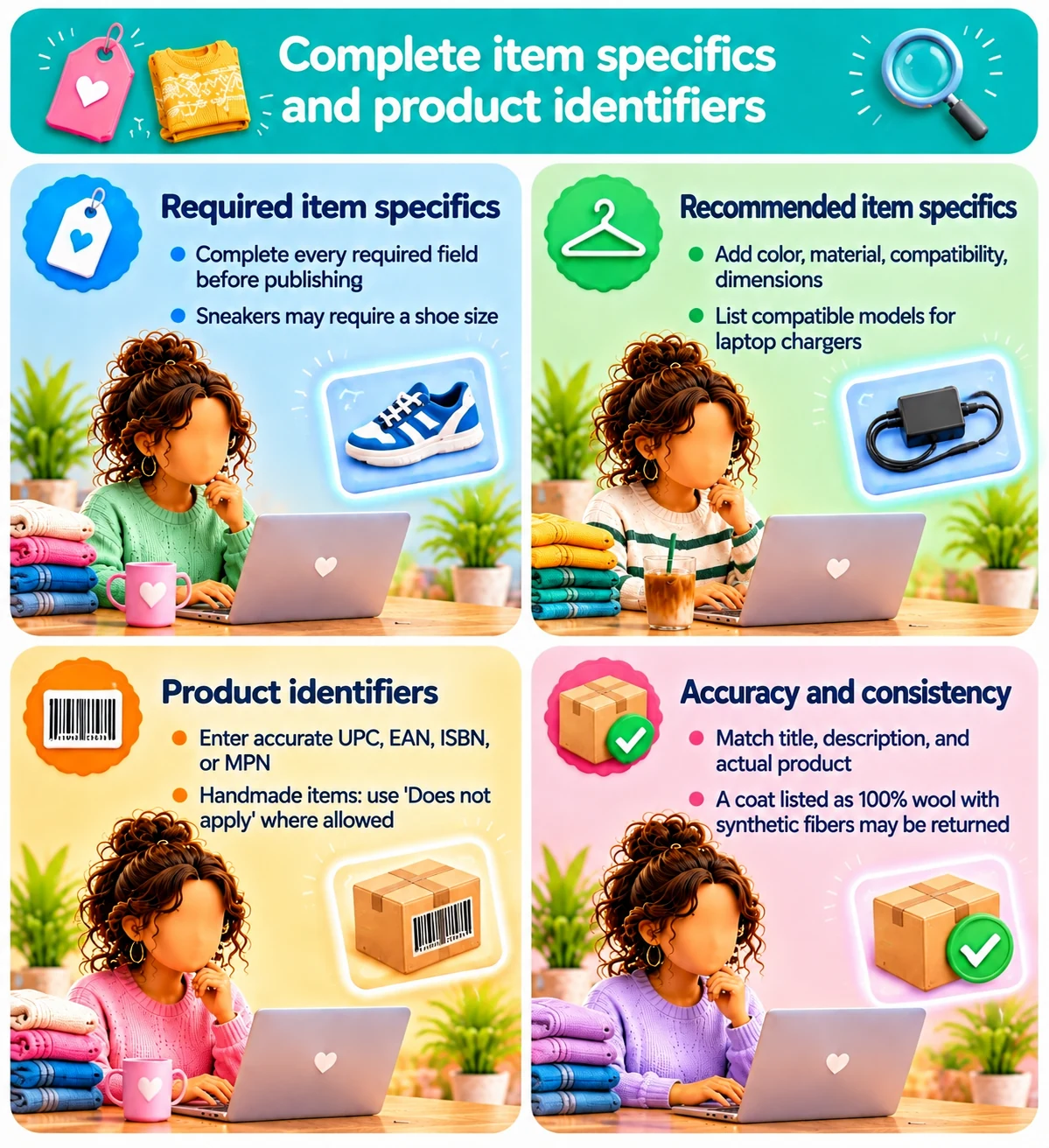
Item specifics are listing details that help eBay match your products to buyer searches and filters. They include size, brand, and color. Missing an item specific can keep your listing out of filtered search results.
Here are some tips to help pick the right item specifics to optimize your eBay listings:
- Required item specifics: Complete every required field before publishing. These vary by category and may include brand, size, color, or type. For instance, a sneaker listing may require a specific shoe size.
- Recommended item specifics: Add relevant details such as color, material, compatibility, and dimensions. If you sell laptop chargers, list compatible models so buyers can find the right replacement.
- Product identifiers: Enter accurate UPC, EAN, ISBN, or MPN codes when available. eBay can fill in listing details if it finds a matching product in its catalog. For handmade products without these codes, use “Does not apply” where allowed.
- Accuracy and consistency: Make sure your item specifics match your title, description, and actual product. If you list a coat as 100% wool but it contains synthetic fibers, the buyer may request a return.
Step 5: Upload high-quality product photos and videos
Product photos tell buyers your item’s condition and quality, which helps them decide if they want to purchase from you or the competition. eBay allows up to 24 free images per listing. I recommend you use each one to spotlight every feature and flaw your item has to offer.
Here’s what you should do:
- Main product image: The lead photo becomes the thumbnail, so make sure it shows the whole item, well lit, on a plain background. Use a background removal tool or shoot the image on a single-color background, preferably white.
- Additional angles: Supporting shots cover the front, back, sides, labels, and serial plates buyers check in person. Collectors buying Gibson guitars expect headstock serials photographed before bidding.
- Condition documentation: Defect close-ups record every scratch, stain, missing part, and worn edge plainly. A buyer who saw the cracked controller trigger beforehand has no good reason to file a not-as-described claim. Use photo-editing software to crop, rotate, and brighten each close-up so every flaw shows clearly, then note each flaw in your description.
- Image quality: Sharp, upright photos hold their detail when buyers pinch-zoom on a phone. Blur on watch casebacks hides the reference number collectors use to verify authenticity.
- Product videos: For some items, video clips show what stills miss, like a motor spinning or a screen powering on. A turntable playing audibly demonstrates to buyers that it actually works.
Step 6: Write clear, mobile-friendly descriptions
Clear, well-written listing descriptions with product overviews and condition details give buyers the product details they need before purchasing. Here’s what you need to consider:
- Product overview: Open with the product name, model, condition, and main selling points. “Used Canon EOS R6, 12,000 shutter count, two batteries” quickly tells buyers what they're getting.
- Specifications: Include measurements, materials, compatibility, and accessories. Confirming an 18-inch seat height helps buyers check if your chair fits their dining table.
- Condition details: Describe visible wear, problems, previous repairs, and missing parts. Mentioning a repaired mixer clip helps buyers understand the item's condition before purchasing.
- Easy to read on mobile: Use short paragraphs, clear bullet points, and simple formatting. Separate details about size, fit, and flaws so buyers can scan them easily on their phones.
Step 7: Choose the right listing format and price
Choose an eBay listing format, such as Buy It Now or auction-style, based on your product's value and buyer demand. Here’s how to choose:
- Buy It Now: A fixed price works well for products with a known selling price and lets buyers purchase immediately. You can price sealed AirPods Pro based on similar sold listings.
- Auction-style listings: Timed bidding lets buyers compete for rare, collectible, or hard-to-price items. A first-edition Pokémon card may attract several bids, but the final price depends on buyer demand.
- Competitive pricing: Compare sold listings for similar products and check differences in condition, shipping, and included accessories. For instance, a vacuum missing one of its fittings should probably sell for less than a complete unit.
- Best Offer: Best Offer lets buyers negotiate prices on eligible listings, including newly published items. Set your lowest acceptable offer so eBay automatically rejects bids that leave too little profit.
Step 8: Set clear shipping and return terms
Clear shipping and return policies give buyers a reason to choose your items. eBay also considers shipping terms and seller performance when ranking listings through Best Match.
Here’s how to set your terms:
- Shipping costs: Compare the total price buyers pay, including shipping. A $42 lens with $9 shipping costs $51 before tax, while a similar $49 listing with free shipping costs less.
- Handling time: Set a realistic number of business days between payment and shipping. If you only ship on Tuesdays and Fridays, account for orders placed between those days.
- Delivery options: Offer shipping services that match your promised delivery times and include valid tracking. If a buyer reports a missing package, tracking that confirms delivery to their ZIP code can help resolve the issue.
- Return policies: State your return window and who pays for return shipping. Seller-paid 30-day returns may appeal to buyers unsure about sneaker sizing. eBay's Money Back Guarantee also covers eligible purchases, even if the seller doesn't accept returns.
Step 9: Improve your seller performance and sales history
eBay's Best Match considers your seller history when ranking listings. Here’s what you need to do to improve as a seller:
- Positive feedback: Buyers can rate description accuracy, communication, shipping speed, and shipping charges. Showing a scuffed camera corner in photos and describing the damage helps buyers check its condition before purchasing.
- On-time shipping: Ship orders within your stated handling time and upload accurate tracking details. Carrier scans help eBay confirm when you shipped an order.
- Order reliability: Avoid canceling orders because you've run out of stock. Also, resolve buyer problems before eBay has to step in. If you’re crosslisting and your item sells on another platform, make sure you delist it from eBay and other platforms. Consider getting crosslisting software that can automatically delist for you.
- Sales performance: Check listing impressions, views, sales, and conversion rates in Seller Hub. Compare results before and after making changes.
- Nifty’s Recreates: This feature ends an eBay listing and creates a new one with a new ID 30 minutes before its monthly renewal, on the schedule you set. A new listing ID can perform better in search, but it won't fix a weak title, photos, or price, so pair it with those fixes.
Step 10: Monitor listing performance and update weak listings
You can monitor your eBay listing performance using Seller Hub or eBay listing software. Check these 5 things:
1. Review listing metrics: In your Seller Hub traffic section, check impressions, click-through rates, page views, and sales conversions. Download the Active Listings Traffic report regularly to record your starting numbers before making changes.
2. Identify visibility problems: Low impressions may mean fewer buyers see your listings in search results. Compare similar listings and check your titles and item specifics.
3. Identify conversion problems: Lots of page views but few sales may mean your prices aren’t competitive or your photos are unclear. Compare your price with similar sold listings, and retake any photo that’s blurry, dim, or hides a flaw.
4. Fix specific problems: Start with the problem most likely to affect your listing, and change one thing at a time so the before-and-after numbers in the next step stay clear.
5. Check results after making changes: Compare impressions, views, and conversion rates before and after each change over the same number of days. Wait until you have enough traffic to judge the results, and consider changes in buyer demand or competition.
Common eBay listing optimization mistakes to avoid
Common eBay listing mistakes, such as keyword stuffing and choosing the wrong product category, can hurt search visibility, violate marketplace rules, or cause buyer disputes. Avoid these mistakes:
- Keyword stuffing: Repeating keywords or adding unrelated search terms can violate eBay's rules. For example, titling a listing “Nike Running Shoes Sneakers Trainers Athletic Shoes Gym Shoes” repeats similar terms to attract more searches.
- Incorrect product categories: Choosing the wrong category can make listings harder to find. Phone cases listed under Smartphones may miss buyers browsing accessory categories.
- Duplicate listings: Posting multiple fixed-price listings for identical items usually breaks eBay's rules, although some exceptions apply. Listing the same sneakers twice to gain exposure could lead to removal.
- Incomplete item specifics: Missing product details can keep listings out of filtered search results. A laptop without a detailed RAM capacity may not appear when shoppers filter for 16 GB models.
- Misleading product information: The wrong condition details or hidden defects can lead to buyer disputes. A buyer who discovers an undisclosed hinge crack can request an item-not-as-described return.
Do Promoted Listings improve organic eBay rankings?
No, Promoted Listings don't directly improve your organic eBay rankings. Promoted Listings are paid ads that display your products in sponsored spots across eBay.
Organic rankings depend on relevance, price, listing quality, popularity, and seller performance. Sales from ads may affect a listing's sales history, but eBay doesn't explain how they influence organic rankings.
Ads may help get your listings in front of more buyers. But you’ll still need competitive prices, clear photos, and complete item details to close sales. For example, a 6% General ad rate on a $40 kettle sale costs $2.40 in advertising fees. Some buyers might have purchased the kettle anyway, so compare ad costs with the extra profit your ads generate.
Sell more on eBay with Nifty
Sellers who know how to optimize eBay listings still face hours of work when managing dozens or hundreds of items. Each listing needs clear titles and complete item details. Nifty, a crosslisting and automation tool, helps you create listing details quickly and gives you one place to manage your items from eBay, Etsy, Poshmark, and other platforms.
Here’s why Nifty’s so helpful:
- Customized AI listings: Upload photos and let Nifty generate search-optimized titles, descriptions, and item details, the same fields eBay buyers search and filter by. Review the draft, then use custom instructions to match your writing style and listing standards.
- Crosslist now: List eligible items across eBay, Etsy, Poshmark, Whatnot, Mercari, and Depop from one interface, without re-entering details on each marketplace. Your optimized title and item details carry over, so each listing starts strong. Marketplace access and features depend on your connected accounts and plan.
- Bulk crosslisting: Select multiple existing listings in Nifty, choose your target marketplaces, pricing, and shipping, then save the AI-generated results as drafts to review or publish them right away.
- Marketplace-specific Pricing Rules: Set a primary marketplace and rules for how your prices should change on other marketplaces. Your eBay price stays competitive, and you won’t have to recalculate every crosslisted price from scratch.
- Built-in auto-delisting: Enable auto-delisting and Nifty can remove an eligible sold item from your other connected marketplaces. That lowers the risk of selling the same item twice and dealing with cancellations that hurt your seller record.
- Bulk tools = less busywork: Relist selected items in batches, schedule ready-to-publish drafts, and use supported automations for recurring selling tasks. The time you save goes into improving the listings that need it.
- Analytics and profits, made clear: Track sales, fees, and profit across your connected marketplaces, plus your top-selling categories, so you can see which listings earn their keep and which need a rewrite. On Crosslisting and Bundle plans, set seller goals and check your progress from Nifty’s home screen.
Nifty pays for itself in just a few weeks. Start with a 7-day free trial and see how Nifty can help you build better eBay listings faster, from search-ready titles and item details to clear profit data showing which listings to improve next.
FAQs
1. How do you beat the eBay algorithm?
You can't beat the eBay algorithm or guarantee a top spot in Best Match search results. But you can improve your rankings with relevant titles, accurate item specifics, competitive prices, and clear photos. Ship orders on time, avoid buyer disputes, and keep a good seller record to improve your chances of ranking higher.
2. What is the 15-minute rule on eBay?
The 15-minute rule on eBay is an unofficial seller theory about listing timing or last-minute auction bidding. eBay doesn't recognize it as a ranking factor, and auctions end at a fixed time. Focus on accurate titles, complete item specifics, and competitive prices to improve your listings and make more sales.
3. What is the 5000 rule on eBay?
The 5,000 rule on eBay refers to the former $5,000 Form 1099-K tax reporting threshold for 2024. It has nothing to do with Best Match rankings. The federal reporting threshold is now more than $20,000 in payments and over 200 transactions. Lower thresholds may apply under state laws.