How to find the right Vinted keywords for your listing (2026)
.png)
On Vinted, many sellers guess at keywords, get lost in “top,” “dress,” or “shoes,” and forget to mention key details like material and sizing. After looking at hundreds of Vinted listings and tinkering with Vinted's own search suggestions, I came up with a 4-step process to find accurate Vinted keywords.
By the end, you’ll know which keywords to use, where to find fresh ideas to attract new buyers, and what to do if your keywords are right but your listings aren’t getting any engagement.
Find the right Vinted keywords: 4 steps at a glance
→ Step 1: Identify the exact item
→ Step 2: Add important product attributes
→ Step 3: Add relevant style keywords
→ Step 4: Consider season and occasion
Step 1: Identify the exact item
Identify the item you want to sell. Don’t worry about the color or style at this point. Just pay attention to the brand, model, product type, and size. These aspects are the foundations of building your Vinted keywords.
If you’re selling jeans, start with the brand, such as Levi’s or Guess. Then, move on to the model, which for Levi’s sellers could be 501, and product type, which is jeans. The last part of your keyword is the size. For jeans, Vinted typically uses waist sizes, so let’s say our jeans have a 32-inch waist.
You’ll also need to include a price. If you need help setting a price that leaves room for profit, read our article and learn reseller pricing strategies.
So far, our Vinted keyword looks like this: Levi’s 501 jeans 32
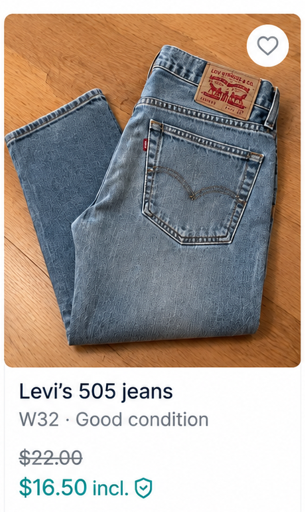
Pro tip: Keep titles specific, and only use words that accurately describe the product. For example, “Levi’s 501 straight jeans” tells buyers more than a vague title like “denim trousers.” This approach works for any type of product and helps buyers find your item through search and filters.
Step 2: Add important product attributes
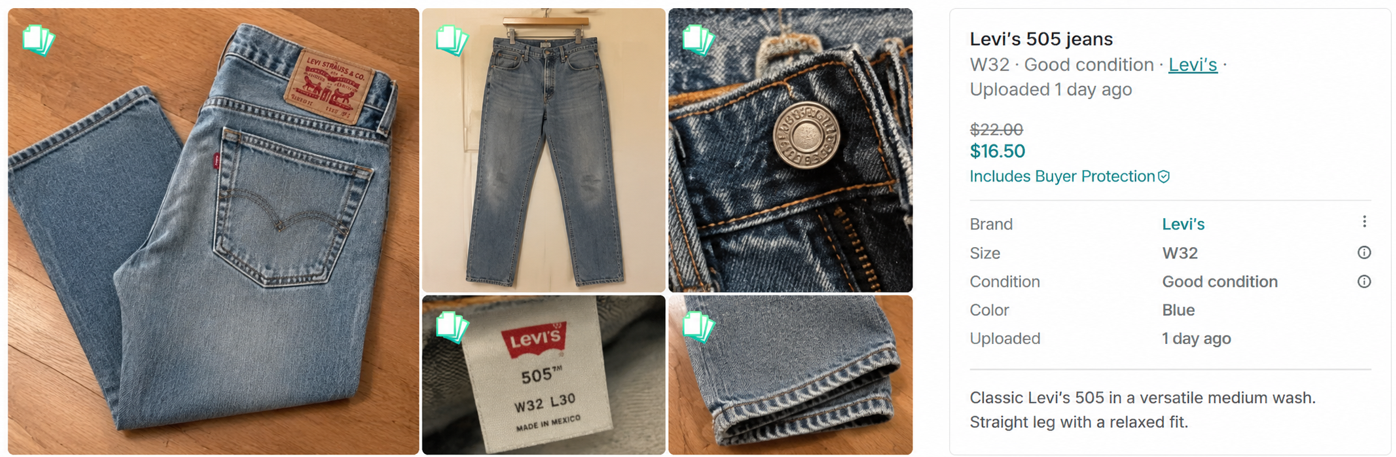
Product attributes help buyers narrow Vinted search results using filters. Like on eBay or Poshmark, buyers can filter by many of these attributes right from the search results page, and the full details show on your listing once they click through. Set each one accurately:
- Color: Choose the item’s accurate color in Vinted’s listing fields. You can also describe a more specific shade, such as “sage green cardigan,” where useful.
- Material: Select the correct material when available and describe the fabric accurately. Check the garment label rather than guessing whether it’s wool, cotton, or blended. If you’re selling something other than clothing, such as a phone case, the material may not matter. However, include it when it’s a major selling point, such as a titanium phone case.
- Pattern: Select the pattern that accurately matches the item, where available. Descriptive terms such as “floral wrap dress” or “striped shirt” can also clarify appearance.
- Fit or cut: Describe identifiable cuts or styles accurately, such as straight-leg, slim-fit, or oversized. Avoid adding fit terms you can’t confirm from the garment or manufacturer.
- Men, women, or kids: List the item in the appropriate Vinted category so buyers browsing relevant sections can find it. Don’t rely on adding “women’s” or “men’s” to titles.
- Size: Select the size shown on the item’s label using Vinted’s available size options. For jeans and pants, you’ll add the length here. For shirts, you can write a more precise measurement, such as 43” chest, which goes beyond the L that buyers will see on the search results page.
Step 3: Add relevant style keywords
Style keywords describe your item’s look or style, such as Y2K, boho, or gorpcore. Buyers may search these terms when they want a certain look. Adding the right style keyword can help your listing appear in those searches.
Only use style keywords that actually fit the item. For example, a low-rise denim mini skirt might fit “Y2K.” Adding several unrelated styles to a plain cotton tee can make your description less accurate. A fringed suede jacket could use “boho” because its design and material fit that style.
Step 4: Consider season and occasion
Season, occasion, and use keywords describe when or why someone might wear an item. Write these terms naturally into your description, below the listing categories and attributes you've already selected.
Buyers need enough detail to understand the item, not a wall of text they have to dig through. Here are some general ideas:
- Season: Tell buyers what time of year the item suits, such as summer or winter. For example, an insulated coat could include “winter puffer jacket.”
- Occasion: Think about where or when someone might wear the item, such as a wedding, festival, or formal event. A suitable dress could include “wedding guest dress.”
- Use: Explain what activity or purpose the item is made for, such as hiking, running, or skiing. For example, waterproof hiking pants could include “hiking.”
Pro tip: Don’t try to write a description that would inspire fiery applause from the ghosts of William Faulkner and Edith Wharton. Aim to keep it informative and around 100 words.
How to research Vinted keywords
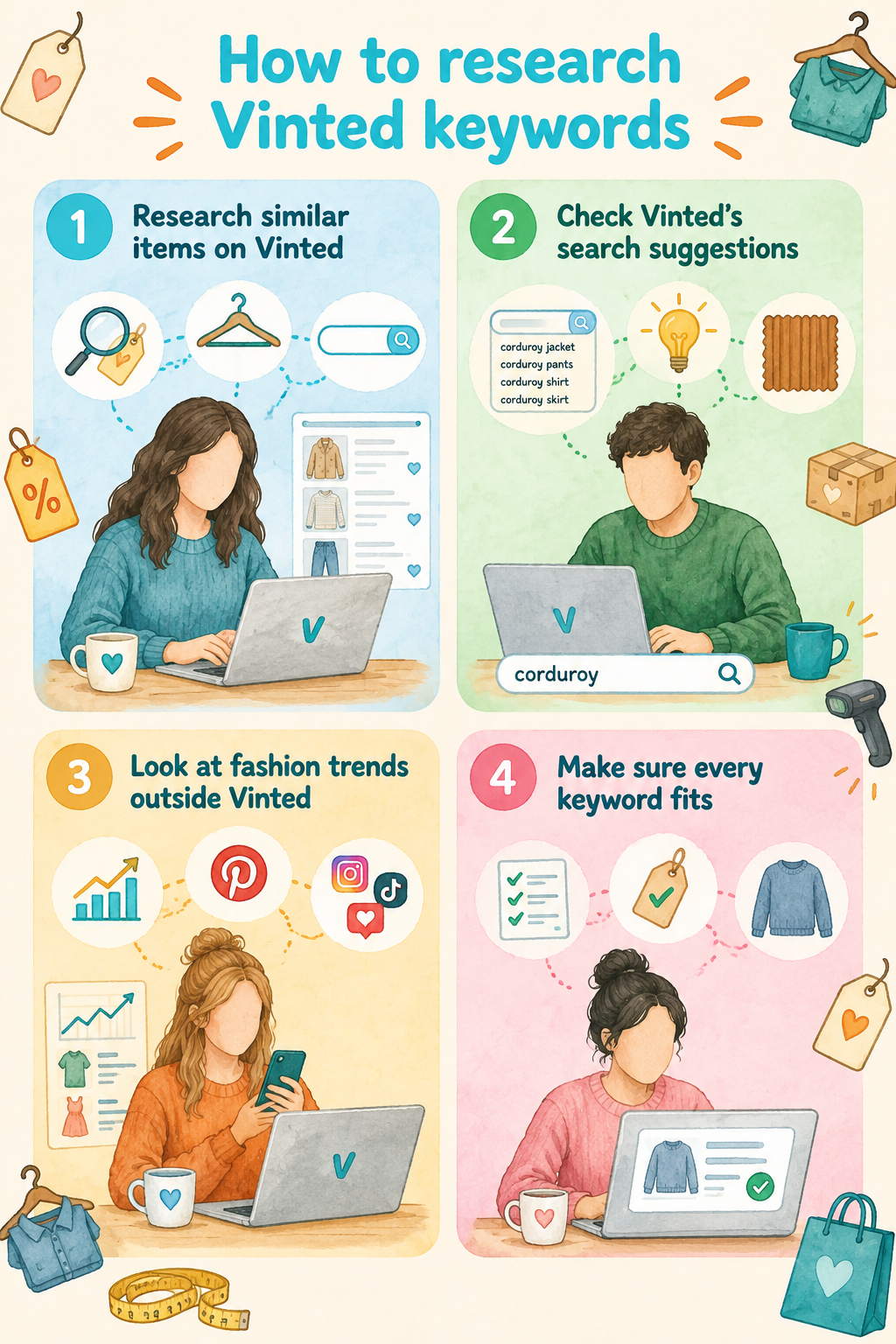
Research Vinted keywords by checking which words buyers and sellers use to describe items. Vinted doesn’t provide a keyword tool with search volume data. But here are 4 ways to find useful keywords on your own:
1. Research similar items on Vinted
Search Vinted for items similar to yours and look for words that appear often. Check how sellers describe the product type, style, material, and other important details. For example, you might notice many sellers using “satin slip dress” for dresses similar to yours.
2. Check Vinted’s search suggestions
Type a word related to your item into Vinted’s search bar and note the suggestions that appear. You may find more specific words or phrases you hadn’t considered. For example, searching “corduroy” could give you ideas for more specific product terms.
3. Look at fashion trends outside Vinted
Check Google Trends, Pinterest Trends, and groups on Facebook, Instagram, and TikTok for words people use to describe different styles. These sources can also help you spot styles that are becoming popular. If you keep seeing “balletcore,” for example, search for it on Vinted. Then see if it describes your item.
4. Make sure every keyword fits
Only use keywords that accurately describe what you’re selling. Don’t add a style or trending term just because it’s popular. For example, don’t call a plain knit sweater “cottagecore” unless its design actually fits that style.
How to tell if your Vinted keywords need changing
Sometimes, buyers aren’t finding your listing because you don’t have the right keyword or you’re missing details. Other times, your listings aren’t getting engagement for different reasons. Let's take a look at some common problems and solutions:
Your keywords are too broad
A broad keyword covers too wide a category to match a specific buyer search, like “dress” instead of “midi wrap dress.” Broad terms pull volume but bury the listing under thousands of unrelated results. Consider retitling an item from “top” to something precise, like “cropped knit cardigan.”
You’re missing important product details
Missing details means your listing doesn’t include information buyers use to filter results, such as the size, material, or brand. Double-check to make sure you have these details on your listings. Without these details, your listing never appears when a buyer narrows results using those filters.
Your keywords don’t match how buyers describe the item
Your wording may accurately describe the item, but it doesn’t match the terms buyers commonly use, such as “sneakers,” “boho,” or “Y2K”. Search comparable Vinted listings and adjust your terminology when you find a clearer, more widely used description.
Seasonal demand has changed
Buyer interests can change with seasons and upcoming holidays. Review older listings and update seasonal or occasion keywords from time to time when they no longer describe how you want to position the item.
The keyword is right, but something else is off
Low views don't automatically mean your keywords are wrong. Check your photos, price, category, condition, description, and overall demand before changing an accurate keyword simply because a listing isn't performing.
Sell more with Nifty
When you get your Vinted keywords right, consider selling on other platforms like eBay, Etsy, Poshmark, and Depop to reach more buyers. For these platforms, consider using Nifty, a crosslisting and automation tool that helps you generate titles and descriptions and crosspost them to other platforms.
Here's why Nifty's so helpful:
- Customized AI listing: Snap a pic and let Nifty's AI build a high-quality listing, with SEO-optimized titles and descriptions, and trending hashtags already filled out for you. You can even customize how AI writes your listings to follow your unique style.
- Crosslist now: With a couple of clicks, post your items across Whatnot, Poshmark, eBay, Mercari, Depop, and Etsy. No copy-paste clutter and no multi-tab hopscotch. (More marketplaces coming soon!)
- Bulk crosslisting: Publish up to 25 listings at once with marketplace-specific pricing rules, shipping presets, and AI-enhanced titles and descriptions. Start in Nifty or import from eBay, then export everywhere in one action.
- Marketplace-specific Pricing Rules: Set your price once on a primary marketplace, and Nifty auto-calculates the rest with percentage or dollar adjustments so your take-home stays consistent when you crosslist.
- Auto-delisting? Handled: When you make a sale, Nifty's sales detection auto-delists that item from every marketplace. Say goodbye to double-selling disasters and "sorry, it's already gone" apology messages.
- Bulk tools = no busywork: Share and relist daily in just a few clicks. You can even schedule drafts to go live while you sleep and set automatic discounts that run deeper over time.
- Analytics you can act on: Track sales, fees, top performers, and slow movers in one clean dashboard, so you can actually see what's working and what's just dead space. You can also set and track seller goals directly from your home screen.
Start with a 7-day free trial and see how Nifty can simplify listing tasks so the time you save goes back into growing your resale business.
FAQs
1. Do trending keywords help you sell on Vinted?
Yes, trending keywords help you sell on Vinted. Keywords such as “balletcore” or “Y2K” improve visibility when they genuinely match your item, helping the right buyers find it faster. Only use accurate terms because misleading tags waste clicks and hurt your seller reputation.
2. What are the most searched keywords on Vinted?
Vinted doesn't publish search-volume data, so it’s pretty difficult to say what the most searched keywords on Vinted actually are. But checking similar listings, search-bar suggestions, and outside trend sources like Pinterest reveals the terms buyers actually use. Matching that language can improve your listing's discoverability.
3. Should you use a Vinted keyword generator?
It depends. Although a generator can speed up brainstorming brand, style, and attribute terms, always verify accuracy against the real item before posting. Doing this keeps listings honest, avoids buyer complaints, and cuts the manual research time spent guessing keywords.
4. What keywords should you use for Y2K items on Vinted?
Pair “Y2K” with specific descriptors like low-rise, mini skirt, baby tee, or butterfly print so the term genuinely fits the piece. Precise tagging can help attract the right nostalgic-style shoppers and cut down on mismatched, wasted search traffic.


.png)