
How to bundle on Depop: Automatic and custom bundles
.jpg)
Pop quiz: What can you do when a buyer likes three pieces in your Depop shop and sends you a message, asking if you'll do a deal?
Answer: You can offer them a custom bundle, which can include a small discount. But many Depop sellers confuse custom bundles with automatic bundles. Here, I’ll describe the differences and walk you through two step-by-step processes, so you know how to bundle on Depop.
Automatic bundles vs. custom bundles: TL;DR
The key difference between automatic and custom bundles:
- Automatic bundles apply a pre-set offer at checkout when buyers purchase multiple items.
- Custom bundles require you to create a combined listing based on the items and price agreed with the buyer.
How to bundle on Depop automatically
Depop lets you automatically bundle by configuring your account like the following:
1. Go to My Depop
Open Depop and go to My Depop so you can access your account and seller controls. Then, tap My account to reach the settings Depop currently uses for bundle offers.
2. Open My account
In My account, find the “Sell more” section. Depop's current Help Centre will direct you through this menu when setting up bundles. You don't need to create a separate listing before configuring your offer.
3. Select Bundles under Sell more
Under Sell more, select Bundles so you can open the settings for offers that apply when a buyer purchases two or more items from your shop. Depop currently lets sellers set bundle incentives from this section.
4. Choose your bundle offer
Choose the incentive you want to offer buyers, which currently includes free shipping or a discount on items for purchases of two or more items.
Incentives: If you choose free shipping, you cover the shipping costs for the bundle. For discount-based bundles, Depop lets you set your own discount rate in your shop settings.
5. Apply your bundle settings
Once your bundle offer is active, eligible buyers don't need to message you for a custom listing. When buyers select multiple items from your shop, Depop automatically applies your bundle discount or shipping offer at checkout. Depop also displays a banner on your shop when bundle discounts are turned on.
You can still create a custom bundle manually by messaging a buyer and adjusting the price or shipping if you prefer. Automatic bundle settings simply give buyers another way to purchase multiple items without arranging the offer with you first.
How to make a custom bundle on Depop
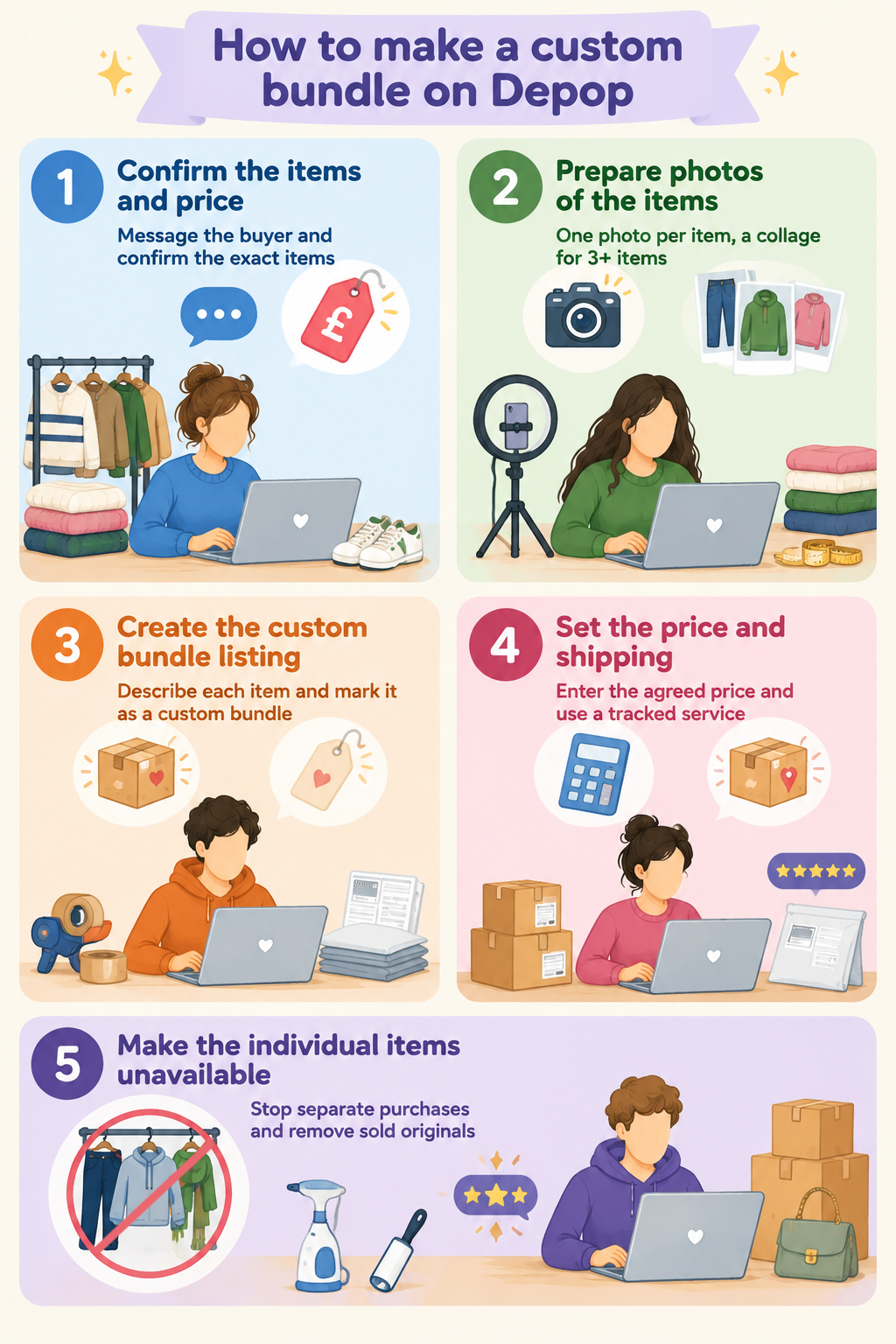
A custom bundle on Depop is a manually arranged purchase between a seller and buyer. Depop allows sellers to create custom bundles by messaging the buyer and adjusting the price or shipping. Here’s a breakdown of how to make a custom bundle offer on Depop:
1. Confirm the items and price
If a buyer is interested in two or more items, message them on Depop to confirm which items they want and the price you've agreed on. You can offer them more items to create an even bigger bundle.
Check the exact items before creating the bundle, especially if the buyer has added or removed something during the conversation. For example, confirm that the bundle contains the black Levi's 501s, grey hoodie, and green scarf before creating the listing.
2. Prepare photos of the items
On Depop messaging, send a single photo of each item to accurately confirm everything that’s included in the custom bundle. I recommend sellers with more than 2 items combine these photos into a collage to make the bundle easy to recognize. Always make sure the buyer understands any flaws or imperfections if the items have them.
3. Create the custom bundle listing
On your Depop account, create a new listing containing the items you've agreed to sell. You can identify it as a custom bundle and include the buyer's username if helpful, but a username in the title doesn’t formally reserve the listing. Describe each item included so the buyer can check the bundle before purchasing.
4. Set the price and shipping
Enter the agreed bundle price and choose shipping. If you're using a Depop shipping label, make sure the parcel information you provide is accurate for everything you're sending.
If you're arranging shipping yourself, follow Depop's shipping requirements and use an appropriate tracked service.
5. Make the individual items unavailable
Once you've created a custom listing containing several items, make sure other shoppers can’t purchase those same items individually. After the custom bundle sells, check your shop and remove or make unavailable any original listings of items you no longer have.
How does shipping work with Depop bundles?
Shipping works by affecting the total cost of a Depop bundle, because all the items ship together in one package. Here’s what goes into Depop shipping for bundles:
Who pays for bundle shipping?
Buyers usually pay the shipping cost along with the price of their items. But you can also offer free shipping through your bundle settings. For a custom bundle, you can set the shipping details yourself.
Combined parcel weight
Depop uses the combined weight of all items in the bundle to choose the shipping label. Enter the correct parcel size and weight when creating each listing so Depop’s system can choose the right label for the bundle.
For example, two items listed as small parcels may need a medium parcel label when shipped together.
Free bundle shipping
You can offer free shipping when a buyer purchases two or more items from your shop. If you offer free bundle shipping, include shipping as a cost when calculating your profit.
If you use Depop’s shipping labels
When all items use Depop Shipping, Depop creates one label for the entire bundle, so pack all the items together and ship them using the label Depop provides.
In the UK, Depop Shipping uses Evri. In the US, it uses USPS.
How do bundle discounts and seller costs work?
Bundle discounts take a percentage off the total item price, lowering the price of each item in the bundle.
US and UK sellers currently pay no Depop selling fee. Depop Payments charges 3.3% + $0.45 in the US and 2.9% + £0.30 in the UK. The fee applies to the item price, shipping costs, and any taxes.
A simple example before shipping and taxes: A $30 jacket and $20 pair of jeans cost $50 together. A 10% bundle discount brings the price down to $45. After the payment processing fee, a US seller gets about $43.07.
For the same £50 bundle in the UK, a 10% discount brings the price to £45. After the processing fee, the seller gets about £43.40.
Bundles with smaller profit margins or high shipping costs may leave less room for a large discount.
How to request a bundle on Depop as a buyer
Buyers can request bundle pricing through a seller's automatic bundle offer or by asking for a custom bundle in Depop messages. The basic process:
- Find items from one seller: Choose two or more items you want from the same Depop shop.
- Check for a bundle offer: Look for a bundle offer on the seller's shop. If one is active, add the items to your bag. Depop automatically applies the eligible discount or shipping offer.
- Message the seller for a custom deal: If you want a different deal, message the seller through Depop. Confirm the items, total price, and shipping before agreeing to buy.
- Check the custom listing: If the seller creates a custom bundle listing, check the items, price, and shipping. Make sure they match what you agreed to in your messages.
- Purchase through Depop: Complete the purchase through Depop's checkout. You need to pay through Depop for your purchase to qualify for Depop Protection.
Sell more on Depop with Nifty
Now that you know how to bundle on Depop, you can move more items, but every bundle comes with admin. You’ll have more listings to write and margins to check once discounts, fees, and postage land. Instead of doing this work by hand, let Nifty, a crosslisting and automation tool, take care of that busywork.
Here's why Nifty's so helpful:
- Customized AI listings: Upload photos of the pieces you plan to bundle and let Nifty generate search-optimized titles, descriptions, and item details. Review the draft, then use custom instructions to match your shop's voice.
- Crosslist now: List eligible items across eBay, Etsy, Depop, Whatnot, Mercari, and Poshmark from one tool, so the stock buyers bundle on Depop also reaches shoppers on every other marketplace. Marketplace access and features depend on your connected accounts and plan.
- Bulk crosslisting: Select multiple existing listings in Nifty, choose your target marketplaces, pricing, and shipping, then save the AI-generated results as drafts or publish them. It's the fastest way to get a full rail of bundle-ready pieces live.
- Marketplace-specific Pricing Rules: Set Depop as your primary marketplace, and Nifty auto-calculates the rest with percentage or dollar adjustments so your take-home stays consistent when you crosslist.
- Built-in auto-delisting: Enable auto-delisting and Nifty can remove an eligible sold item from your other connected marketplaces. That matters most when several pieces leave your shop in a single bundle order, because it helps reduce the risk of selling the same item twice.
- Bulk tools = less busywork: Relist leftover pieces in batches once a bundle clears part of your stock, schedule ready-to-publish drafts, and use supported automations to handle recurring selling tasks.
- Analytics and profits, made clear: Track sales, fees, profit, and your top-selling brands and categories, so you can see which bundle discounts actually pay off. You can also set seller goals and check your progress from Nifty's home screen.
Start using Nifty with a 7-day free trial and see how it can help you spend less time on admin tasks and more time moving multiple items per sale. Nifty’s also available in the UK and Australia for selling on Depop, Etsy, eBay, and Whatnot.
FAQs
1. How do bundle offers work on Depop?
Bundle offers on Depop work by letting sellers set an automatic shop-wide deal, or letting buyers request a custom bundle through messages.
2. Does Depop automatically bundle shipping?
Yes, Depop automatically bundles shipping when all items use Depop Shipping. Depop generates one label based on their combined weight. If a bundle mixes Depop Shipping and manual shipping, Depop converts the manual order to Depop Shipping and provides one label for the bundle. Sellers using only manual shipping arrange postage themselves.
3. Can you bundle items from different Depop sellers?
No, you can't bundle items from different Depop sellers. A Depop bundle combines two or more items from the same seller's shop, while purchases from different sellers are separate orders with separate shipping. Buying several items from one seller may qualify for a bundle discount or free shipping if that seller has an offer enabled.
4. Are Depop bundles worth offering?
Yes, Depop bundles are worth offering if your margins can absorb the discount or shipping cost, since bundles encourage larger orders and help clear stock faster. Low-margin or heavier items can lose profit under free shipping, so they may not work for bundles.
5. Can you send an offer on a Depop bundle?
Yes, you can send an offer on a custom Depop bundle listing when the Make Offer option is available. For automatic multi-item bundles, the seller's bundle discount applies automatically at bag and checkout. If you want a different price, message the seller to discuss a custom bundle.



.jpg)